November 27, 2026
Virtual Showroom Software: What It Does and How to Pick One
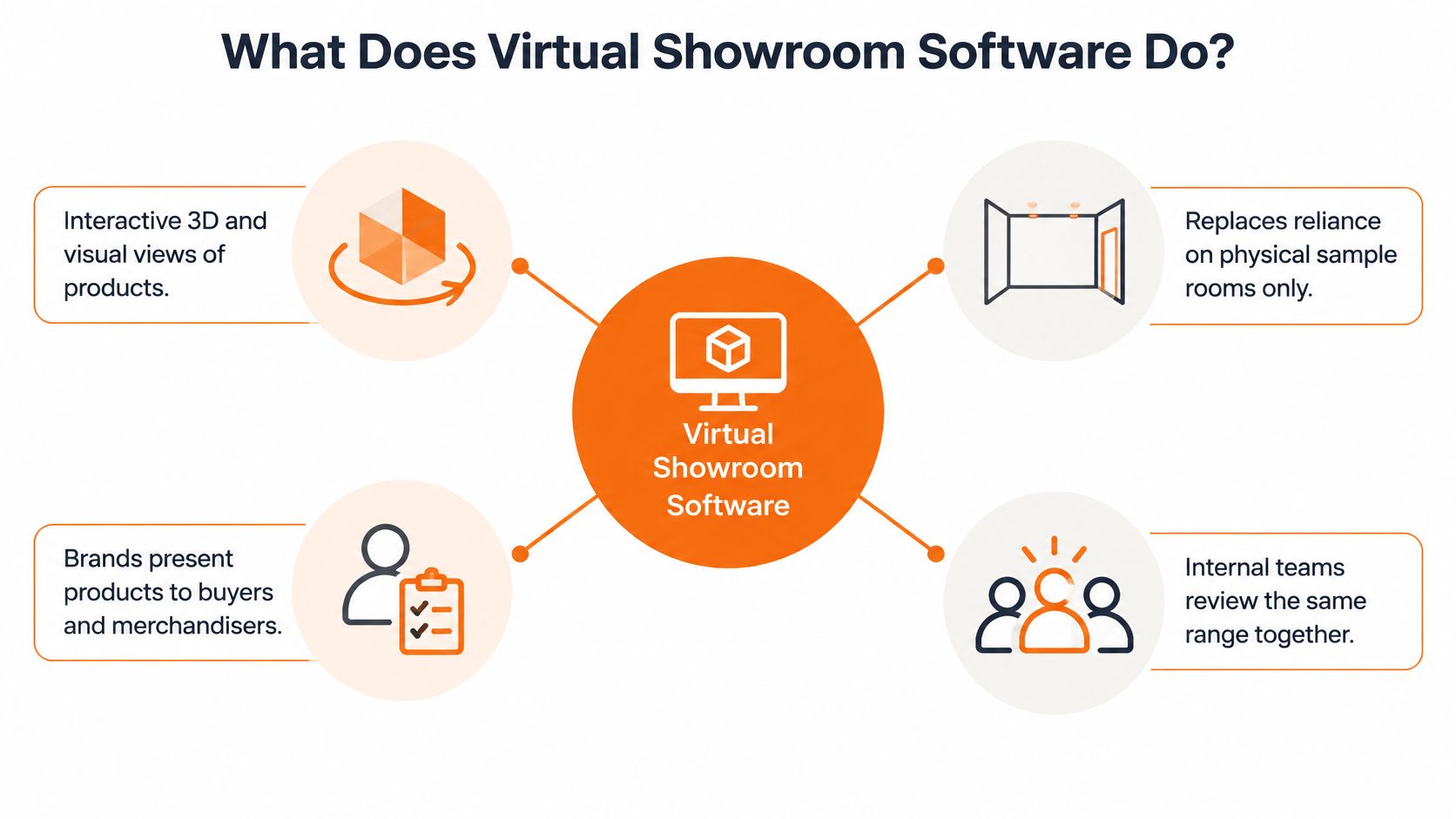
Virtual showroom software presents products to buyers and teams in visual form. Compare core features, categories and fit for your workflow.
Published 14 January 2026
A showroom is a catalog you can walk through, and the software decides whether that walkthrough shows what merchandising approved this week or what a designer rendered three weeks ago. Virtual showroom software presents a range through interactive visual views that buyers, sales teams and internal stakeholders can browse remotely, and it ties those views to product records so one presentation serves several audiences. Sprello, our product, is AI for product development and merchandising, from product concept to buyer-ready collection, so the visuals and the catalog sit in one system rather than two.
So why does a showroom that looks convincing in a demo so often fall apart the week after launch? Because the demo tests the picture and the job tests the data behind the picture. A view that can't be traced to an approved style record is decoration, and decoration doesn't survive a buyer asking which colorways ship in March.
The category has real money behind it. The virtual showroom platform market was valued at approximately USD 3.28 billion in 2024 and is projected to reach USD 15.68 billion by 2033, a compound annual growth rate of 19.7%, according to Growth Market Reports. Four kinds of tool carry that label, and they stop in different places.
What Does Virtual Showroom Software Do?
Where each category stops
| Category | Main job | Typical users | Where it stops |
|---|---|---|---|
| 3D configurator and product viewer | Interactive 3D views of one product with its options | E-commerce and digital teams | Limited for multi-account buyer assortments and line sheets |
| Buyer-facing showroom portal | Hosts collections for wholesale buyers to browse and review | Sales and wholesale teams | Depends on product data and visuals already being finished |
| PLM and planning suite | Manages specs, tech packs, BOMs and seasonal planning | Product development and merchandising | Creative visual exploration is usually outside core scope |
| AI visual canvas (Sprello, our product) | Turns sketches, CADs, materials and references into visuals and colorways, linked to one catalog and buyer line sheets | Product development, merchandising and creative teams | Complements PLM and planning; does not replace tech packs, BOMs, pattern making, forecasting or open-to-buy |
Read the last column and the gaps appear quickly. A configurator is built around a single product page, so it has no concept of a buyer account with its own minimums and ship window. A buyer-facing portal hosts a collection well but assumes finished assets already exist and product facts are already agreed. A PLM suite holds the spec and the BOM but was never designed for colorway exploration or a photoreal visual.
Practical rule: buy the layer that fixes your bottleneck, then connect it to the layer that already holds your product truth.
Most brands end up running two systems rather than one: a visual and presentation layer on top of PLM or planning, joined by a shared product identifier. That works when the identifier is stable and the visual gets approved in the same place the catalog lives. It fails the moment someone exports a spreadsheet and rebuilds the range by hand.
How Does a Style Move to Buyer Assortments?
Wholesale assortment planning runs at two levels. The brand defines the seasonal master assortment, then each account receives its own subset shaped by its minimums, floor-set schedule, delivery timeline and channel requirements, as Retail Northstar's guide to assortment planning for wholesale brands sets out. The account view decides which styles the buyer carries, at what depth, and on what timeline. A line sheet is the downstream artifact that presents the applicable styles, prices and delivery windows for that account.
A 40-style capsule, three accounts and a flagship
Say a jewelry brand closes a 40-style capsule. Account A takes 22 styles for a March floor set. Account B takes 14, with deeper units on four best sellers and a later ship window. The flagship takes all 40 plus two exclusives. Same master plan, three different answers, and every difference has to stay traceable or the buyer conversation turns into a spreadsheet argument.
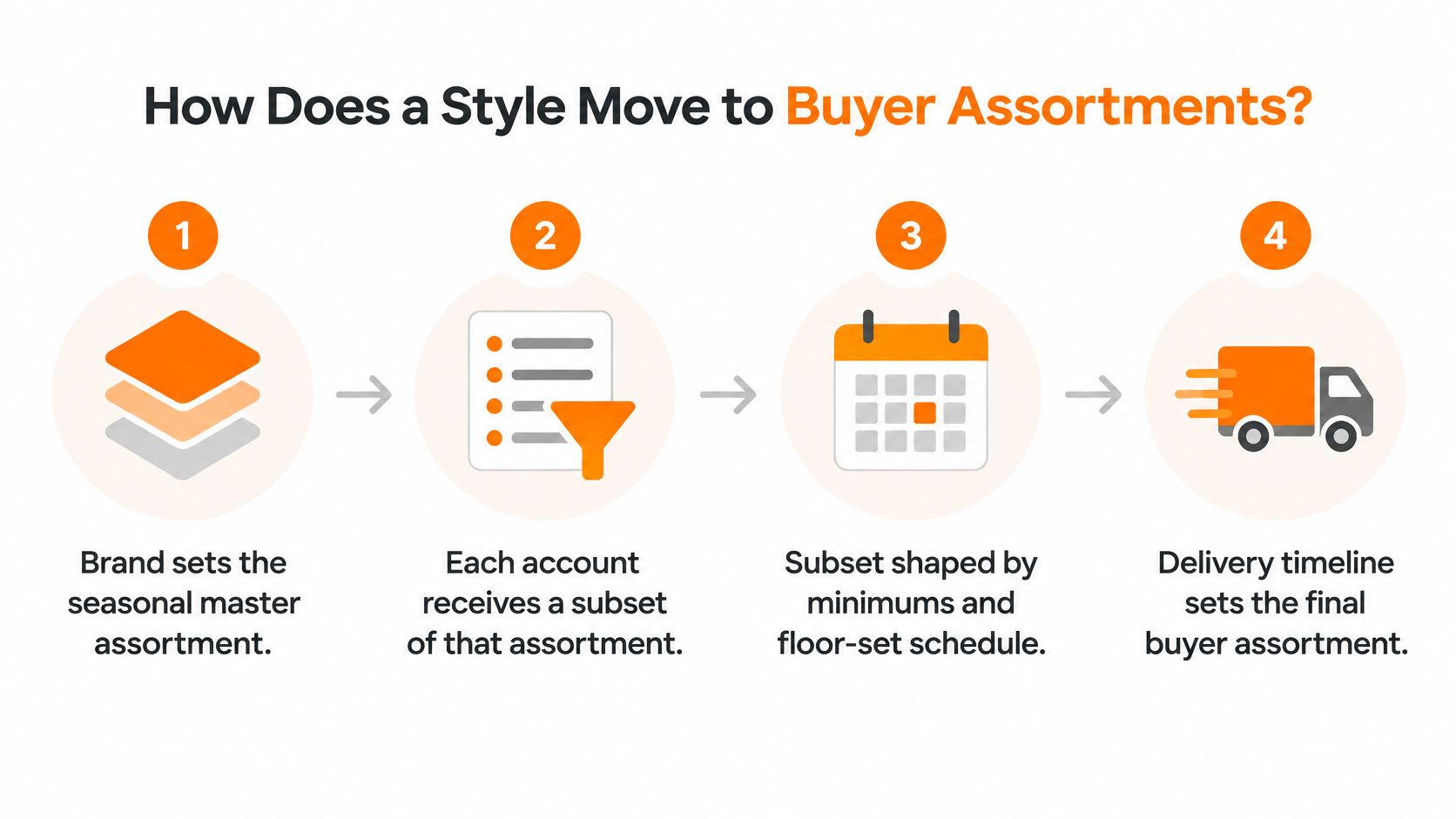
The workflow that keeps those answers consistent looks like this.
- Load the source material. Put the sketches, CAD files, material references and inspiration into the canvas.
- Generate and approve visuals. Explore colorways and material directions with AI before the next physical sample, then keep only the approved outputs. If one render comes back wrong, fix that step and rerun it rather than regenerating the whole chain.
- Save the product to the catalog. One record per style, holding its details and the visuals created for it.
- Check coverage. The catalog shows which products have approved visuals and which still need them, so nothing ships with a placeholder image.
- Build the master assortment. Assemble the seasonal range once, at brand level.
- Create buyer assortments. Each buyer's assortment starts from the same product information, and the mix can be reviewed as a whole.
- Export line sheets. Style or variant codes, material, wholesale price and retail price, per account.
Selected visuals and product details flow from the catalog into those line sheets and buyer assortments, which is the difference between a showroom and a filing cabinet. If your team is still stitching this together from exports, the line sheet software guide covers what the handoff should look like.
Why one account needs its own view
Commercial rules differ for the same catalog. Currency and Incoterm change by market, delivery group and ship window change by market, opening and reorder minimums change by account, and price tier and payment terms change by account.
A channel exclusion is the clearest case. A wholesale-only style has to be removed from a marketplace view without disappearing from the wholesale assortment, as this guide to account-level line sheet rules lays out. That is a data problem, not a design problem, and it needs its own view rather than a manual edit each season.
The check that proves the workflow holds: the same style shows the same details and the same approved visuals in every line sheet it appears in.
Which Capabilities Should You Compare?
The test that separates platforms is what happens after the image is made. A render sitting in a downloads folder is a deliverable. A render that lands in a catalog record and updates the buyer materials is infrastructure. Ask every vendor to demonstrate the second version.
| Capability | What to check | Why it matters |
|---|---|---|
| Shared product catalog | One record per style holding its details and visuals | Stops buyer materials from drifting apart |
| Visual generation | Accepts sketches, CAD files, materials and references; controls colorways | Reduces the number of physical samples needed for early exploration |
| Saved workflows | A canvas run can be saved and rerun on the next style | Makes handoffs repeatable across seasons |
| Step-level editing | One step can be corrected without regenerating everything | Keeps rework contained |
| Buyer assortments | Separate views per account or channel built from one master plan | Matches minimums, delivery timing and channel rules |
| Line sheets | Style codes, material, wholesale price and retail price shown | Gives buyers ready output without re-keying |
What to ask the vendor to show
Shared catalog: ask them to open one style and change a material name, then open the buyer line sheet and confirm the change is already there. If the two screens disagree, you're looking at a presentation tool with a database bolted on.
Visual generation: hand over a real sketch and a material swatch, not a sample image from the gallery. Watch whether the tool holds the colorway across multiple views or drifts between them.
Step-level editing: ask them to break one step deliberately. A workflow that forces a full regeneration to fix a collar or a strap makes a seasonal team stop experimenting, because every correction costs the same as the first attempt.
Buyer assortments: ask for two accounts built from one master, then ask what happens when a style is dropped from the master. Both account views should reflect it without a manual sweep.
Line sheets: ask to see a real export with style codes, material, wholesale price and retail price in place. That output is where buyers often discover whether the platform understood wholesale or only understood e-commerce.
Why a saved workflow outlasts a bigger model
A seasonal team repeats the same handoffs every drop: design finishes a style, merchandising places it, marketing needs a variant for a channel. A workflow that can be saved and run again on the next style turns that handoff into a repeatable operation rather than a fresh negotiation. We built the canvas as a place to connect models, adjust parameters and see how inputs become outputs, precisely because the audit trail matters as much as the picture. And when one step of a saved workflow is wrong, fixing that step alone keeps the rest of the run intact.
The failure mode is a platform with strong visuals and no catalog link. The team ends up re-keying product facts into buyer files, and every re-key is a chance for the line sheet to disagree with the showroom. Teams comparing buyer-facing order flows alongside this should look at how a wholesale ordering platform handles the same catalog.
How Do You Measure a Showroom's Return?
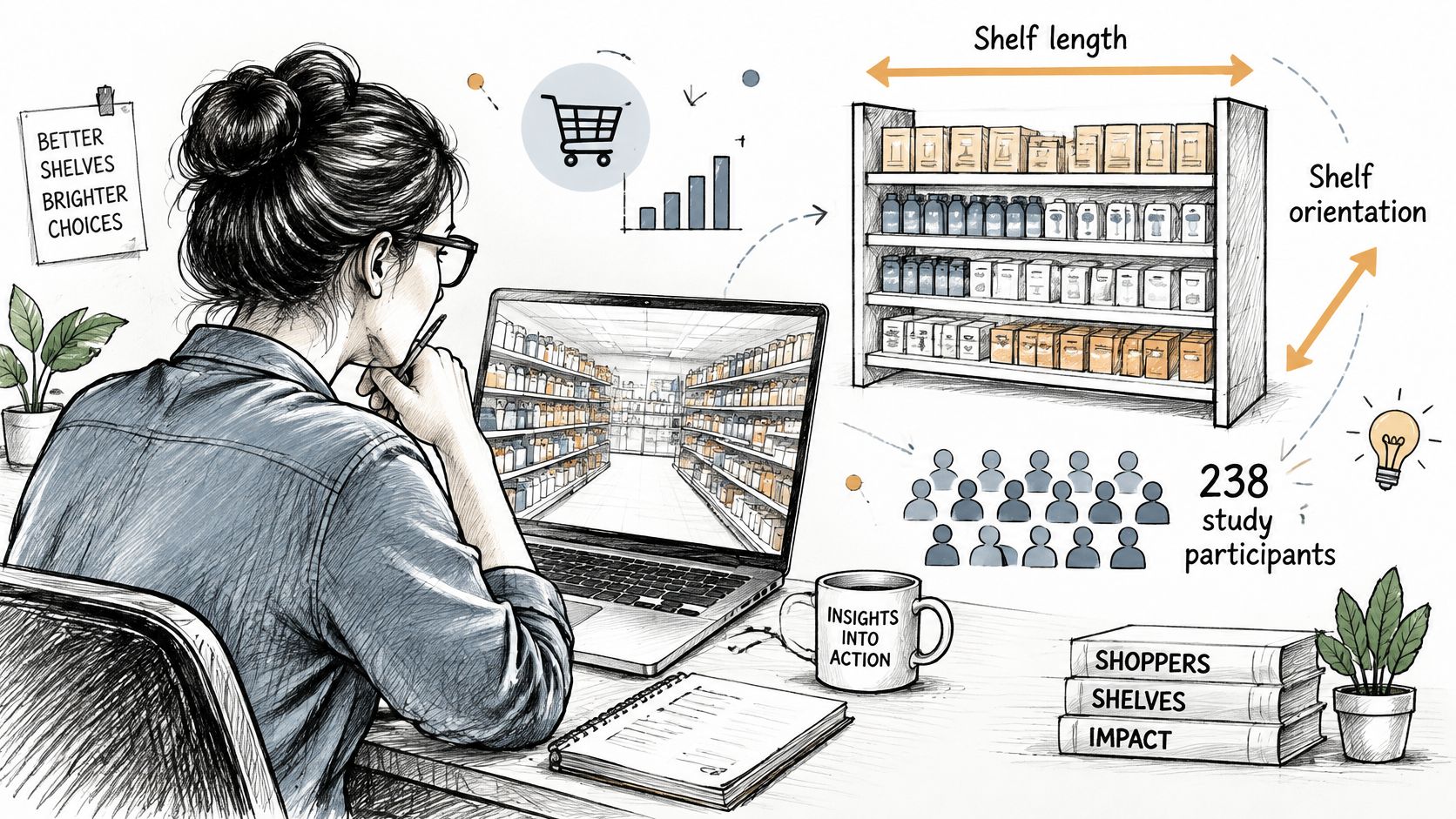
A showroom that counts only scene views and hotspot clicks tells you people looked. It doesn't tell you what to change. A validated virtual-store protocol shows the difference: in an experiment with 238 participants, shelf length and orientation significantly affected the number of products examined, with a partial eta squared of 0.02, according to the published virtual store study. Layout variables changed behavior in a measurable way, which means a showroom can be a research instrument rather than a display.
The technical requirement is an event schema, not a nicer render. Every interaction should be captured as a structured event (SKU view, dwell time, navigation path, variant interaction, add to cart) and joined to SKU, category, campaign, market and session identifiers. Without that join, you have a heatmap of curiosity and no way to act on it. With it, you can A/B test assortment sequencing, accessory adjacency and colorway presentation before committing the change across channels.
| Metric group | Metrics | Decision it should change |
|---|---|---|
| Leading indicators | Buyer invitations accepted; product-detail views; time to first feedback | Which styles go into the next buyer presentation |
| Commercial outcomes | Orders per buyer; reorder rate; gross margin; samples avoided | Assortment depth and sampling plan |
| Operational outcomes | Brief-to-asset time; revision cycles; regional adaptation time | Workflow and handoff design |
Engagement numbers alone prove very little. A high dwell time can mean a buyer is fascinated or that the navigation is broken and they can't find the size range. That's why the operational group matters as much as the commercial one: if brief-to-asset time doesn't fall, the showroom added a step rather than removing one.
Set a baseline before you claim anything. Either a control group of accounts still working the old way, or a clean before-and-after comparison across the same season. Self-reported return figures are hard to read without one, because nobody knows what would have happened anyway.
For teams reworking the planning side of this, assortment planning in fashion covers how the buy plan and the presentation have to line up.
Each metric should be tied to the one merchandising or development decision it is meant to change. If no decision moves when the number moves, stop collecting it.
Do Virtual Showrooms Really Cut Waste?
The claim is that a virtual showroom is sustainable by its nature because it removes samples, travel and material waste. Peer-reviewed research on virtual fashion frames environmental, social and economic benefits but also finds that sustainability depends on the business model and the implementation rather than on digitization alone, as this study of virtual fashion's environmental and economic case sets out. The technology is neutral. What a brand does with it decides the outcome.
Test the claim against four questions before repeating it in a sustainability report.
- How many physical samples were avoided? A number, not a direction. Count them per season against your own sampling plan.
- What happens to the assets after the season? Rendered files, 3D files and AI-generated variants either get reused or get archived and forgotten.
- Does the compute offset part of the benefit? Rendering, storage and delivery consume energy, and pretending otherwise weakens the whole case.
- Are assets reused across channels? A visual that serves wholesale, e-commerce, editorial and a regional campaign earns its footprint. One used for a single presentation does not.
A showroom reduces impact only when it replaces redundant physical activity and feeds reusable downstream work. Add an immersive layer on top of unchanged sampling and production practice and you've added cost and compute without removing much of anything.
Keep a ledger per season: physical units avoided, shipping and travel avoided, asset reuse rate, compute and storage assumptions, and any remaining physical production. Record every line against your own pre-change baseline, because a broad lower-waste statement can't be checked by anyone, including your own team. We publish two figures on the sampling side of this, 3x fewer physical samples and a 50% reduction in excess inventory, and both only mean something next to the number you started from.
The honest version of the sustainability claim is a spreadsheet, not a slogan.
Which Security Controls Should You Verify?
A showroom is a data system before it is anything else. It holds your sketches, your unreleased designs, your wholesale pricing, and the buyer-specific assortments behind them, so the security question is really a merchandising question: who sees what, and what does the platform do with what it holds?
Enterprise buyers typically evaluate four separate controls: a SOC 2 Type II report, SAML-based single sign-on, role-based permissions, and an explicit written policy on whether customer data trains models. Each one answers a different question, and a vendor can be strong on one and silent on another.
- SOC 2 Type II: ask for the report itself, and check the audit type and the date. A logo on a pricing page proves nothing; an annual Type II audit covers controls over a period, not a point in time.
- SAML single sign-on: confirm SAML 2.0 support and test it against your own identity provider, such as Microsoft Entra ID. This is the control that decides whether offboarding a merchandiser removes their access.
- Role-based permissions: check that permissions can be set at organizational, group and individual-user levels. A brand sharing product visuals, catalogs and buyer-specific assortments across design, merchandising and sales needs that granularity.
- Training data policy: get it in writing. This is the control most often answered with a vague reassurance.
Sprello is SOC 2 compliant and uses role-based access controls so the right people have the right access to your accounts and data. Designs, sketches and uploads are never used to train our models or anyone else's, and brand IP is encrypted at rest and in transit with strict data isolation between every workspace.
Ask before you sign: who can export designs, how deletion works at season end, where renders are stored, and whether contractors or agencies can reach brand IP.
That last question matters more than it sounds. Agencies and freelance studios are normal in this work, and a permission model that can't separate a contractor's access from a full-time merchandiser's is a gap you'll discover at the worst possible moment, usually when a seasonal collection is still confidential.
Which Platform Fits Your Team and How to Test It
Fit depends on the bottleneck, not on the feature list. Match your situation to the first question worth asking, then test it live.
| Team situation | First fit question | Where to start |
|---|---|---|
| Wholesale brand selling to many accounts | Can one master assortment produce a separate buyer view per account? | Buyer assortments and line sheets |
| Brand with high physical sample costs | Can colorways and materials be tested before the next physical sample? | Visual exploration on one style family |
| Brand with a PLM system in place | How do visual outputs move into PLM without re-keying? | Keep PLM for specs and BOMs; connect the visual layer |
| Team producing catalog-scale content | Can saved workflows and brand guardrails run across many SKUs? | Saved workflow templates on one category |
| Team that needs only an interactive product viewer | Does the team need buyer assortments or line sheets at all? | A simpler viewer may be enough |
Run the demo as a test, not a tour
Share your catalog size and use case in advance so the walkthrough reflects your workflow rather than a rehearsed path. We support fashion and apparel, beauty and cosmetics, jewelry and accessories, and home and lifestyle, and a demo can show the catalog, canvas, line sheets and assortments on one of your own product categories. Enterprise teams get hands-on onboarding, workflow setup and training aligned with their production needs.
Then run these checks in the session.
- Bring one real style family. Ask for a run from sketch to line sheet, start to finish, on your product rather than a sample gallery.
- Count the manual steps. Note which ones the saved workflow handles and which still need a person, because that count is your real labor change.
- Change one account's minimums. Confirm the master assortment and the other buyer views stay correct, not just the one you edited.
- Score the capability table against live output. Visuals, catalog link, step-level fixes, assortments, line sheet fields. Score what you see on screen, not what's in the deck.
- Ask how visuals reach PLM. PLM stays the system of record for specs and BOMs, so the integration path matters more than the visual quality.
If step three breaks, the platform is managing presentations rather than assortments, and you'll be maintaining the difference by hand all season.
What Do Brands Ask Before Booking a Demo?
Is virtual showroom software the same as a 3D configurator? No. A configurator shows one product's options. The platforms worth comparing also manage buyer assortments, line sheets and approval status, so the visual and the commercial record stay together.
Does it replace PLM? No. We complement PLM and planning suites, and we don't do tech packs, BOMs, pattern making, demand forecasting or open-to-buy. PLM remains the system of record for specs, and the visual layer connects to it.
Are our designs used to train AI models? Not with us. Customers' designs, sketches and uploads are never used to train Sprello's models or anyone else's models, and that policy is stated in writing rather than implied.
Which categories are supported? Fashion and apparel, beauty and cosmetics, jewelry and accessories, and home and lifestyle. Each has different visual demands, from detail-grade jewelry renders to room staging and seasonal refreshes for home.
Do we still need physical samples? For early decisions, visual exploration can reduce how many you need, but the exact reduction depends on your sampling plan. Measure it against your own baseline instead of accepting a general figure.
To see what this looks like on your own range, Sprello connects AI product visuals to one shared catalog, line review, wholesale line sheets and a separate assortment for each account or channel. Bring one style family and we'll run it from sketch to buyer-ready line sheet, so you can judge the workflow on your product rather than a sample gallery. Book a demo at Sprello.
Related
More to explore
Fresh reads

3D Product Photography: A Guide for Large Catalogs
3D product photography explained for fashion, beauty and home brands: workflow, capture settings, tool options and catalog scaling.
Sketch to Render AI: Create Polished Concepts Fast
Turn hand-drawn ideas into polished visuals with sketch to render AI. Explore styles, refine details, and bring your design concepts to life.
Wholesale Management Software: Tools Compared for 2026
Compare wholesale management software for fashion, beauty, and home brands, from order platforms to ERPs, and see where Sprello fits.