October 22, 2026
Neon Color Code Guide for Fashion and Beauty Brands
Neon Color Code. Get precise neon color hex, RGB, and CMYK codes for fashion and beauty. Learn glow effects, contrast rules, and print vs screen alternatives.
There is no single universal neon color code: screen colors use specific HEX/RGB values, while physical production needs a separate reference standard. Sprello can help teams keep color records connected to product visuals and merchandising workflows, but a screen value alone can't guarantee a match in fabric, ink, or packaging.
A neon shade can look settled in a campaign mockup and still shift when a supplier prints it, dyes it, or photographs it. The practical challenge isn't just choosing a vivid green or pink. It's making sure the same intended colorway remains identifiable across product development, production, channels, regions, and seasons.
Published October 22, 2026
What a Neon Color Code Really Is
A neon color code is a digital description of a screen color, not a universal physical standard. In digital design, teams commonly specify a color with a six-digit HEX value representing red, green, and blue channels, each ranging from 00 to FF. That's useful for screen-based work because teams can record and reuse a precise value in interfaces, visualizations, campaign mockups, and digital merchandising.
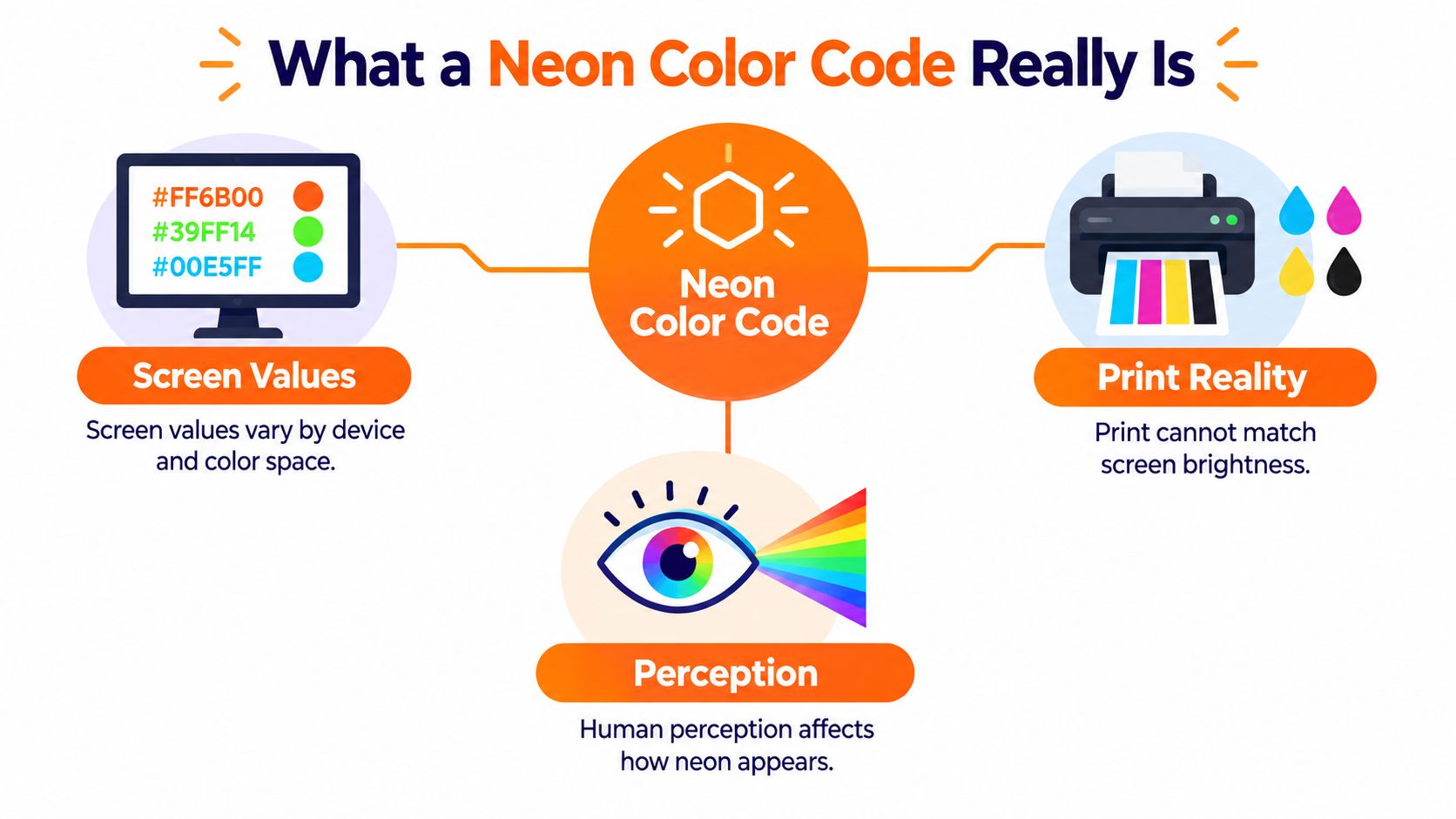
The limitation is that a screen emits light, while fabric, paper, packaging, and most other physical materials reflect light. A HEX value describes the appearance a display is asked to produce. It doesn't specify the ink, pigment, dye, substrate, coating, or lighting conditions needed to make a physical item look similar. Even a vivid screen reference such as neon green #39FF14 should be labeled as a screen reference, not a guaranteed production match (Pixartprinting's guide to fluorescent colors).
Fluorescent materials can absorb near-ultraviolet or visible radiation and emit additional visible light. Their appearance can therefore change with lighting, substrate, optical brighteners, and measurement conditions. A conventional conversion from RGB to another color format won't capture those material behaviors.
Practical rule: Store a digital value and a physical production specification as separate, linked records.
A useful brand color library should include the HEX and RGB values, the color-space tag, the intended medium, and the approved physical reference. For a product destined for fabric or packaging, attach a material swatch, spot-color reference, or calibrated proof. That way, a designer's digital choice stays connected to the production decision without being mistaken for it.
Core Neon Hex and RGB Codes
Ask three suppliers for neon green and you will likely get three different files back. The codes below are working digital references for screen-based work, each one tied to a use case rather than treated as a universal standard.
| Color Name | HEX | RGB | Typical Use |
|---|---|---|---|
| Neon green | #39FF14 |
57, 255, 20 |
Digital apparel colorways, beauty accents, product visualization |
| Electric cyan | #0FF0FC |
15, 240, 252 |
Digital accessories, campaign graphics, interface accents |
| Neon red | #FF3131 |
255, 49, 49 |
Digital fashion details, beauty campaign accents |
| Neon pink | #FF44CC |
255, 68, 204 |
Digital cosmetics, jewelry, and apparel previews |
| Chartreuse | #DFFF00 |
223, 255, 0 |
Bright digital accents for home, lifestyle, or fashion visuals |
| Neon orange | #FF5C00 |
255, 92, 0 |
Digital campaign accents and product concepting |
The RGB values are the decimal equivalents of the listed HEX values. The green, cyan, red, pink, and chartreuse entries are established digital references, and #39FF14 in particular is a high-chroma sRGB example that belongs in the screen-approximation category covered earlier. Neon orange #FF5C00 is another published digital reference rather than a production formula.
Names alone resolve nothing. Some guides call #39FF14 neon green while others apply the same name to #2CFF05, and that gap shows up downstream as mismatched SKU renders or campaign assets when teams share a name but never agreed on a value. The problem gets harder once assets move between regions, channels, and seasonal collections, where each handoff is another chance for the wrong value to ship.
A dependable naming convention makes the status explicit: "Neon Green, sRGB #39FF14, digital approximation only." Append the intended use and connect the entry to the approved physical swatch or production reference for that colorway. A name helps people find a color. The recorded specification is what a print shop in another region can act on.
Why CMYK Cannot Truly Reproduce Neon
A standard CMYK conversion can provide a print fallback, but it can't reliably reproduce the luminous effect of many fluorescent colors. RGB screens create color through emitted light. Standard process printing uses inks that absorb and reflect light, so conversion can compress the available gamut and mute the result.
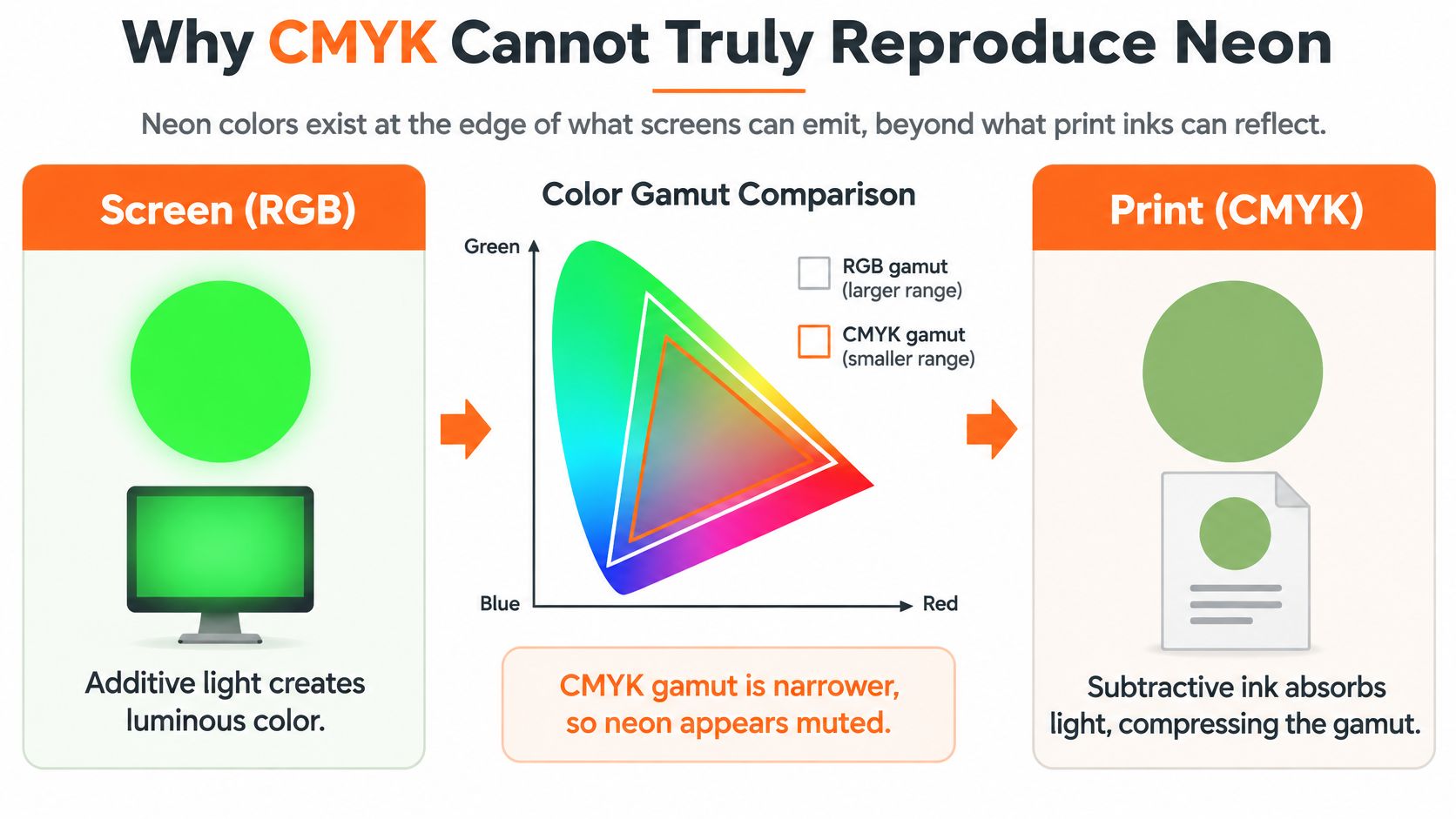
The mistake is treating a mathematically valid CMYK conversion as proof that the print will look neon. Fluorescent pigments and inks rely on specialized materials that absorb near-ultraviolet or visible radiation and emit additional visible light. Standard process inks don't create the same effect. When the brightness matters, a spot or fluorescent ink may be required, and it won't be available on every printer or production line (Figma's neon green color reference).
Specify one of three different outcomes, depending on the job:
- Digital swatch: The approved RGB/HEX reference for screens, previews, and digital assets.
- CMYK fallback: The closest practical process-print approximation when specialty ink isn't available. Label it as a fallback, not a match.
- Physical neon specification: The chosen spot or fluorescent ink, pigment, substrate, and proofing requirements when brightness demands priority.
This distinction matters for packaging, hangtags, retail signage, and printed campaign material. A digital approval can confirm that the screen artwork uses the intended code. It can't confirm that a printed piece will have the same appearance. Before artwork goes to production, agree with the printer on the process, substrate, and proofing conditions. For practical considerations around preparing print artwork, The Print Warehouse's UK leaflet printing tips offer useful context for print production.
A production handoff should make the fallback visible instead of burying it in a conversion field. If standard CMYK is the only available route, approve the resulting proof as a distinct physical outcome.
Creating a Neon Glow Effect on Screen
A flat neon fill doesn't automatically look luminous. The effect comes from how the bright color sits against its surroundings, and from how the visual layers suggest light spreading beyond an edge.
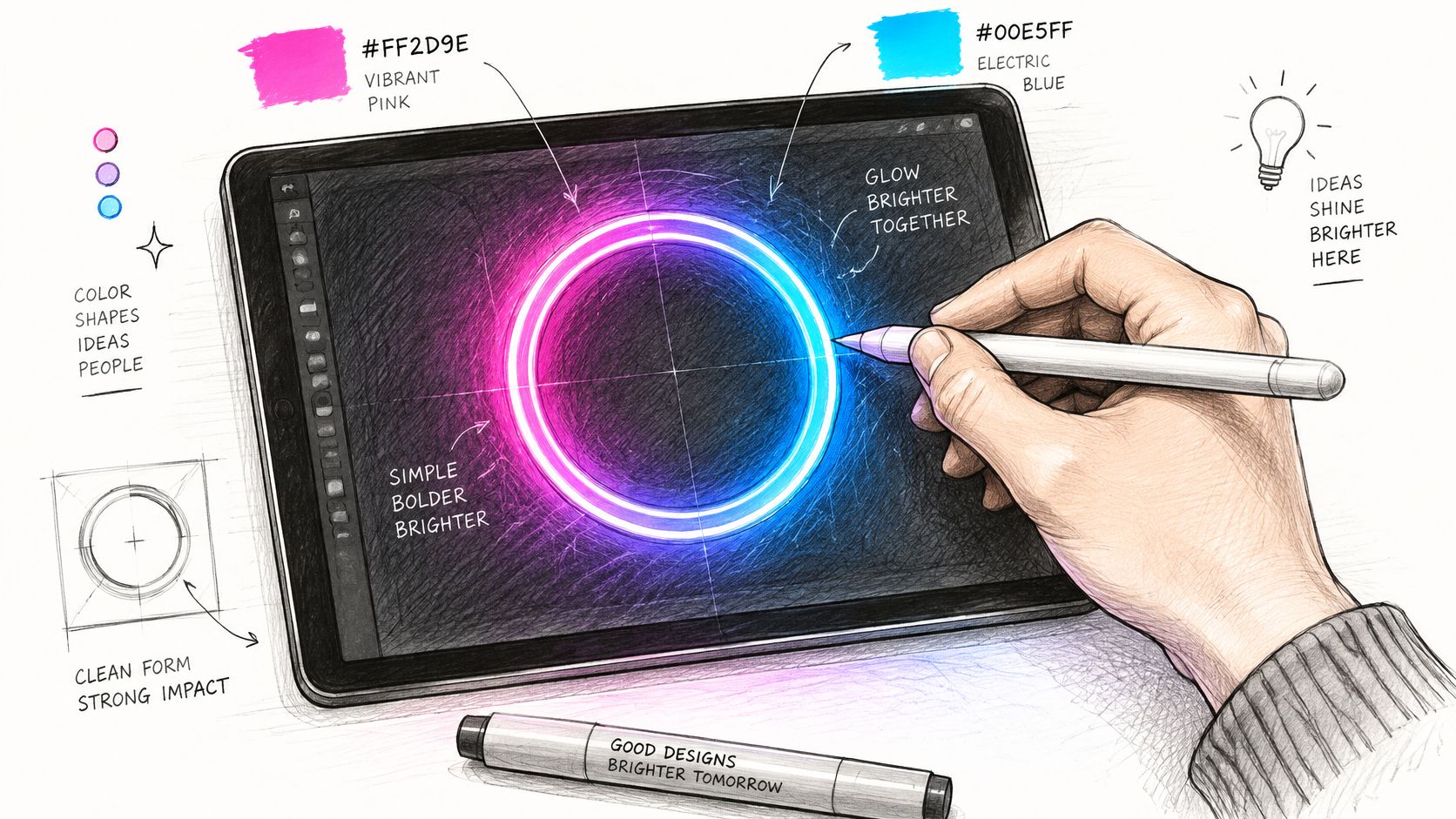
For a product preview or campaign visual, start with a clean shape in the chosen neon hue. Duplicate it behind the main shape, soften that duplicate with a blur, and reduce its intensity until it reads as a glow rather than an out-of-focus copy. Keep the sharp layer legible; the blurred layer should suggest light, not replace the object's edges.
A dark background often makes the same neon swatch appear more vivid because the bright shape has stronger visual contrast against it. That doesn't mean every product image should use black. Try a dark neutral or a restrained complementary color, then check that the product itself remains easy to read. A neon accent that looks flat against white may feel more luminous on a dark field, but the screen effect still isn't a physical color specification.
You can apply the same layering logic in Photoshop, Figma, or a product visualization workflow. For apparel, use the glow selectively around a graphic or trim detail rather than letting it obscure fabric texture. For beauty packaging, keep the label and product silhouette clear. For jewelry, use the effect as campaign styling, not as evidence of how a reflective material will look under real lighting.
A screen glow is an art direction choice. Keep it separate from the underlying product color record so the visual treatment doesn't get mistaken for an approved material color.
Neon Contrast and Accessibility Rules
Saturation isn't the same as readability. A neon text color can look intense and still have insufficient luminance contrast against its background. Test the actual foreground-and-background pair rather than approving it by eye.
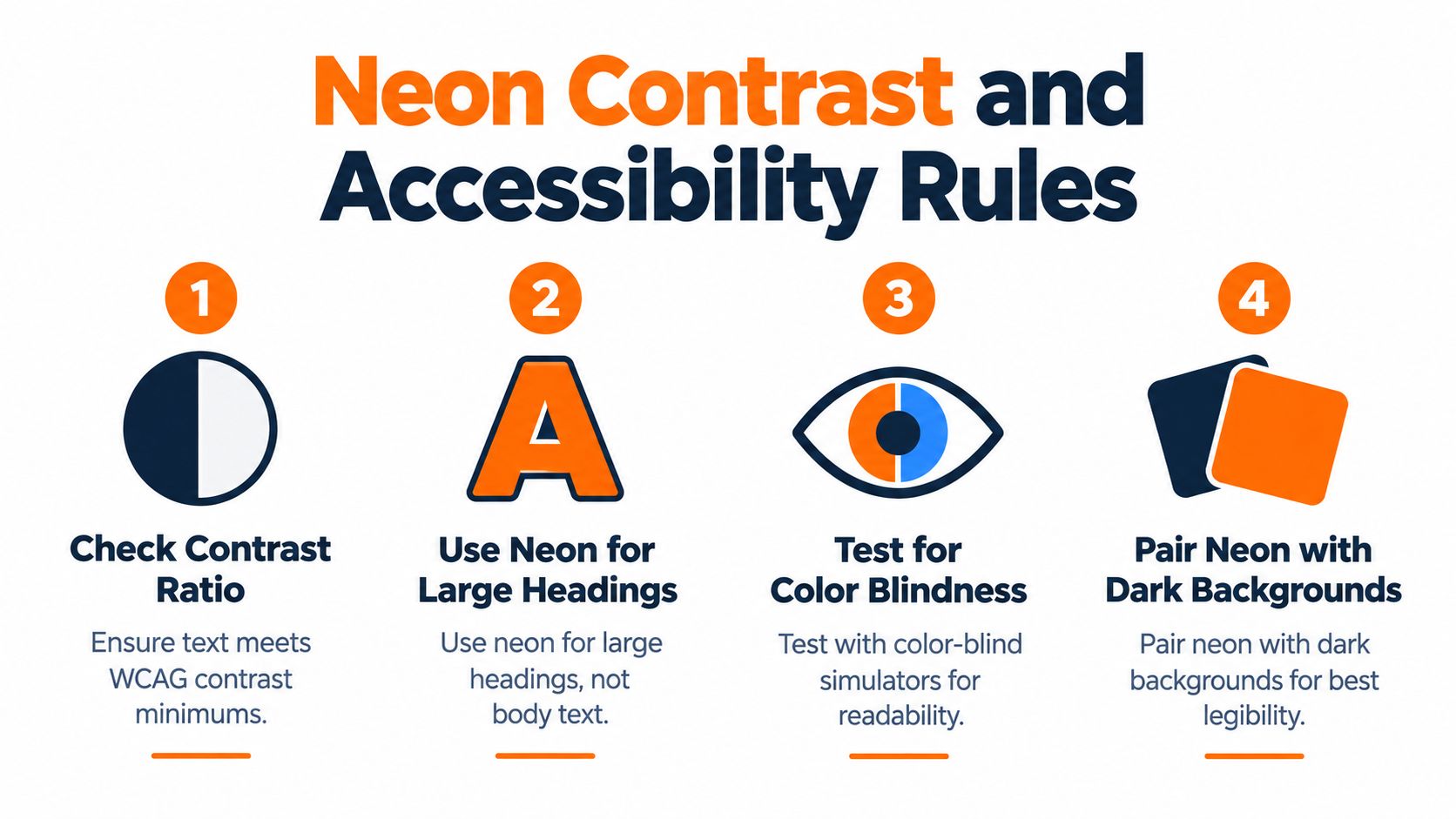
For digital interfaces, WCAG 2.1 Level AA requires a minimum contrast ratio of 4.5:1 for normal text and 3:1 for large text. WCAG defines large text as at least 18-point regular or 14-point bold text. The ratio applies to the chosen colors together, not to a neon color in isolation (W3C's contrast minimum guidance).
The enhanced contrast criterion raises the minimum to 7:1 for normal text and 4.5:1 for large text, supporting legibility for people with moderately reduced visual acuity, color deficiencies, or age-related loss of contrast sensitivity (W3C's enhanced contrast guidance). If a neon accent doesn't pass the relevant test, reserve it for decoration, borders, or other non-text emphasis, and choose a more legible color for text.
A specific value can fail even when it appears acceptable in a design. Section 508 guidance gives regular orange text #B56109 on white #FFFFFF a contrast ratio of 4.4:1, below the 4.5:1 minimum for regular text (Section 508's accessible color guidance). The example is a reminder to test the exact values, font size, and weight, not just the color family.
For product pages, wholesale portals, and digital line sheets, save the tested color pair with the interface specification. If you're building a broader palette, this guide to turquoise complementary color combinations can help with adjacent palette decisions, but each foreground-and-background pair still needs its own contrast check.
Neon Across Print Textile and Packaging
A screen swatch, printed ink, dyed textile, and coated package are different production contexts. They need linked references, not an assumption that one HEX code describes them all.
On fabric, the substrate and dye process affect appearance. For packaging, the stock, coating, and ink choice matter. In print, a standard process-color approximation may be less vivid than a specialty fluorescent ink. On screen, the HEX value remains useful for previews and digital assets, but it describes emitted display color rather than a physical material.
Fluorescent specimens also need controlled measurement conditions. ASTM E991 describes measurement using controlled spectrometric data and simulated CIE D65 illumination, with specified tristimulus or chromaticity calculations and observer distinctions. Its measurements describe fluorescent behavior, not a simple RGB conversion (ASTM E991-21).
For production, agree on the physical reference and the conditions used to judge it. A recognized ink or pigment system, a material swatch, or a calibrated proof can serve as the reference, depending on the product. Record the substrate and viewing illuminant as well. When suppliers need a tighter handoff, measured readings and agreed acceptance criteria are more useful than a HEX value on its own. ASTM-related methods for fluorescent specimens use defined measurement geometries (ASTM E991-21R25).
Production rule: Use visual approval to develop the concept, then approve a physical proof or lab dip under agreed lighting before manufacturing.
For apparel, that may mean checking a textile lab dip. For packaging, it may mean reviewing a printed proof on the intended stock and coating. For cosmetics or lifestyle products, the relevant sample and measurement setup depend on the material. A color reference for blush or other beauty shades should remain tied to its actual context, as with pink blush color considerations, rather than being treated as interchangeable with a screen palette.
Building a Neon Color Governance Workflow
Neon consistency is a record-keeping and approval problem as much as a design problem. A product team needs to know which value applies to a screen asset, which reference applies to a physical sample, and who approved each use.
Build one color record with fields for the sRGB HEX value, RGB components, color-space tag, intended output medium, and physical production reference. Add the approved use cases and accessibility status for interface applications. Keep the production swatch, print reference, or proof linked to the record instead of relying on a color name in a message or spreadsheet cell.
Then carry that record into the places where teams make decisions. A shared product catalog can keep colorway information attached to product records, while line review gives merchandising and product teams a place to assess variants together. Wholesale line sheets and separate buyer assortments can present approved product visuals for the relevant account or channel. That approach helps teams keep the same product identity in view without confusing a digital preview with a production sample.
| Tool category | Useful role | Important limit |
|---|---|---|
| Color library or design system | Stores approved digital values and usage rules | Doesn't, by itself, specify a physical material match |
| Image-editing or design software | Builds campaign artwork and screen-based color previews | Screen appearance isn't production approval |
| PLM and planning suites | Support product lifecycle and planning workflows | Serve different functions from visual merchandising workflows |
| Sprello | Connects AI product visuals in Canvas to a shared product catalog, line review, wholesale line sheets, and separate buyer assortments per account or channel | Complements PLM and planning suites; it doesn't replace them |
Sprello's position is specific: “AI for product development & merchandising. From product concept to buyer-ready collection.” Its Canvas turns sketches, CADs, materials, and references into photoreal visuals and colorways, with saved workflows. That can support visualization and assortment review, but the physical production reference still needs to be documented separately.
For teams managing brand consistency across creative and merchandising workflows, the brand consistency guide provides related context. The operational point is simple: record the digital and physical decisions together, then keep those records connected as products move between teams and channels.
Quick Reference Neon Color Checklist
Use this checklist when a neon color moves from concept to approval:
- Confirm the digital value: Record the exact HEX and RGB values, with the color-space tag.
- Name its limits: Label screen values as digital approximations, not physical specifications.
- Choose the print route: If print is involved, record a CMYK fallback when standard process inks are the chosen option. Label it as an approximation.
- Specify the physical reference: Attach the relevant spot-color reference, swatch, substrate, or calibrated proof for the product.
- Test text contrast: Check the actual foreground-and-background pair, including text size and weight, before using neon for interface text.
- Approve the sample: Require a proof or lab dip under agreed lighting before production approval.
- Keep the record connected: Store digital and physical references together in the shared brand color library and link them to the applicable product or colorway.
A record is only useful when the people making product, design, merchandising, and production decisions can identify which specification applies. If a screen preview and a physical sample differ, update the record with the approved production reference rather than changing the digital color name.
Frequently Asked Questions About Neon Codes
Why do different guides give different HEX values for neon green?
“Neon green” is a descriptive color name, not a single standardized code. Different guides may use different digital values for the same name. Choose an exact value for your project, label its color space and intended use, and connect it to the relevant physical reference.
Can standard CMYK print a true neon?
Not reliably. Standard process printing can provide a fallback approximation, but it doesn't reproduce the fluorescent effect of specialty inks. When brightness is essential, specify an appropriate spot or fluorescent ink and approve a proof on the intended substrate.
How do I check whether neon text is accessible?
Test the exact text and background colors with a contrast checker, using the actual text size and weight. Compare the result with the applicable WCAG threshold. A vivid-looking swatch isn't proof that the combination is readable.
What belongs in a brand color library?
Store the digital HEX and RGB values, the color-space tag, intended output medium, approved use cases, and any accessibility check. Link the record to the relevant physical swatch, production reference, or proof.
How do teams keep neon colors consistent across regions and suppliers?
Give every supplier the same precise digital record and the applicable physical reference, including the agreed viewing conditions. Review a proof or sample before approval. A screen image can guide the concept, but it can't replace a physical production check.
Sprello connects AI product visuals in Canvas to a shared product catalog, line review, wholesale line sheets, and separate buyer assortments, complementing rather than replacing PLM and planning suites. To see how that workflow can support colorway visualization and merchandising, book a demo with Sprello.
Related
More to explore
Fresh reads

Product Concept Generation: Methods, Workflows, and Scale
Practical product concept generation methods for fashion and beauty teams, covering AI workflows, evaluation criteria, and how to scale concepts into SKU-ready
Season Lineup Planning for Visual Merchandising Teams
Plan a season lineup with clear architecture, colorways, size runs, regional variations, and visual workflows that align merchandising and buyers.

Product Concept Presentation That Wins Buy-In
Build a product concept presentation that earns sign-off from merchandising and leadership. Step-by-step structure, visuals, and workflows inside.