November 23, 2026
Mood Board Software for Fashion and Product Teams: 10 Tools
Compare 10 mood board software options for fashion, beauty, and home brands — features, collaboration, and how concepts move into production workflows.
Which mood board software works for product teams, rather than just producing a pretty collage? The best choice organizes references with real product context and moves approved concepts toward production: Sprello fits that brief for fashion, beauty, jewelry and home brands, while Milanote or Miro work well earlier in research.
Published in 2026
A merchandising board needs to explain more than a look. Designers need to know which material or silhouette matters, merchandisers need to understand the intended product mix, and product development needs a clear distinction between an exploratory reference and an approved direction.
The useful test is what happens after approval. Can the team find the relevant style, understand the decision and carry the right visual into line review or a buyer presentation? Or does someone have to rebuild the story in another file?
The options below are assessed for reference organization, collaboration and downstream usefulness, not just layout features. Some are discovery tools, some are shared workspaces, and others connect visual direction with collection or brand operations.
Disclosure: Sprello is our product. The numbered tools aren't a best-to-worst ranking, and a general-purpose board may be the better choice when your main need is research, workshops or presentation design.
1. Milanote
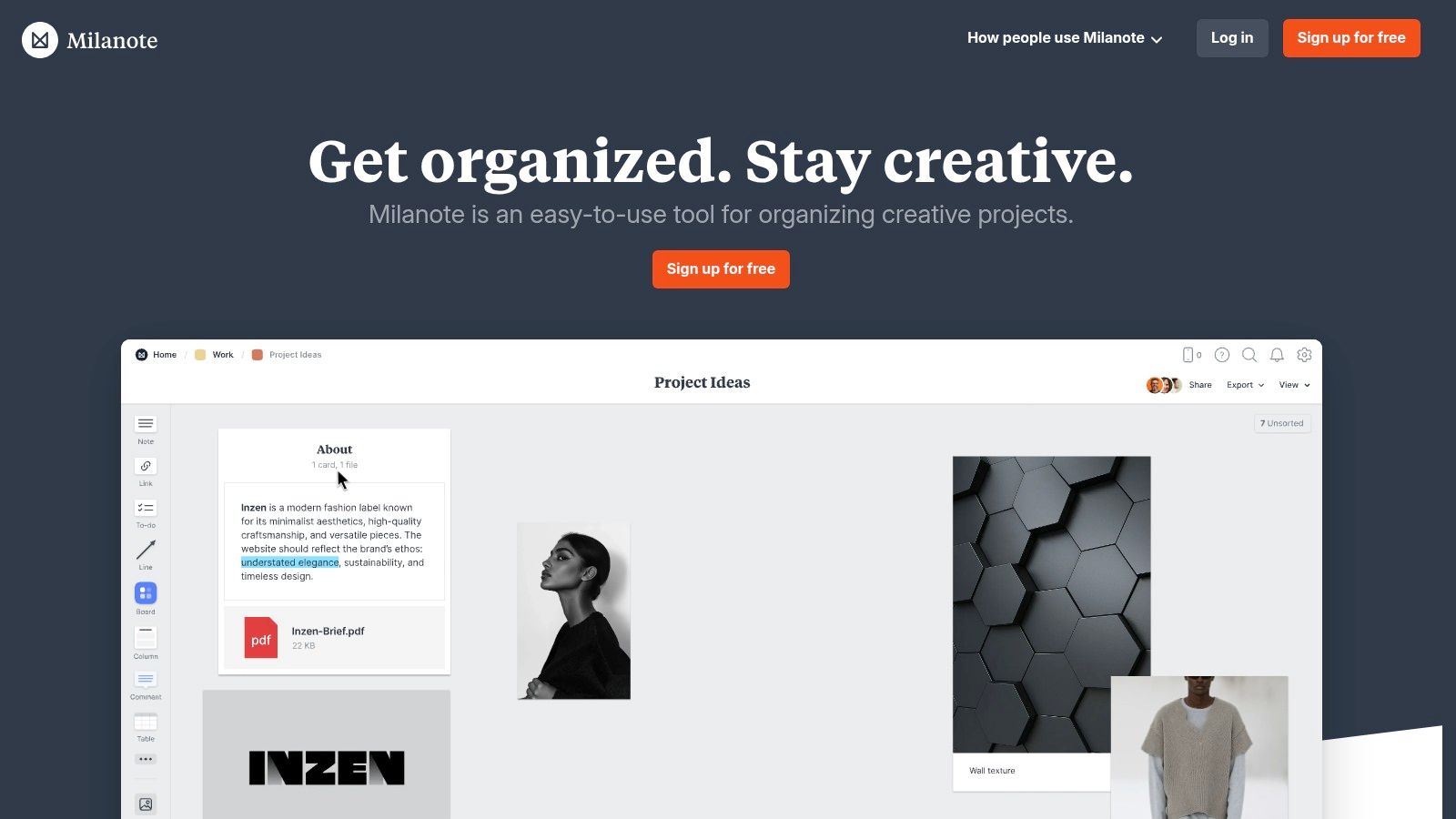
Milanote is a good fit when references need explanation beside them. Its free-form boards combine images, notes, links, videos, files and tasks, so a seasonal direction can include both visual inspiration and the reasoning behind it.
For a jewelry collection, that might mean placing a surface reference beside a sketch and a note specifying that the interest is the brushed finish, not the stone setting. Shared contributions and comments help merchandising and design clarify that distinction before the board becomes a brief.
Where it works best
- Research collection: The browser clipper saves images, text and webpages without making everyone maintain separate reference folders.
- Creative context: Notes and to-do lists keep questions, intentions and next actions close to the imagery.
- Presentation: Board exports and the image library support lightweight sharing and creative development.
The limitation is structure. A board can group styles visually, but it isn't a product catalog, production workflow or digital asset management system.
I'd choose Milanote for early direction and a readable creative brief, not as the record of an assortment. Establish labels for references, proposed products and approved directions before inviting broad feedback.
For a useful starting structure, follow this approach to creating a fashion mood board. Keep the board focused on decisions rather than accumulating every attractive reference.
2. Miro
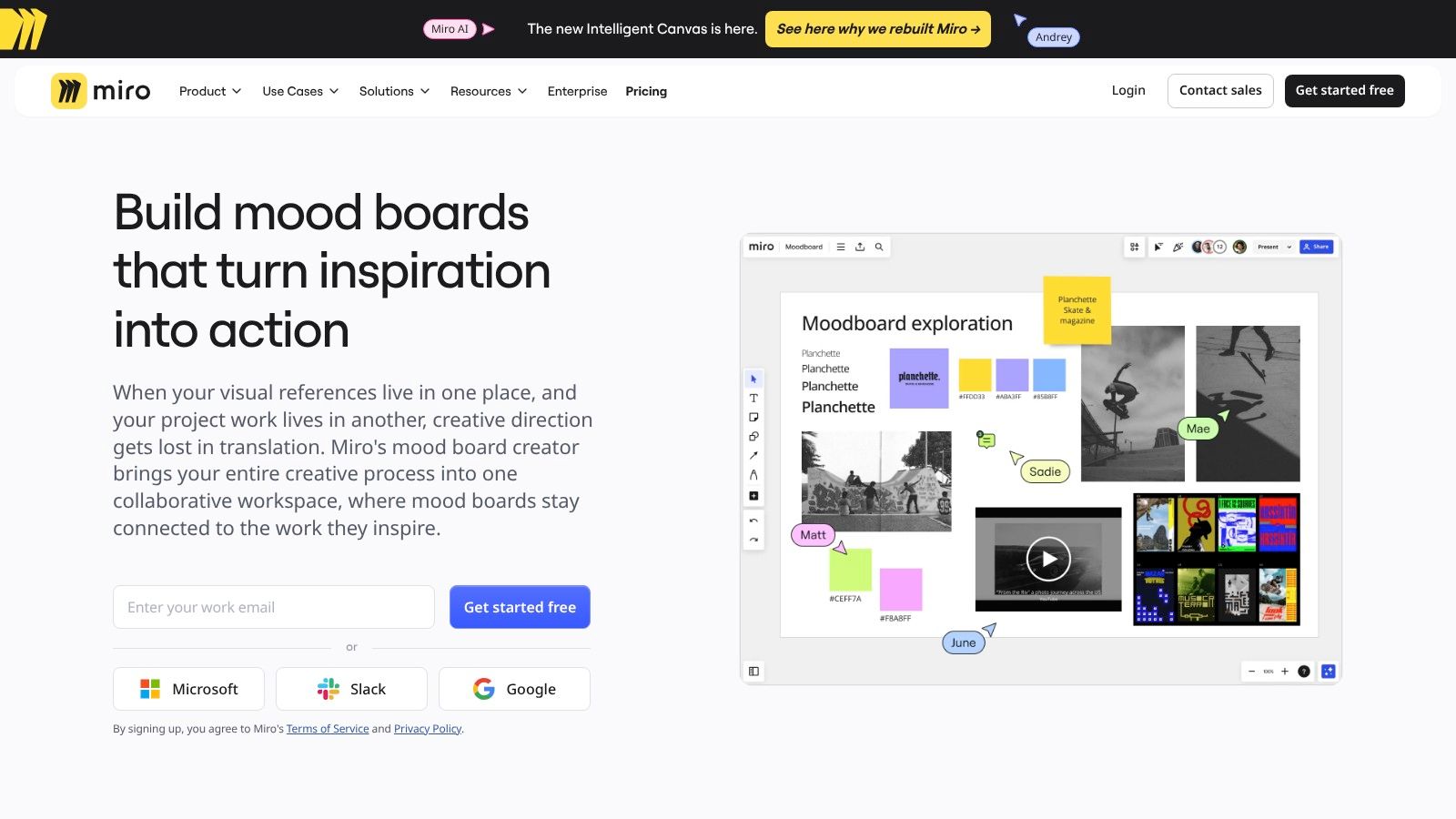
Choose Miro when the mood board is part of a working meeting. Its infinite canvas accommodates references, sticky notes, diagrams and project material, with real-time collaboration, presentation mode and PDF or image exports.
A beauty team can place packaging references beside positioning notes and channel requirements. That's more useful for a cross-functional workshop than a polished collage that leaves no space for questions.
The trade-off is that your team supplies the merchandising structure. Miro doesn't turn a cluster of images into a governed collection just because everyone can edit it.
Practical rule: Give exploration, shortlisted directions and approved decisions separate areas. Otherwise, reviewers can mistake a discarded reference for the current direction.
AI organization and summarization features can help tidy workshop content, but someone still needs to confirm what was decided. A summary shouldn't substitute for a named owner and an explicit approval.
What to test before adoption
Check whether non-design participants can find the right frame, comment without moving content accidentally and understand which decisions remain open. Also review member-based paid access against the actual group that needs to participate.
Miro's free plan supports a small pilot, though editable-board limits constrain ongoing use. This comparison of online bulletin boards is useful when deciding whether you need a collaborative workspace or a shared place to collect references.
3. FigJam
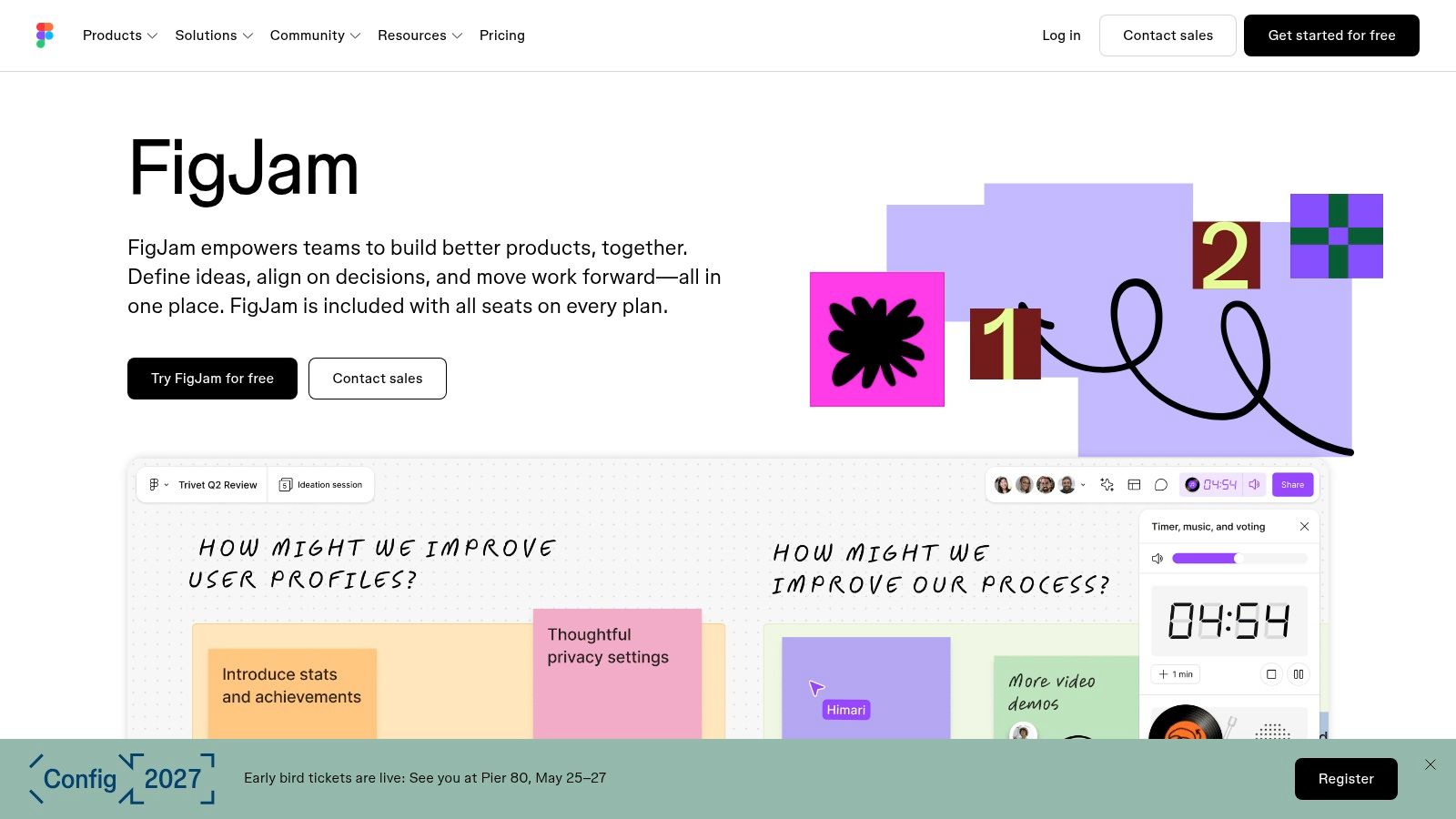
For teams already using Figma, FigJam can keep early visual discussion close to subsequent design work. It's an online whiteboard for references, research, brainstorming and stakeholder feedback, rather than a specialist fashion mood board application.
Sticky notes, shapes, connectors and voting are useful when a group needs to compare directions. A packaging designer can gather responses to shape, typography and finish without asking every participant to work inside a full design editor.
Keep discussion separate from approval
Voting helps identify preferences. It doesn't establish commercial viability, production feasibility or approval authority.
- Good fit: Collaborative concept exploration with colleagues who already work in the Figma ecosystem.
- Useful features: Shared references, live participation, file sharing and AI-supported organization on applicable plans.
- Main constraint: Colorways, materials and size runs require your own conventions rather than native merchandising structures.
FigJam is less suited to polished mood board presentation than dedicated layout tools. Some advanced collaboration and AI capabilities also depend on the plan and seat type, so evaluate the experience of occasional reviewers, not just the design team.
For product teams, the strongest use is clarifying the question before developing the concept. A board should specify whether people are judging a silhouette, packaging language or overall visual direction.
This guide to product concept design provides a useful framework for turning that discussion into a more definite product proposal.
4. Canva
Canva makes sense when the immediate deliverable is a finished board or presentation. Templates, stock content and a drag-and-drop editor help non-designers assemble a clear visual story without building the layout from scratch.
Say a home brand needs a seasonal presentation showing a palette, material direction and room references. Canva can handle that communication task well, especially when the audience needs a concise review document rather than an open working canvas.
Presentation isn't product planning
The strength is fast, accessible visual assembly. Mood board and presentation templates, design assets, export options and paid brand tools support consistent-looking outputs.
The weakness appears when product decisions keep changing. A fixed-layout page isn't a reliable substitute for structured product information, and a copied product image doesn't automatically stay connected to its latest details.
A polished board can communicate an approved direction. It shouldn't be the only place that approval exists.
Use clear status labels and identify where current product information lives. If merchandising removes a style or changes a material, assign responsibility for updating the presentation rather than assuming the board will remain accurate.
Canva is a sensible choice for campaign briefs, internal decks and presentation-ready mood boards. It's less suitable when the central requirement is tracking product variants, managing ongoing feedback or carrying an assortment into downstream commercial workflows.
5. Adobe Firefly Boards
Adobe Firefly Boards combines reference collection with generative visual exploration on an infinite canvas. Teams can bring in images and sketches, generate variations, and share directions for feedback.
This helps when existing references don't capture the intended idea. Rather than keep searching for a matching image, a designer can generate visual treatments and compare directions. The trade-off is that more options require a clear review question, such as which material direction, proportion, or visual treatment to evaluate.
More options need clearer review
A peer-reviewed ACM study found that a generative mood board interface supported greater enjoyment, expressiveness, and immersion than an image gallery, while also requiring greater mental effort. Generation can broaden exploration, but it does not make decisions for the team.
- Strength: References and generated concepts can sit together during early exploration.
- Commercial consideration: Generative features use credits, and premium capabilities depend on subscription access.
- Workflow boundary: Review generated imagery before treating it as an approved brand asset.
Firefly Boards suits early concept development, particularly for teams already working with Adobe creative tools. Its focus is visual exploration, not fashion assortment planning or catalog-scale product operations. It can help teams test a look, but the resulting board still needs to connect to product decisions and production review.
For a generative design option for creative teams, visual experimentation is the relevant use case. Keep the assessment grounded: does the image clarify a material, proportion, or visual treatment? An attractive result alone does not show that a product is technically resolved or ready to manufacture.
6. Modi
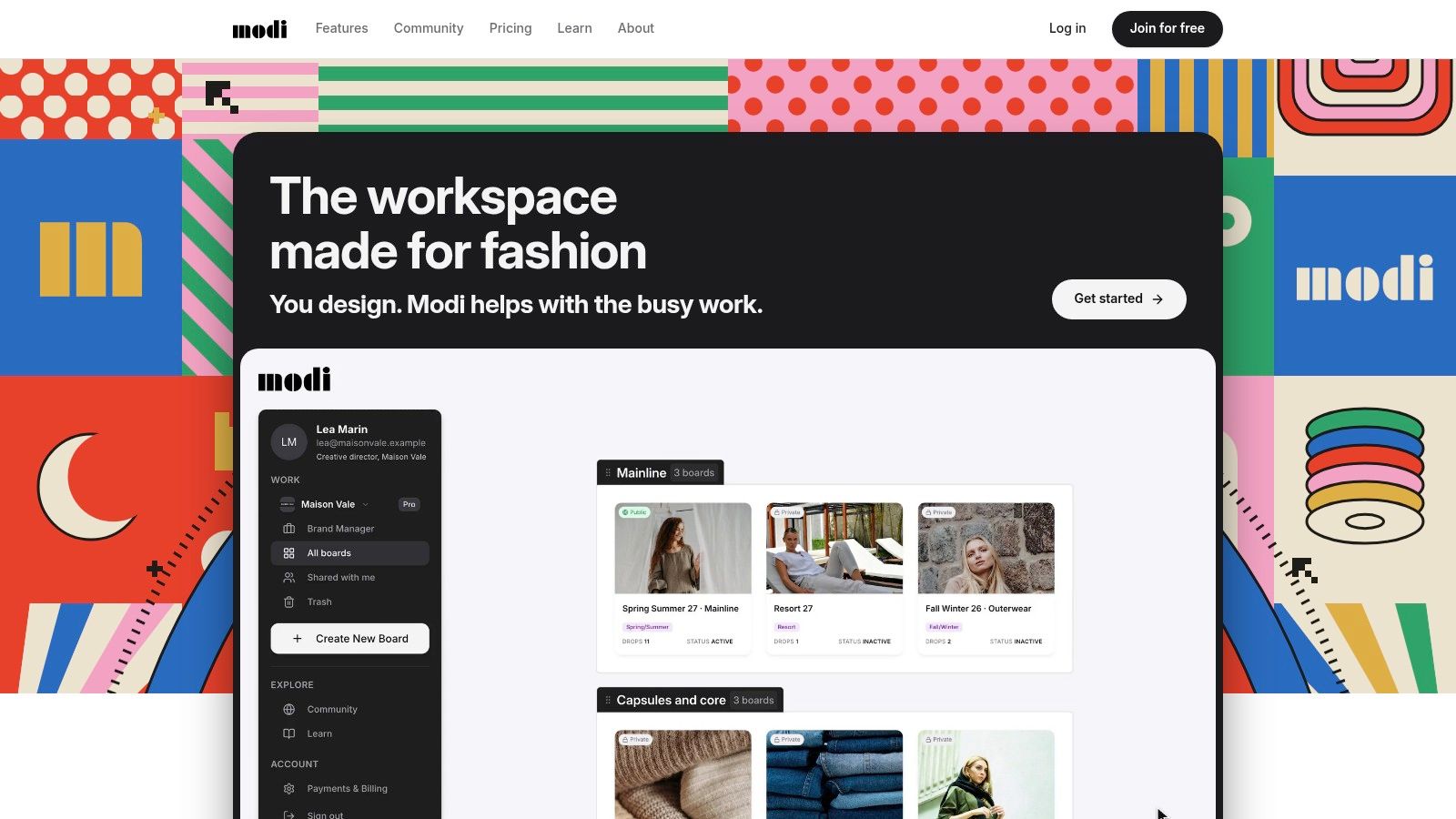
Modi is more directly aligned with fashion than the general-purpose whiteboards. It connects mood, color and fabric boards with collection lineups, using seasons, lines and drops as organizing concepts.
That matters when the same reference needs to inform a collection rather than a standalone presentation. Photos, Pantone references, sketches and notes can sit within a fashion-oriented workspace, alongside runway research and collaborative comments.
Evaluate the collection workflow
The useful question isn't whether Modi understands fashion vocabulary. It's whether your team can move from a reference to a collection decision without losing the reason behind the choice.
Digital mood board research describes collecting, constructing and reflecting as iterative activities, with semantic labeling supporting interpretation. In practice, attach meaning to a reference: oversized volume, dry hand feel or muted hardware, rather than filing it under inspiration.
- Best fit: Apparel teams that want boards connected to collection planning and product development.
- Useful distinction: Season, line and drop organization is more relevant than a blank canvas for many fashion workflows.
- Validation point: Test AI-assisted technical design and technical-pack outputs before relying on them.
Modi offers a free starting tier, while paid commercial details need closer evaluation. Its specialized fashion focus may be less appropriate for beauty, home or general marketing teams.
I'd shortlist it when collection structure is the primary gap, then test an actual seasonal lineup rather than an isolated mood board.
7. Mattoboard
A flat collage can struggle to explain how materials relate in a space. Mattoboard addresses that problem with 3D moodboarding, making it particularly relevant to interiors, home goods and spatial design.
For a home collection, the relationship between upholstery, timber, stone and surrounding products may be the central decision. A spatial presentation can communicate that relationship more clearly than a page of disconnected swatches.
Strongest for materials and spatial context
Mattoboard includes material visualization, product and material uploads, libraries, AI-assisted concepts and image tools. Team offerings add shared libraries and collaboration.
- Use it for: Material palettes, home-product stories and presentations where spatial relationships matter.
- Try first: The free plan provides a way to assess the core workflow.
- Watch closely: Some advanced image-generation features use credits, and paid plans require more commitment than lightweight board tools.
Its specialization is also its limit. Apparel and beauty teams shouldn't choose it solely because the output looks more dimensional.
During evaluation, test whether a reviewer can identify the exact material or product under discussion. A convincing composition still needs clear labels and source information if another team will act on it.
Mattoboard is a good candidate when the board itself must communicate material relationships. It's less directly suited to SKU-level apparel merchandising or buyer assortment management.
8. Niice
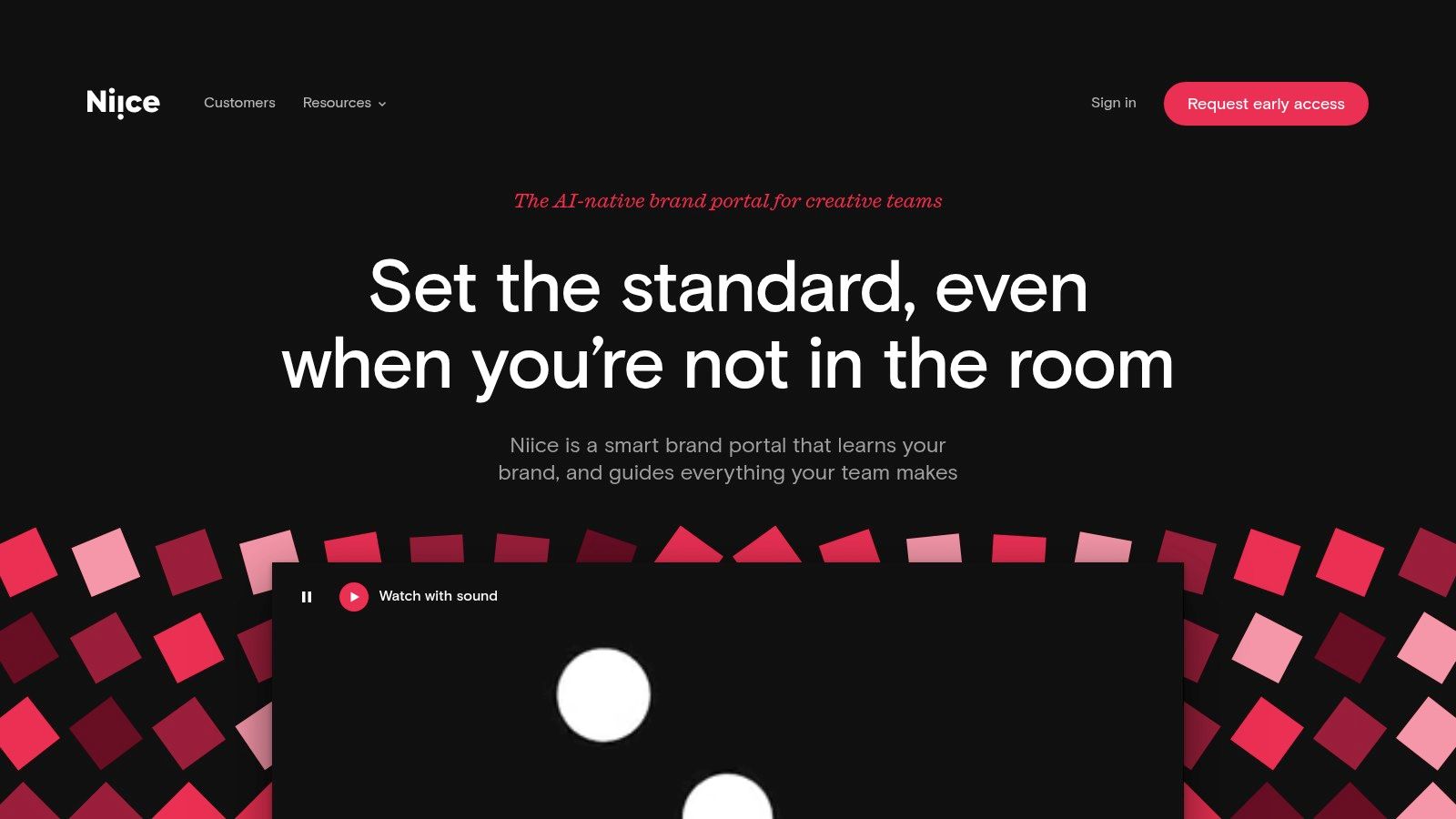
Niice belongs on the shortlist when references need to live beside approved brand materials. Its brand-hub approach combines mood boards, asset organization, guidelines, campaign presentation and collaboration.
That's relevant for distributed teams that need to distinguish a creative direction from an approved asset. Marketing, regional teams and external partners may need access to both, but they shouldn't have to guess which materials are ready to use.
Brand governance rather than assortment structure
Niice describes comments, controlled sharing, custom domains and access options across applicable offerings. Those capabilities are more useful for brand distribution than for managing the commercial structure of a product collection.
Selection test: Ask a reviewer to find the approved asset, its usage context and the relevant guideline without help from the person who built the board.
Its broader scope can be excessive if all you need is reference collection. Quote-based pricing also makes it a different buying exercise from choosing a lightweight self-service board.
The Niice 4 overview describes the product as in private beta, so confirm availability and onboarding before planning a rollout. Don't assume that every capability shown across product materials is available in the offering you're evaluating.
Niice is a reasonable fit for brand and creative operations teams. For merchandising, assess separately how product identifiers, variants and collection decisions will be maintained.
9. Mooseboard
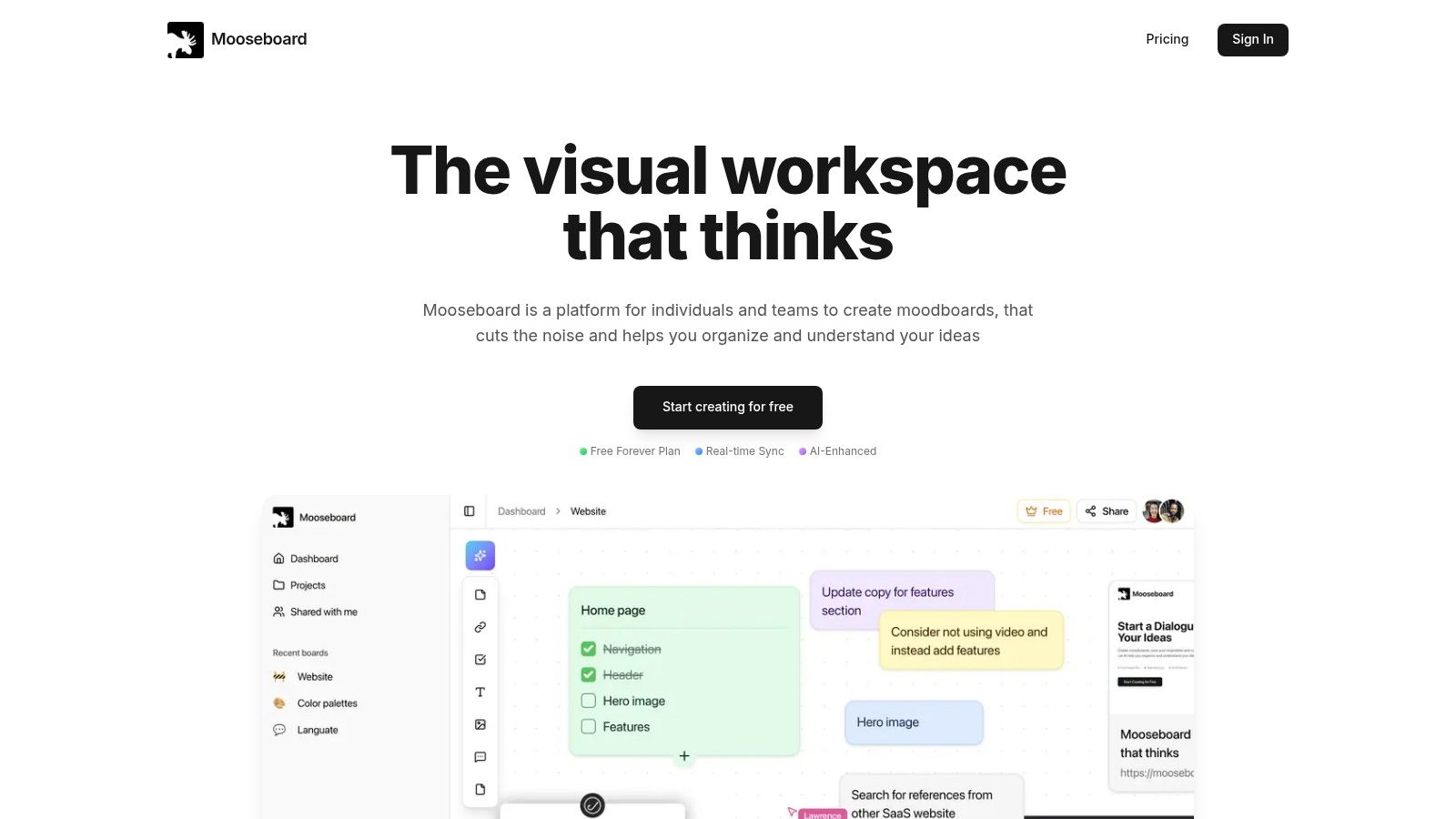
Mooseboard offers a general-purpose canvas for images, links, screenshots, files, notes and lists. It suits early exploration when a small team needs visual and written context in the same place.
Real-time collaboration and comments support shared discussion, while the vendor describes AI-assisted variations, feedback and text features. Desktop and mobile web access can also help people contribute references without waiting to return to a design workstation.
Build conventions before adding volume
Mooseboard isn't fashion-specific. The team must decide how to label seasons, styles, directions and approval states.
- Good starting point: Collaborative concept gathering with a free tier.
- Useful combination: References, notes and lists share the same workspace.
- Enterprise question: Validate access controls and governance against your organization's requirements before adding sensitive work.
For a beauty concept, separate packaging inspiration from formulation-related notes and campaign references. Otherwise, a single attractive board can mix decisions that belong to different owners.
AI feedback needs the same discipline. Use it to develop options or sharpen descriptions, not to establish brand approval or commercial suitability.
Mooseboard is worth testing when lightweight collaboration is enough. If the team expects the board to become a product catalog or a controlled source for buyer presentations, define the next system and the handoff before adopting it broadly.
10. Pinterest
Pinterest is strongest at discovery. Search, saved Pins and themed boards make it useful for exploring broad style directions before the team has a precise product concept.
Collaborative boards help collect different viewpoints, while secret boards keep a project out of public view. Business account options serve brand and marketing use, but they don't turn a reference collection into a production workflow.
Save the reason, not just the image
For a fashion direction, identify whether the relevant detail is the silhouette, color relationship, styling or surface treatment. For home goods, distinguish material inspiration from a specific product recommendation.
Without that explanation, colleagues can interpret the same reference differently. A saved image alone doesn't communicate the intended decision.
- Best use: Broad inspiration and early trend or style research.
- Main limitation: Detailed review, asset governance and workflow tracking need another system.
- Essential safeguard: Check rights and provenance before reusing imagery commercially.
Pixelbin's commercial-use guidance highlights copyright and provenance questions around AI-generated imagery, including the importance of human creative contribution and records of creation. Treat that as a reason to document source and rights status, not as clearance for an individual image.
Pinterest can start a seasonal conversation. It shouldn't be the only record of what the team approved, why it approved it or which images are cleared for downstream use.
Mood board software compared
| Tool | Best for | Fashion-specific features | Free plan | Key limitation |
|---|---|---|---|---|
| Milanote | Collecting visual references with written context | General creative boards; no SKU-level structure | Free plan with limits on content and editable boards. Check Milanote's current pricing page for exact limits. | Not a production workflow or assortment management system |
| Miro | Collaborative workshops and planning on an infinite canvas | No built-in fashion structure | Free plan with limited editable boards. Check Miro's current pricing page for exact limits. | Teams must create their own merchandising and assortment structure |
| FigJam | Collaborative brainstorming for teams using Figma | No fashion-specific planning features | Plan-dependent; advanced collaboration features may require paid access | Not built for fashion attributes such as colorways, materials, or size runs |
| Canva | Quickly creating polished, shareable moodboards | Templates and assets can support fashion presentations | Free access available; some brand and team controls are paid | Less suited to structured product planning and complex creative operations |
| Adobe Firefly Boards | Exploring visual concepts with generative tools | Supports fashion concept exploration, but not assortment planning | Access and premium features depend on plan; generation uses credits | Generated concepts need review and translation into approved brand assets |
| Modi | Connecting fashion moodboards to collection planning | Boards, Pantone references, fabrics, runway research, and organization by season, line, or drop | Free starting tier available | Specialized for fashion; paid pricing is not straightforward |
| Mattoboard | 3D moodboards for interiors, materials, and spatial design | Material and product visualization; limited apparel relevance | Free plan available to try core features | Strongest fit is interiors and spatial design, not apparel or beauty |
| Niice | Combining moodboards with brand assets and guidelines | Brand asset libraries and campaign presentation | No straightforward self-service free plan stated; current version is in private beta | Availability may be limited and pricing is quote-based |
| Mooseboard | Early creative exploration on a collaborative canvas | No built-in fashion or SKU-level structure | Free tier available | Teams must establish their own fashion conventions and approval workflows |
| Discovering and collecting broad style inspiration | Search, themed boards, and collaborative or secret boards | Free access available | Not designed for detailed creative review, asset governance, or workflow tracking |
For product teams, the key distinction is what happens after the visual direction takes shape. General-purpose boards can help teams gather references and discuss concepts, while fashion-focused tools may organize research around seasons, lines, or drops. Check whether the chosen tool carries product context into review, assortment planning, or buyer-facing materials; a polished collage alone does not provide SKU-level structure.
Free plans are useful for trying a tool, but their limits vary and may change. Check each vendor's current pricing page for the exact content, board, collaboration, and access limits before setting up a team workflow. A board that works for early exploration may still leave teams to create their own conventions for product details and approvals.
Choosing a Mood Board Tool That Reaches Production
Which mood board tool can carry a product idea beyond the collage? Map the handoff first: research board, concept decision, line review and buyer presentation. Choose a tool for the stages your team needs, not the longest feature list.
Milanote suits contextual research; Miro and FigJam support collaborative discussion, while Canva is geared toward finished presentations. Firefly Boards supports generative exploration, Modi adds fashion-oriented collection structure, and Mattoboard focuses on material and spatial work. Niice addresses brand assets and governance. Mooseboard and Pinterest are options for lighter early-stage exploration. Across fashion, beauty, jewelry and home, the key distinction is whether references stay connected to product and assortment context as concepts move toward review.
Where our product fits
Sprello is an AI workflow canvas for product development and merchandising. It supports fashion, beauty, jewelry, and home and lifestyle teams.
The canvas takes in sketches, CAD files, materials and references to create and refine product visuals. Teams can connect AI models, adjust parameters, review inputs and outputs, and change a reference to compare results. A workflow can be saved and run again on the next style. For home and lifestyle, it supports room staging, seasonal refreshes and style variations without a reshoot. Teams can explore colorways and material directions before making the next physical sample.
Every style lives in a shared product catalog, with its details and visuals. Selected information flows into line sheets and buyer assortments. Line sheets can include style or variant codes, material, wholesale price and retail price. This supports the handoff to wholesale presentations, while PLM and planning systems remain responsible for formal product records and specifications.
Sprello is SOC 2 compliant, with role-based access controls. Designs, sketches and brand IP are encrypted at rest and in transit, with data isolated between workspaces. Evaluate whether the catalog, canvas and line-sheet workflow fits your team's product categories and buyer handoffs.
Frequently Asked Questions
What is the best mood board software for product teams?
Choose according to the handoff. General-purpose boards suit research and discussion; catalog-connected workflows are more appropriate when approved concepts must progress into line review and buyer-facing assortments.
Can a mood board replace PLM?
No. Use it to develop and communicate direction, while keeping formal product records and production specifications in the appropriate product systems.
Which tools work well for non-designers?
Canva is useful for template-led presentations. Milanote, Miro and FigJam support participation through notes, references and comments without requiring a full design-editor workflow.
Can AI-generated images become approved product visuals?
They can enter the review process, but visual appeal isn't approval. Check product accuracy, brand suitability, rights status and provenance before downstream use.
What should a software demo include?
Use your own product category and follow a concept through review. Our demo can show the catalog, Canvas, line sheets and assortments together, so the team can assess the actual handoff.
Sprello connects AI product visuals with a shared catalog, line sheets and buyer-specific assortments, so approved directions don't have to stop at a collage. Visit Sprello to book a demo using one of your team's own product categories.
Related
More to explore
Fresh reads
Wholesale Ordering Platform: 10 Tools Compared for 2026
Compare 10 wholesale ordering platforms for fashion, beauty, jewelry and home brands: pricing, retailer reach and order workflow fit for 2026.
Wholesale Line Sheet Template That Buyers Can Order From
Build a wholesale line sheet template with style codes, prices, variants, minimums, and delivery dates buyers can order from.
PLM Software for Fashion Industry: 10 Tools for 2026
Compare 10 PLM software for fashion industry options, from enterprise suites to AI-assisted product development. Find the right fit for your team.