October 25, 2026
Sapphire Blue Color: Hex, RGB and Palette Pairings
Sapphire blue color is #0F52BA, or RGB 15, 82, 186. Learn how to define it, pair it in palettes and specify it for fashion, beauty and home campaigns.
#0F52BA, or RGB 15, 82, 186, is a widely used digital approximation of blue sapphire, not a fixed color standard. The sapphire blue color on a product depends on its material, finish and lighting, so copying the hex code alone isn't enough to approve production.
The popular advice to pick a code and apply it everywhere skips the most consequential merchandising decision: what variation will the team accept? A coordinated collection needs a named palette direction, a physical reference and documented tolerances, not an expectation that every surface will look identical.
What Is the Sapphire Blue Hex Code?
A sapphire blue label needs a documented tolerance, not a promise that every material will match one screen color. Use #0F52BA as a digital reference, then specify how much variation the finished product can show. Marcy Petrini's discussion of sapphire color standards offers context for treating sapphire color as a standard to coordinate, rather than one universal shade.
| Specification | Value | Note |
|---|---|---|
| Hex | #0F52BA | Digital reference |
| RGB | 15, 82, 186 | Channels run from 0–255 |
| Channel intensity | Approximately 6% red, 32% green, 73% blue | Derived from RGB |
| HSL | Approximately 216° hue, 85% saturation, 39% lightness | Converted from RGB for palette tools |
| Tone | Saturated, medium-dark blue | Relative description, not a fixed standard |
| CMYK | Requires a print-profile conversion and physical proof | Approve on the intended stock |
| Pantone match | Requires comparison with a current swatch book | Confirm the relevant material system |
The RGB values must stay consistent with the hex code: #0F52BA corresponds to red 15, green 82 and blue 186. A file using green 83 is a different digital color, even if the team gives both files the same palette name.
What the code can't approve
The hex code sets a screen color; it cannot specify how dye, ink or coating will appear on a particular material. A finish, substrate and lighting conditions can shift the perceived blue, so suppliers need a material-specific reference and agreed tolerance. The right tolerance depends on the product: a printed surface and a dyed fabric may not reproduce the same screen value in the same way.
Practical rule: Include the hex code in the working file, then approve the intended material against a physical reference.
A Pantone match needs confirmation against a current swatch book and the relevant material system. Don't treat an online converter as supplier approval. Check a physical proof on the intended stock or finished material before signing off production.
Why Does One Sapphire Blue Name Cover Many Shades?
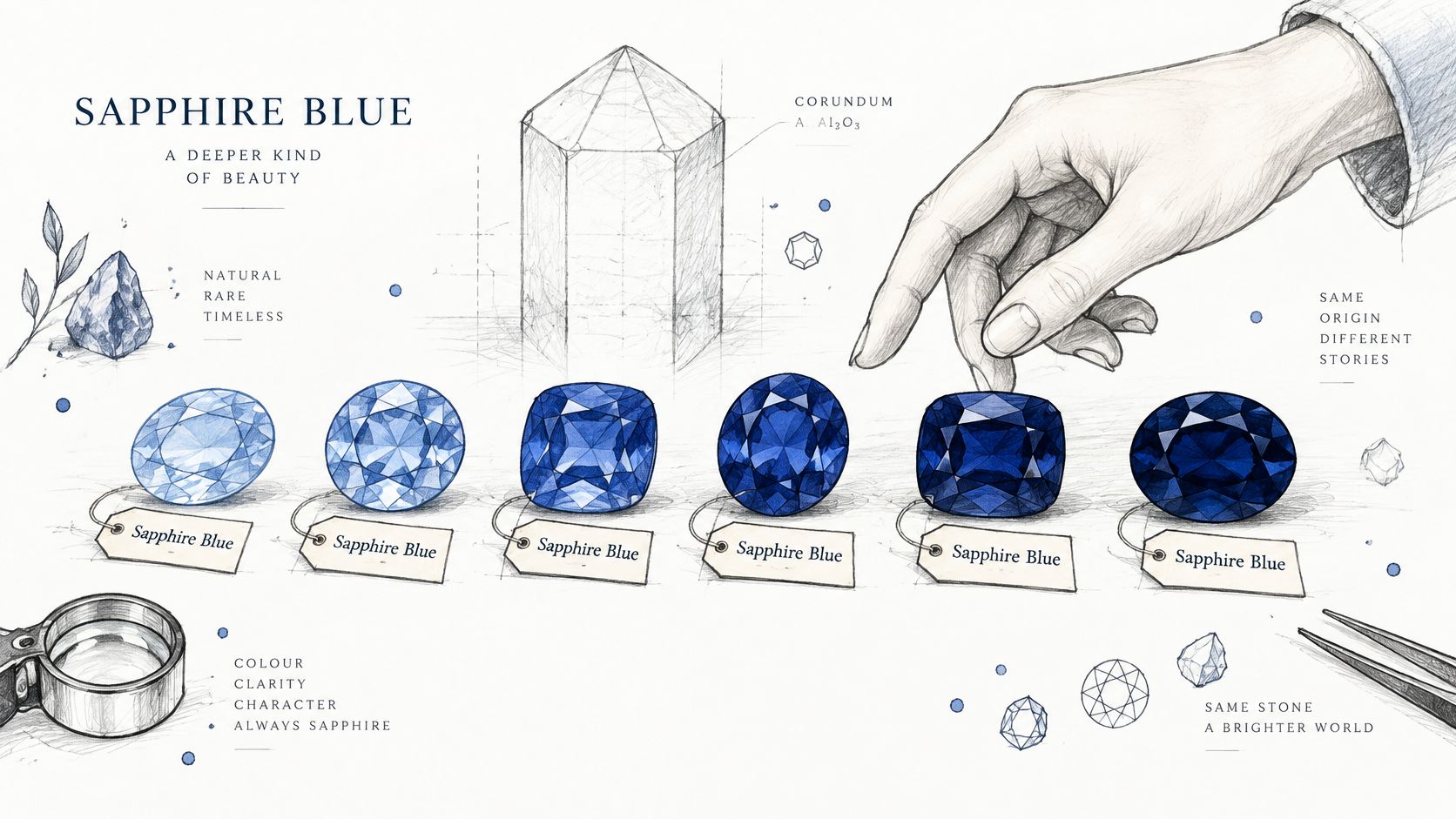
A sapphire blue label does not guarantee a color match. It names a palette direction, not one fixed appearance, so teams need an agreed tolerance for the stones or products they intend to group under it.
Sapphire is the non-red gem variety of corundum, aluminum oxide with the formula Al2O3. Trace elements, including iron and titanium, contribute to blue color. Their balance and the stone's growth conditions affect the resulting hue, as described in Gemdat's sapphire mineral reference.
A blue glaze made with different pigment balances can shift from clear blue toward ink. That comparison helps explain the range of appearances, but it is not a description of the mineral process.
Treatment changes the available blue
Treatment affects both appearance and what a buyer should record. Sri Lankan geuda corundum can be grayish-blue, whitish or semitransparent. Heat treatment can change its appearance, but the specific temperature and chemical mechanism should not be inferred from a general mineral reference.
Synthetic blue sapphire also has its own history. Blue synthetic sapphire had been produced by 1909. Chemist Carroll Chatham later introduced gem-quality synthetic ruby in 1959 and synthetic blue sapphire in 1975, according to the Gemdat reference. Chatham's introduction was not the first production of synthetic blue sapphire.
Record treatment as part of the buying specification, not as a footnote. Heat-treated and diffusion-treated stones are distinct categories, and treatment can affect how color is distributed and how the stone should be described. For diffusion treatment, ask the supplier for wear and repolishing guidance rather than assuming the color behaves like color throughout the stone.
| Factor | What Changes | Specification to Record |
|---|---|---|
| Impurity balance, iron and titanium | Tone can range from medium blue to deeper, violet-leaning or grayish blue | Target tone and saturation, not only the name |
| Heat treatment | May alter the stone's blue appearance | Heat-treated treatment category |
| Diffusion treatment | Added color may be concentrated near the surface | Diffusion-treated status; request wear and repolishing guidance |
| Pleochroism, viewing angle | Greenish-blue or violetish-blue shifts can appear by direction | Viewing-angle review, tone and secondary hue |
| Untreated natural stone | Color reflects origin and growth conditions | Untreated status, with origin where known |
Viewing direction belongs in approval
Blue sapphire can show pleochroism, with different bodycolors visible in different directions. GIA's sapphire quality guidance describes greenish-blue and violetish-blue shifts, and identifies highly valued appearances as velvety blue to violetish blue in medium to medium-dark tones.
Shot silk offers a useful visual comparison: the apparent color changes as the material turns. A flat image can miss that variation, so approve stones from several angles under the viewing conditions relevant to the product.
For a merchandising standard, document the acceptable range rather than relying on the name alone. Keep untreated, heat-treated and diffusion-treated categories distinct in product descriptions, and use the same naming discipline applied when distinguishing oxblood from burgundy.
Which Colors Pair Well With Sapphire Blue?
Give sapphire blue a clear job before selecting companions. It can anchor an assortment, provide a concentrated accent or frame a smaller detail, but it shouldn't compete equally with every neighboring color.
As an optional composition exercise, try 60% neutral, 30% sapphire blue and 10% accent. Treat that as a starting layout, not a measured optimum or a production rule, and adjust it for the category.
The pairings below are design recommendations. Their risks are checks to perform on your samples, not universal outcomes.
| Pairing | Best Categories | Why It Works | Watch For |
|---|---|---|---|
| Warm ivory | Fashion, home | Provides a clean, contrasting field | Check whether a cooler white makes your blue look flat |
| Brushed gold or champagne | Jewelry, beauty packaging | Balances cool blue with a warm metallic finish | Yellow gold may feel heavy against a dark target |
| Blush or rose | Beauty, lifestyle | Creates a softer surrounding palette | Check separation on pale screens |
| Charcoal | Fashion, home | Grounds the composition without another strong hue | Dark-on-dark combinations can obscure edges |
| Emerald green | Jewelry, fashion | Builds a jewel-tone story | Choose a dominant color |
| Terracotta or burnt orange | Home, lifestyle | Introduces warm complementary contrast | Full saturation can become visually loud |
| Pale grey | Home, fashion | Offers a restrained backdrop | Add warm texture if the result feels cold |
Use placement to control emphasis
For a knitwear capsule, let ivory carry the main field and reserve sapphire blue for a jacquard band. The limited placement gives the blue definition without requiring the whole garment to carry a saturated color.
For skincare, blush packaging can frame a deep blue cap. Test the cap against both the carton and the photography backdrop so it remains recognizable rather than becoming an isolated dark shape.
The same dominance decision matters in turquoise complementary-color planning: choose the lead color before adding contrast.
Check the palette beside neighboring products in the same frame. A pleasing swatch combination isn't automatically a readable assortment thumbnail.
When Does Sapphire Blue Turn Into Navy, Cobalt or Teal?
A sapphire blue product can disappear beside navy if the team approves it only as an isolated image. For assortment purposes, define its boundaries against the actual neighboring products, not abstract color names.
Use the following chart as a conversation aid, not a production reference.
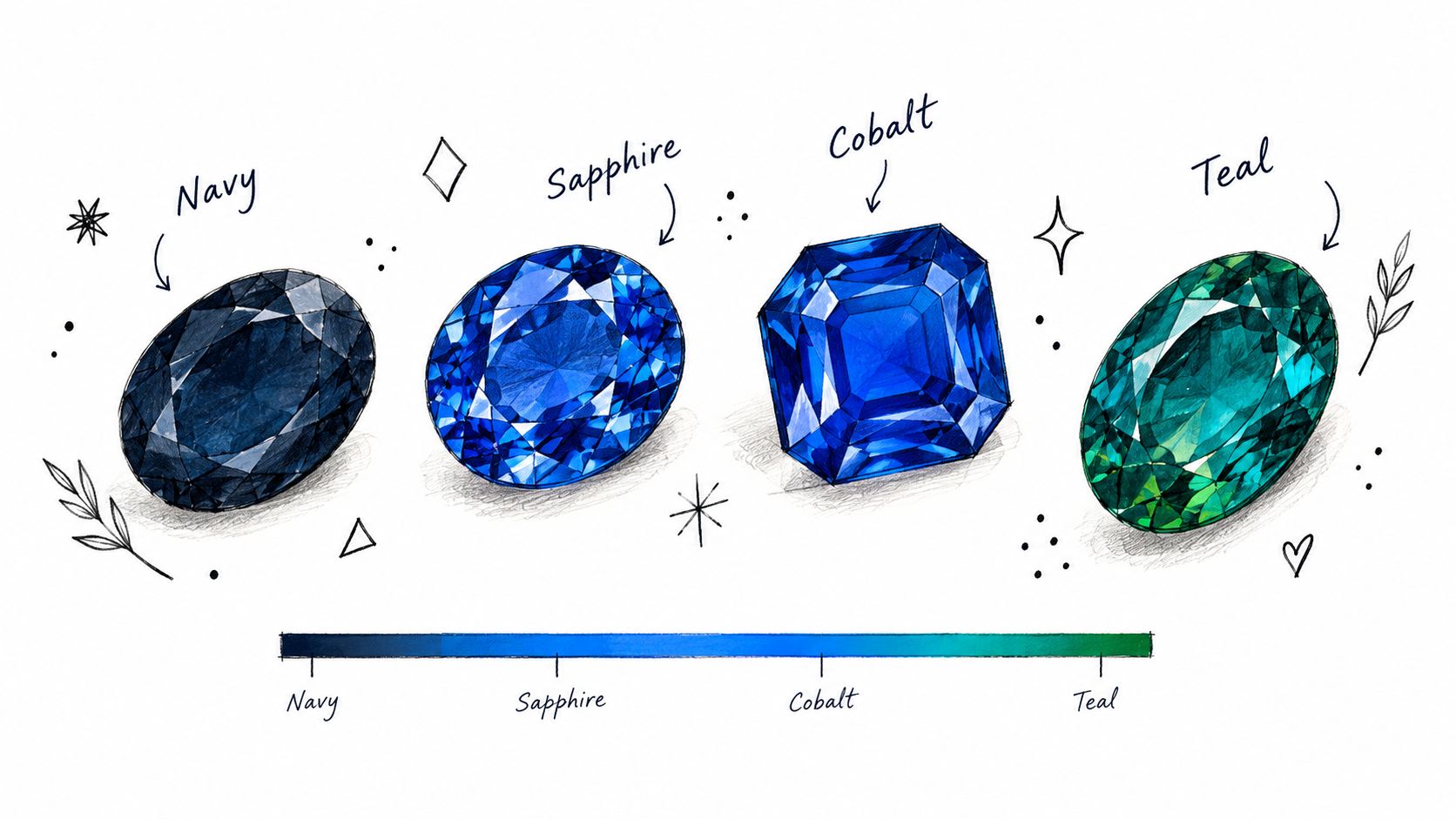
In practical palette language, navy is the darker, less vivid boundary; cobalt is the brighter, clearer blue boundary. Indigo moves deeper toward violet, while teal moves toward green. These are working distinctions, not universal numerical cutoffs.
Test the nearest neighbor shades together under different light sources. Record the material and finish alongside each image, then decide whether the target remains sufficiently distinct.
Control the setting before changing the target
For gemstone context, GIA's sapphire resources are useful background. For merchandising approval, use the material-specific checks below rather than assuming a gemstone image predicts a textile or printed result.
| Setting | What Happens | Control |
|---|---|---|
| Velvet or satin | Highlights can lift the blue or emphasize violet | Approve final material with a fixed light angle |
| Matte packaging | Saturation may appear muted | Approve a matte sample before print |
| Uncoated paper | Absorption can produce a darker, less saturated result | Proof on final paper stock |
| Low-light photography | Dark areas can lose visible detail | Check product lighting and shadow detail |
| Beside black or navy products | Product edges may become hard to distinguish | Introduce a lighter backdrop or neutral separator |
| Screens of mixed calibration | Hue and brightness can vary | Compare calibrated displays with the physical reference |
The embedded video offers an additional visual reference, separate from supplier approval.
Don't darken the entire target just because one glossy sample looks too bright. First check whether the difference comes from the finish, light direction or image treatment.
How Do I Specify Sapphire Blue for Suppliers and Campaigns?
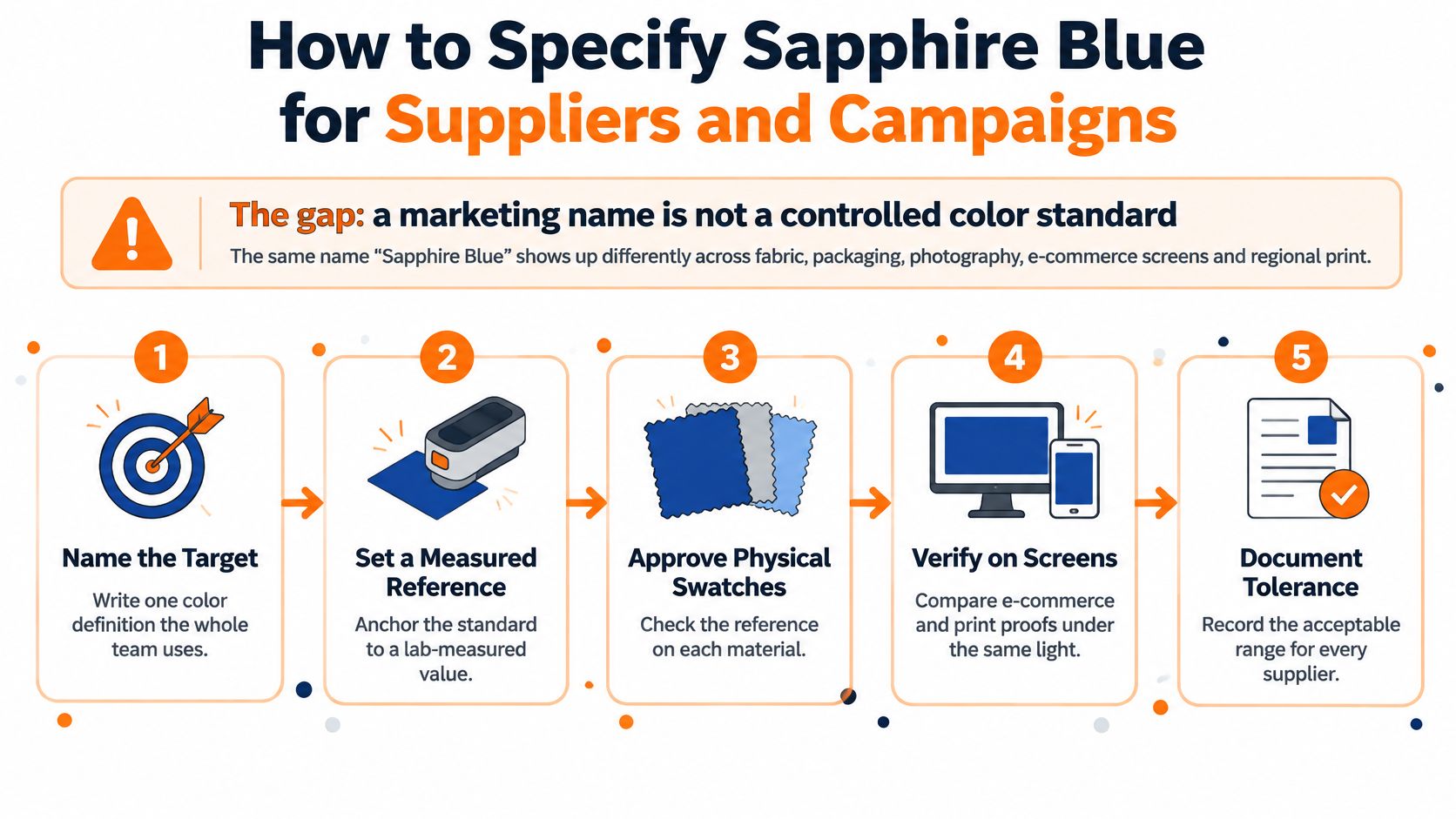
A marketing name isn't a controlled color standard. Build the specification around an approved appearance and the conditions used to judge it.
GIA's sapphire description establishes why the natural inspiration itself is variable. The operational response is to document an acceptable range rather than chase one supposedly authentic sapphire blue.
The process graphic summarizes the handoffs; the approval sequence below makes responsibilities explicit.
Build the approval sequence
Name the palette direction. Write a description such as medium-dark, saturated, slightly violet-leaning blue. That gives suppliers an intended appearance beyond the marketing name.
Record the master reference. Include the digital values, color space, reference identifier and approved material. If you use a measured value, retain its measurement conditions so another team can interpret it.
Approve a physical master. Review the sample under agreed, standardized illumination. Don't substitute a verbal description or an uncalibrated screen image for that decision.
Set material-specific tolerances. Agree on an acceptable visual band for each substrate, including how far the sample may move in lightness, saturation and secondary hue. Retain acceptable boundary samples where practical, rather than relying on adjectives alone.
Create channel references. Prepare web, print, retail and photography references traced to the master. Identify which files are presentation assets and which records govern approval.
Brief suppliers before bulk production. Send the master reference, tolerance, material and lighting condition together. Require sample approval so an attractive interpretation doesn't become an unauthorized production standard.
Log the decision and release status. Record the approved sample, responsible reviewer and any material-specific exception in the product record. Check regional reproductions against that record before release.
Keep image correction accountable
For photography teams, Nim's product photo enhancement workflow is a useful resource to review when defining color-correction handoffs. Keep the approved reference available during editing, and check that retouching hasn't improved the composition by misrepresenting the product.
Approval boundary: A good-looking image can still be the wrong product color.
The tolerance step is the essential trade-off. Permit enough variation to accommodate the material, but not enough to erase the collection's intended relationship between products.
Which Way of Sharing One Sapphire Blue Standard Fits My Team?
A sapphire blue standard should name a palette direction and its tolerance, not promise one universal shade. The right sharing method depends on what the team must control: supplier approvals, product records, or assortment visuals. Sprello is one product option among several, not a replacement for every part of color management.
Many teams combine a physical approval reference, a product record, and a way to review assortment visuals. For the broader operating principle, see why brand consistency matters across teams.
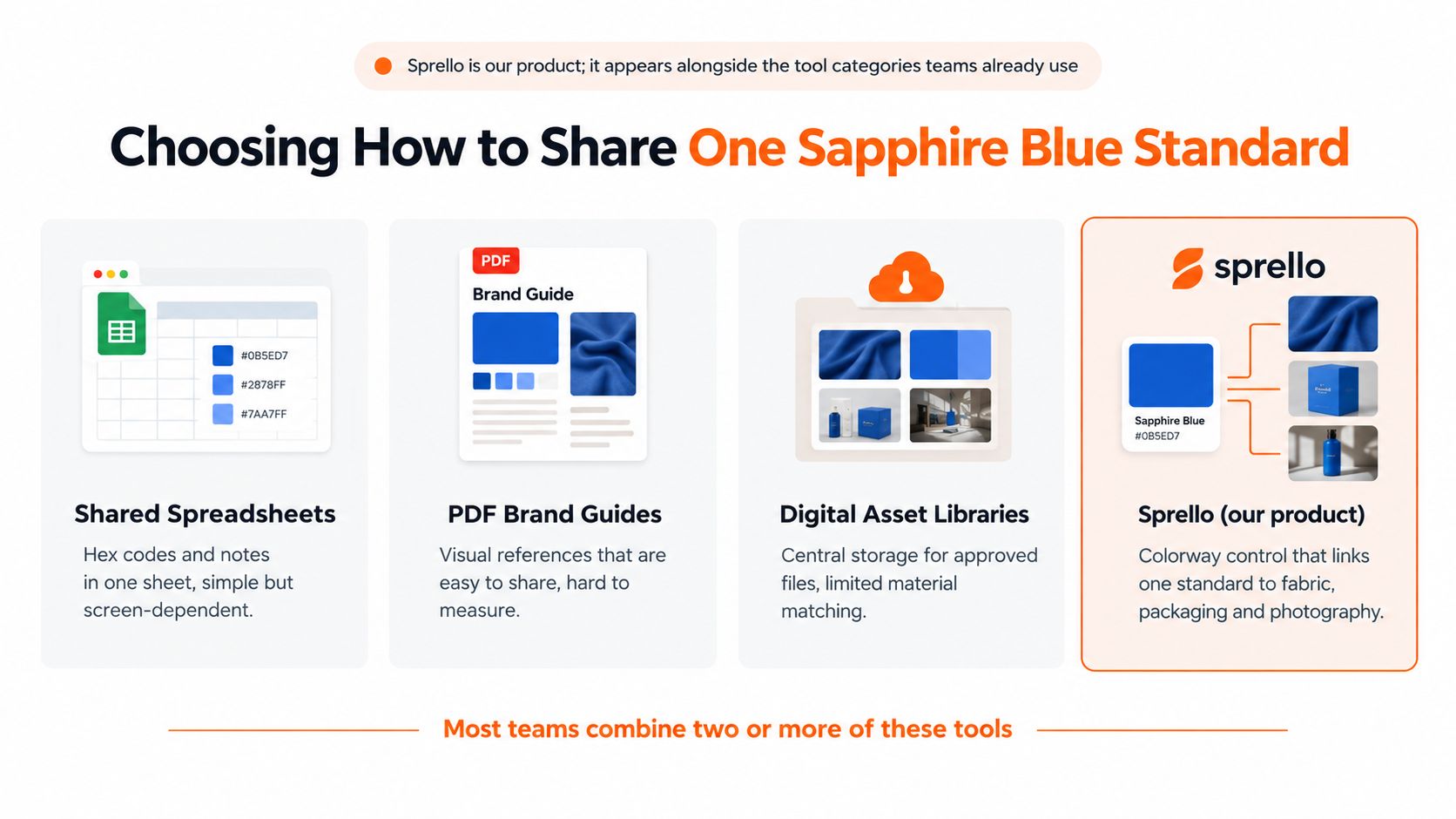
| Method | What It Holds | Strength | Limit |
|---|---|---|---|
| Verbal name in a brief | Tone words such as sapphire blue | Fast to share | Teams can interpret it differently |
| Hex and RGB in a spec sheet | Digital color values | Repeatable in design files | Doesn't guarantee a fabric, paper or leather match |
| Physical master swatch | Approved material sample | Strong supplier reference | Needs storage, shipping and replacement |
| PLM color library | Color records tied to styles and approvals | Keeps approvals with product records | Visual capabilities vary; check the specific system |
| Planning and buying suites | Assortment plans and buy quantities | Supports buying decisions | Product colorway visuals aren't their core job |
| Sprello, our product | AI colorway visuals, shared catalog and separate buyer assortments | Shows variants across SKUs and channels before sampling | Doesn't replace PLM, tech packs, BOMs or physical approval |
Separate visualization from approval
Sprello describes itself as AI for product development & merchandising. From product concept to buyer-ready collection. Canvas turns sketches, CADs, materials and references into photoreal visuals and colorways, with saved workflows.
Those visuals connect to a shared product catalog, line review, wholesale line sheets, and separate buyer assortments by account or channel. The platform supports fashion and apparel, beauty and cosmetics, jewelry and accessories, and home and lifestyle.
Keep the master swatch in charge. Visuals can help teams compare variants and spot assortment questions before sampling, but they cannot establish whether a particular fabric, finish, or production batch falls within the approved tolerance. Agree on that tolerance for each material and viewing condition, then assess physical samples against it.
Sprello complements PLM and planning suites. It does not perform tech-pack creation, BOM development, pattern making, demand forecasting, or open-to-buy. Choose tools according to the record or workflow they actually manage, and keep material approval tied to the physical reference.
What Do Buyers Ask Before Committing to a Sapphire Blue Reference?
Does sapphire blue flatter every skin tone?
There isn't a universal rule that makes every sapphire blue flattering on every person. In apparel and beauty shoots, test the selected shade across a range of skin tones and check how the actual product, exposure and surrounding palette interact.
Can a gemstone photo serve as a fabric reference?
Not as the production approval reference. Use the gemstone image for inspiration, then approve the textile on its own material, with its texture and finish visible under the agreed viewing conditions.
Does sapphire blue suit both mass and premium lines?
It can suit either, but the name alone doesn't establish the positioning. Choose lightness, saturation and material deliberately for each tier, and document those choices so a lower-priced interpretation isn't approved accidentally against a premium reference.
Who owns the sapphire blue reference?
Assign a named owner with authority to resolve disagreements across merchandising, design, product development and photography. Separate viewing access from editing rights, and use role-based access where available so an updated campaign file doesn't silently redefine the production standard.
Sprello connects product colorway visuals to a shared catalog, line review and separate buyer assortments while your physical swatches remain the approval standard. If your team is developing sapphire blue variants across products and channels, visit Sprello to book a demo and review that workflow against your collection.
Related
More to explore
Fresh reads
Oxblood vs Burgundy: Color Differences and Use Cases
Oxblood vs burgundy explained with hex values, undertones, and material behavior. See which shade fits fashion, packaging, and campaign work.

Burnt Sienna Crayon Color Guide for Designers
A practical burnt sienna crayon guide with hex and RGB values, pigment background, complementary palettes, and merchandising tips for fashion and beauty teams.

Neon Color Code Guide for Fashion and Beauty Brands
Neon Color Code. Get precise neon color hex, RGB, and CMYK codes for fashion and beauty. Learn glow effects, contrast rules, and print vs screen alternatives.