
Welcome to the new frontier of video marketing. If you've ever felt that creating compelling video ads or social content was too expensive, too time-consuming, or just too complicated, things are about to change.
When we talk about how to generate AI video, we’re talking about using artificial intelligence to produce high-quality, professional-looking videos in a matter of minutes. Often, you don't even need a camera or any complex editing skills. This isn't a futuristic concept anymore; it's making professional-grade video accessible to everyone, right now.
How AI Video Generation Is Changing Marketing
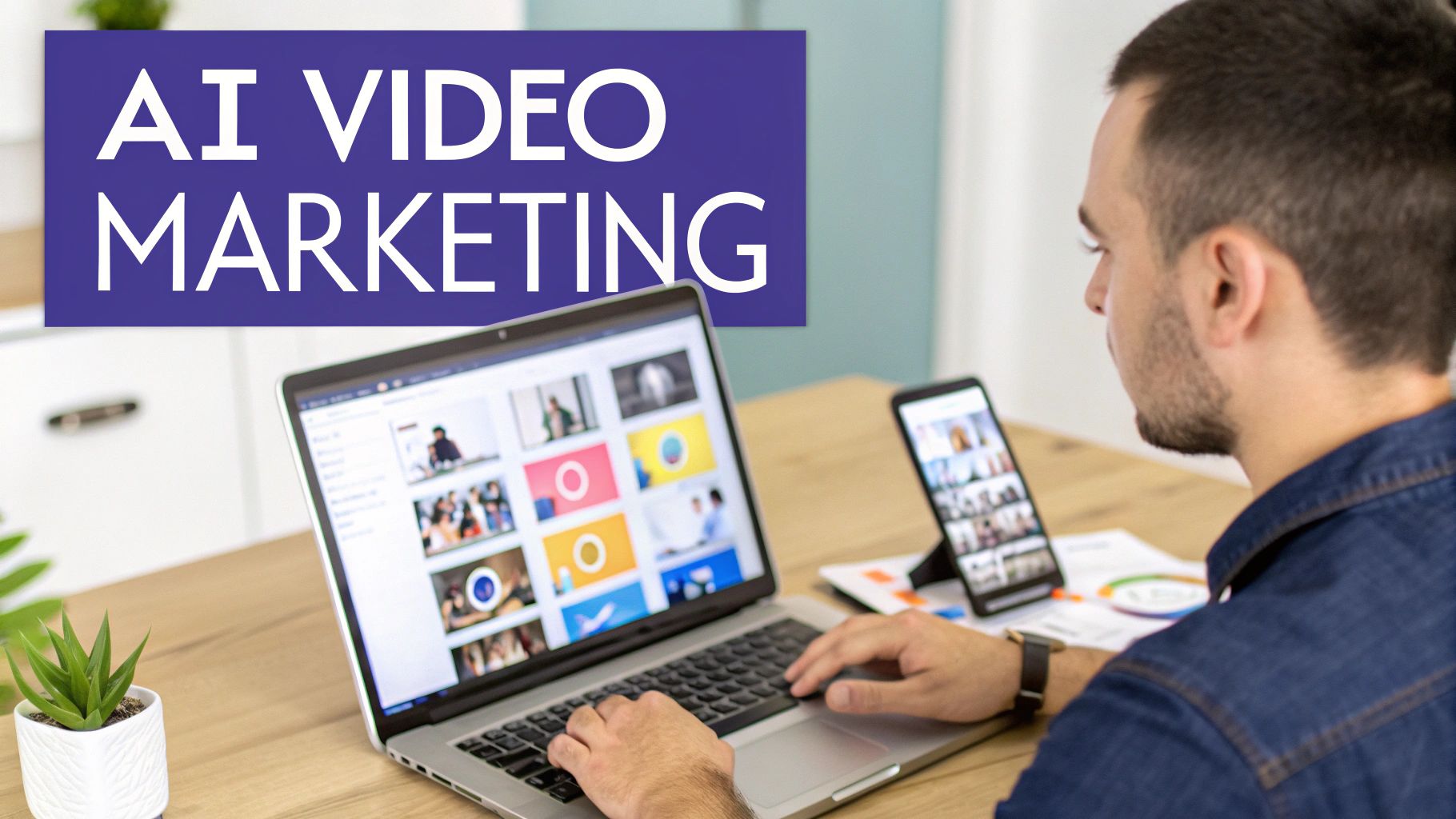
The move to AI-driven video is a massive shift for brands of all sizes. Think about what it used to take: expensive cameras, actors, locations, and weeks of back-and-forth editing. Now, a lot of that work can be done from a single dashboard. This isn't just about making things faster—it's about opening up entirely new creative avenues and giving you a serious competitive edge.
If you're running a small e-commerce brand or a busy marketing agency, you'll feel the difference immediately. Instead of sinking your entire budget into one or two polished ads per quarter, you can suddenly test dozens of different ideas. This speed allows you to figure out exactly which hooks, messages, and visuals connect with your audience, leading to smarter campaigns and a much better return on your ad spend.
Scaling Content Production Effortlessly
The ability to generate AI video at scale completely rewrites your content strategy. It's part of a much bigger trend, where tools like powerful AI affiliate marketing strategies are becoming standard practice. This efficiency frees you up to maintain a consistent, high-quality presence across all your social platforms without blowing your budget or burning out your team.
The growth here is just staggering. The global market for AI video generation software is on track to explode from just a few billion to an estimated USD 24.89 billion by 2036. That kind of growth signals a fundamental change in how the industry operates, moving toward tools that are faster, smarter, and more accessible.
The real advantage is simple: AI removes the old roadblocks to creating great video. It helps you move faster, test more ideas, and ultimately build a stronger connection with your audience.
Platforms like Sprello are leading the charge, giving creators the tools to produce amazing content for a fraction of the traditional cost. In this guide, I'll walk you through the practical, real-world steps to turn this technology into actual business growth.
Planning Your Script for Maximum Impact
Let's be honest: even the most sophisticated AI video generator is useless without a great script. The magic isn't just in the tech; it's in the message. Before you even think about generating a single frame, you need a solid plan rooted in a script that’s built to connect with a real person and drive a specific outcome.
It all boils down to two simple but powerful questions. First, what is the one thing you want your viewer to do? Second, who exactly are you talking to?
Knowing your goal—whether it's getting sales, more sign-ups, or just getting your name out there—and having a crystal-clear picture of your ideal viewer will shape every word you write. This simple exercise is what separates a video that gets ignored from one that gets results. A video for a busy mom trying to find a quick meal solution is going to sound completely different from one aimed at a tech founder looking for new software.
Crafting a Compelling Hook with AI
On social media, you have less than 3 seconds to stop the scroll. This is where AI script tools really shine, but they need you to be the director. Just asking for "a video script" is a recipe for bland, generic content.
You have to feed the AI the core ingredients of your plan.
Here's how I'd prompt an AI for a real-world scenario:
"Generate 3 short video ad scripts, each about 15-20 seconds long. The product is a new line of eco-friendly, non-toxic cleaning sprays. The target audience is millennial parents, ages 28-40, who are health-conscious and spend time on Instagram. The main goal is to get them to click through to our product page. Start every script with a powerful, scroll-stopping hook that hits on a common fear, like worrying about harsh chemicals being used around their kids."
See the difference? This prompt gives the AI the product, audience, goal, and hook style. You're setting it up for success.
To make this even clearer, here’s a breakdown of the essential components you should include in your prompts to get better scripts from any AI tool.
Essential Components for Your AI Script Prompt
Use this breakdown to structure your AI script prompts for more effective and targeted video content.
| Component | Description | Example for an E-commerce Brand |
|---|---|---|
| Video Goal | The primary action you want the viewer to take. | "Drive traffic to the summer collection product page." |
| Target Audience | A detailed persona of who you're speaking to. | "Gen Z fashion enthusiasts (ages 18-24) on TikTok who follow style influencers." |
| Core Message | The single most important takeaway. | "Our new swimwear is made from recycled materials and is perfect for any beach day." |
| Video Length | The target duration of the final video. | "15 seconds for an Instagram Reel ad." |
| Tone of Voice | The personality and style of the script. | "Upbeat, trendy, and confident, using popular slang." |
| Platform | Where the video will be published. | "TikTok and Instagram Reels." |
| Hook Style | The specific type of opening you want. | "Start with a quick-cut montage showing 3 different outfits in 3 seconds." |
| Call to Action (CTA) | The explicit instruction for the viewer. | "Tell viewers to 'Tap the link in bio to shop the drop!'" |
By providing this level of detail, you're guiding the AI to create something that feels strategic and custom-made, not just another piece of robotic content.
Structuring Your Script for Social Media
Once you've nailed the hook, the rest of the script needs to maintain that momentum. For short-form video ads, a simple and proven framework is your best friend. It’s a blueprint for turning that initial spark of interest into action.
- The Hook (1-3 seconds): Grab them with a bold question, a surprising stat, or a problem they know all too well.
- The Problem (3-5 seconds): Briefly poke at the pain point your audience feels. Make it relatable.
- The Solution (3-5 seconds): Position your product or service as the hero that solves their problem.
- The Call to Action (2-3 seconds): Be direct. Tell them exactly what to do next with a clear, urgent command.
This structure is a workhorse on platforms like TikTok and Instagram Reels because it gets straight to the point. If you want to see this framework in more detail, checking out a complete ad script sample can show you how these principles work in a real campaign. Following this formula helps ensure your message is tight, powerful, and designed to convert.
Bringing Your Story to Life: The AI Visual Storyboard
Okay, you've got a solid script. Now comes the fun part: turning those words into a video people will actually want to watch. This is where we build a visual storyboard, which is just a fancy way of saying we're creating a blueprint for our video, scene by scene.
This step is your secret weapon. Instead of just throwing your script at an AI and hoping for the best, you're taking the director's seat. You'll map out exactly what the viewer sees for each part of your script. This gives you way more creative control and ensures your visuals and words are working together to tell a powerful story. Platforms like Sprello build this process right into their workflow, making it incredibly intuitive.
From Script to Scenes
First things first, let's break down your script into smaller, manageable chunks. Each chunk will become a "scene" in your video. Think of it like creating slides for a presentation; each one has a single, clear point. For a quick 15-second social media ad, you're probably looking at three to five scenes.
Let's imagine we're making an ad for a new cleaning product. Our scene breakdown might look something like this:
- The Hook: A tight shot of someone looking totally defeated by their messy kitchen.
- The Problem: Zoom in on a really stubborn coffee stain on the counter.
- The Solution: A satisfying clip of our product wiping that stain away in one go.
- The Call to Action (CTA): A final, beautiful shot of the sparkling clean kitchen, with the product placed prominently on the counter.
See how that works? We've turned a simple script into a concrete visual plan. Now we know exactly what kind of B-roll or imagery we need to generate for each beat of the story, which makes the next step so much easier.
Crafting a Killer Prompt for AI B-Roll
With our scenes defined, it's time to generate the visuals. This is where you'll be giving instructions—or "prompts"—to an integrated AI model like Flux or Veo to create the images or short clips for your storyboard.
Your prompt is everything. A lazy, vague prompt will get you a lazy, generic visual.
The key is to be ridiculously specific. Don't just ask for "a clean kitchen." Instead, try something with more flavor: "Cinematic shot of a sun-drenched, modern kitchen with white marble countertops, completely spotless. The lighting is bright and airy, creating a feeling of freshness and satisfaction. Shot with a shallow depth of field."
That level of detail is what separates a decent video from a great one. It tells the AI exactly the mood, style, and quality you're after. This is especially true in crowded markets. The media and entertainment industry figured this out long ago, which is why it holds the biggest slice of the AI video generator market pie. With that market expected to grow at a 20.6% compound annual rate and hit USD 3.83 billion globally by 2033, you can see how important high-quality visuals are becoming. If you're curious, you can learn more about these market trends and what they mean for creators like us.
Tips for Keeping Your Visuals Consistent
As you build out your storyboard, you need to make sure the whole video feels like it belongs together. A professional video has a consistent look and feel. If you start with a photorealistic, cinematic shot, you don't want the next scene to suddenly look like a cartoon.
Here are a few quick tips to keep everything cohesive:
- Pick a Style and Stick with It: Add style keywords to every prompt. Think "photorealistic," "cinematic lighting," "vintage film look," or "vibrant and colorful."
- Reuse Core Elements: If your brand color is blue, mention it in your prompts. If a specific type of plant appears in one scene, maybe it can be in the background of another. These little details tie everything together.
- Generate, Tweak, Repeat: Don't settle for the first thing the AI spits out. Generate a few options for each scene. See what works, what doesn't, and refine your prompts until you get the perfect shot that matches your vision.
Working scene by scene like this puts you in full control, letting you fine-tune every single moment before you even think about hitting that final "render" button.
Choosing the Right AI Avatars and Voices
Okay, your visual storyboard is mapped out. Now it's time to bring a human element into the picture—the face and voice that will deliver your message. This is a make-or-break decision. The right presenter builds trust, while the wrong one can make your video feel disconnected and artificial.
Luckily, you don't need to hire actors or book a studio. Modern AI video platforms offer huge libraries of realistic avatars. I always recommend spending some real time browsing here. Think about who your audience would find most relatable.
Are you launching a new fintech app? A polished, professional-looking avatar might be the way to go. If you're creating content for a health and wellness blog, a presenter with a warm, approachable vibe will likely resonate much better.
Selecting Natural-Sounding AI Voices
Once you have a face, you need a voice to match. Forget the robotic, monotone narration of early text-to-speech tools. Today's platforms integrate incredibly sophisticated voice models, like those from ElevenLabs, giving you a massive range of natural-sounding options.
You can get really specific with the delivery style. Need a voice that's:
- Upbeat and energetic for a social media ad? You can find it.
- Calm and reassuring for a tutorial video? No problem.
- Confident and authoritative for a B2B presentation? Absolutely.
This control is what makes the AI-generated narration sound convincing and keeps your audience hooked. If you want to go deeper on this, we've got a whole guide on making videos with real-life avatars that's full of practical tips.
From locking in the script to designing the storyboard and generating all the visual assets, the whole process is designed to be straightforward.
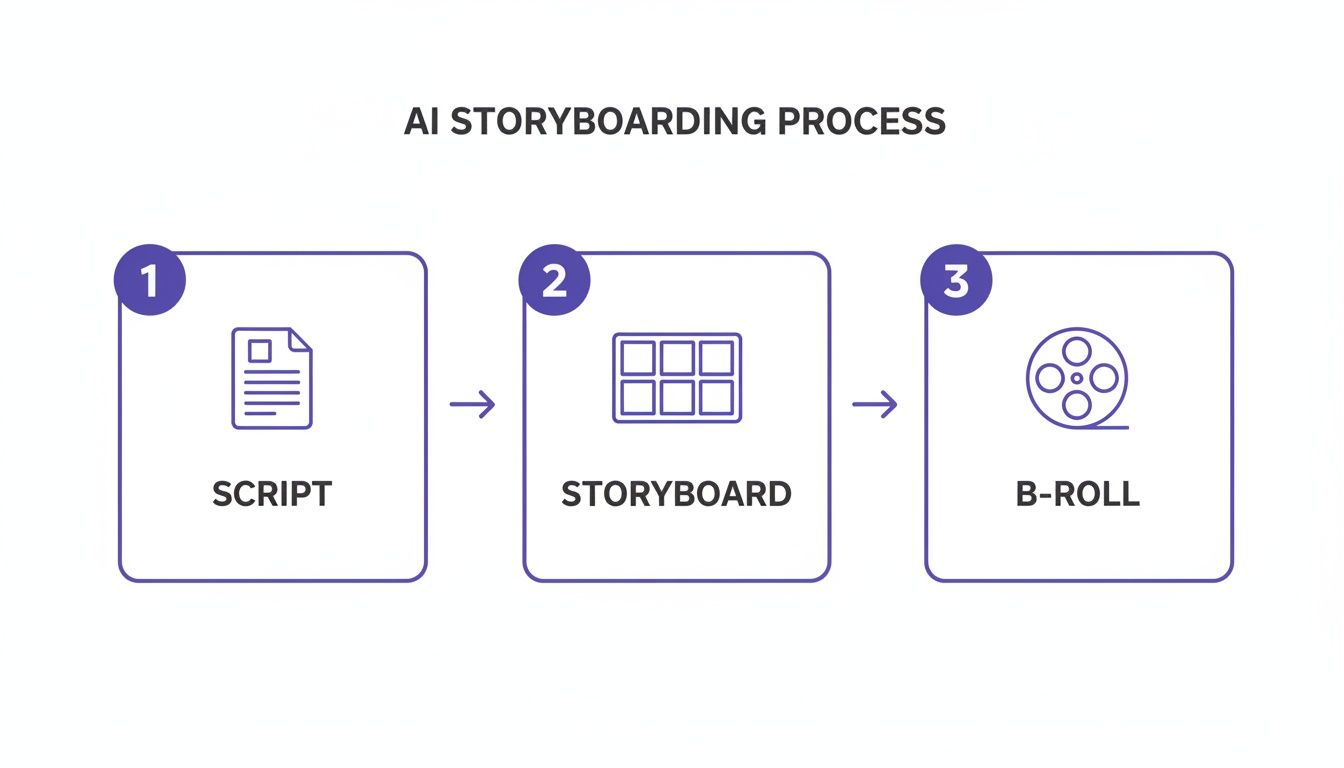
This workflow shows how each stage builds on the last, helping you create a polished video without getting overwhelmed.
The growth in this space has been explosive. North America has really become the epicenter, commanding a 41% global market share in AI video generation back in 2025, which was valued at USD 293.8 million. And it's not slowing down—the U.S. market is on track to hit a staggering USD 182.8 billion by 2026.
Your goal is to match the avatar’s style and voice to your target demographic. This alignment is what builds trust and credibility, which are non-negotiable for any effective marketing campaign. A well-chosen avatar makes your message feel personal and direct.
Adding the Final Polish to Your Video
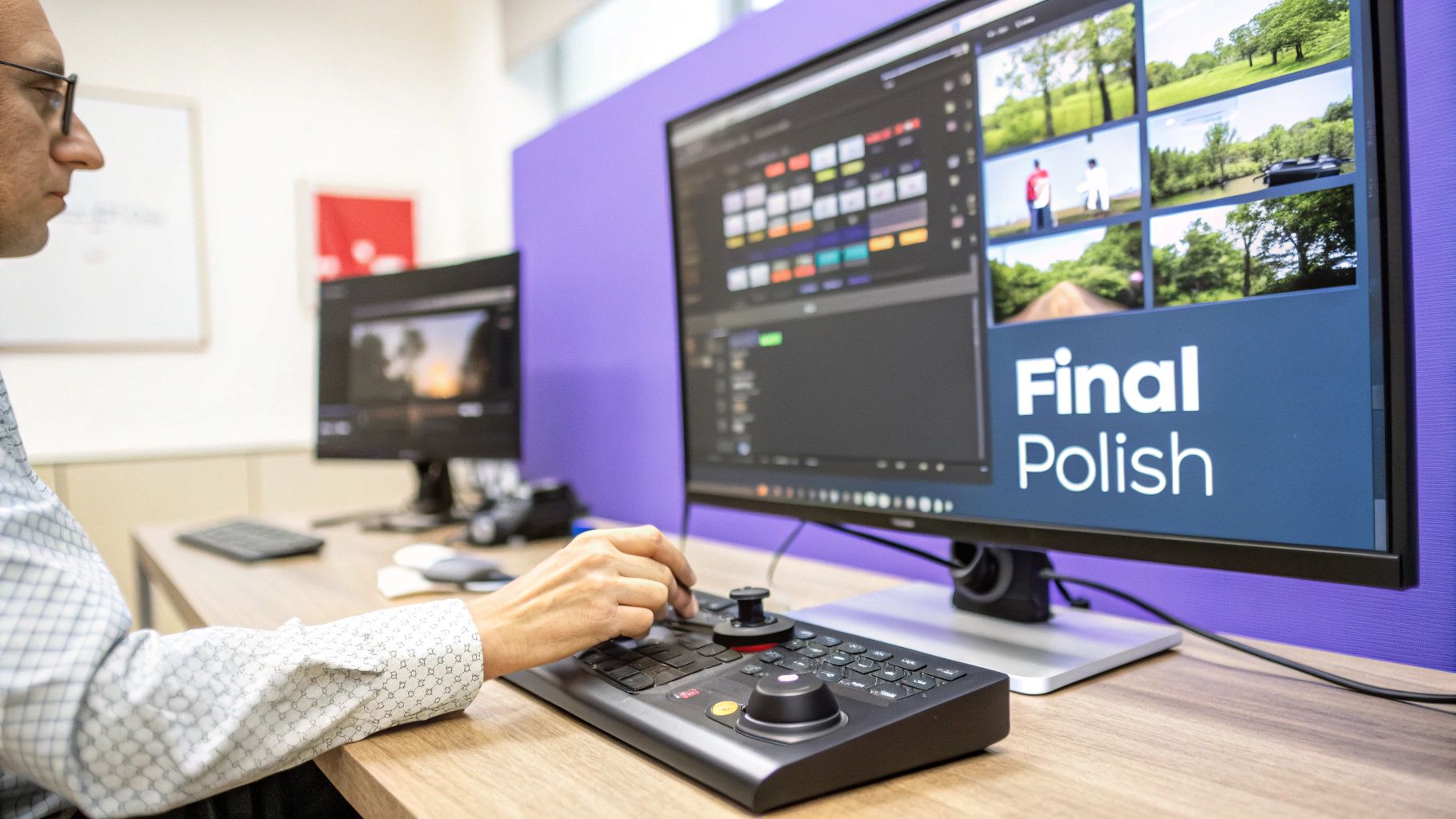
You've built your scenes, picked an avatar, and generated all the visuals. At this point, you have the raw materials for a solid video. But the final editing stage is what really separates the okay stuff from a professional ad that’s ready to convert. These last few touches might seem small, but their impact is huge.
This is where you sharpen the edges and make sure every single frame is pulling its weight. Think of it as the final quality check before sending your work out into the world. Thankfully, modern AI video platforms have made this part of the process surprisingly easy, with built-in tools that can handle once-complex tasks with just a few clicks.
Mastering Simple, High-Impact Edits
You don't need a film degree to get a clean, polished look anymore. Today, some of the most powerful edits are practically automatic. These features are built for speed and impact, letting you boost your video's production value without getting lost in the technical weeds.
A couple of my favorite one-click features are:
- AI Background Removal: Instantly cut the background out of any clip. This is perfect for placing your avatar in a new setting, maintaining brand consistency, or dropping in dynamic B-roll behind your presenter. It's a game-changer.
- Picture-in-Picture (PiP) Effects: This is a classic for a reason. You can easily overlay your avatar in a small corner while showing off product footage or a screen recording in the main frame. It’s fantastic for tutorials and demos.
These tools used to be locked away in expensive, complicated software. Now, they're often baked right into the AI video creation workflow. If you want to dive deeper into how this works, it’s worth exploring the world of automatic video editing.
Why Dynamic Captions Are a Must-Have
If there’s one final touch you absolutely cannot skip, it’s captions. A massive number of people watch social media videos with the sound off, making captions your only way to grab and hold their attention. Time and again, studies show that videos with captions see a major lift in view time.
But not just any captions will do.
The gold standard today is auto-synced, dynamically highlighted captions. These aren't just static blocks of text at the bottom of the screen. They highlight words as they're spoken—often called the "Alex Hormozi style." This constant movement keeps the viewer's eyes locked on the screen, guiding them through your message and making it easier to follow along.
Tailoring Your Video for Each Platform
Finally, remember that one size does not fit all. A landscape video built for YouTube will look terrible on TikTok, and a hyper-fast Reel might feel completely out of place on a LinkedIn feed. Before you hit that export button, always optimize your video for where it's going to live.
- Adjust Aspect Ratios: Easily switch between 9:16 for TikTok, Reels, and Shorts; 1:1 for Instagram feed posts; and 16:9 for YouTube.
- Tweak the Pacing: A TikTok ad might need a new visual every 1-2 seconds to keep things interesting. A YouTube video, on the other hand, can breathe a little more.
- Customize Your Call to Action (CTA): A "Link in Bio" CTA works on Instagram, but it needs to be a clickable "Shop Now" button for a Facebook ad.
Making these small adjustments shows you understand the platform and its audience, and that can make all the difference in your campaign's success. This is what takes your AI creation and makes it truly ready to perform.
Common AI Video Issues and How to Fix Them
Even with the best AI video tools at your fingertips, you're going to hit a few creative roadblocks. It’s just part of the process. Maybe the visuals look a little weird, or the AI voice sounds… well, like an AI. Don’t sweat it. These are common bumps in the road, and most have simple fixes that can make a huge difference.
What to Do When Visuals Go Wrong
When your AI-generated visuals miss the mark, the first place to look is always your prompt. It’s almost always a prompt problem. Instead of a generic request like "a busy street," you need to paint a much clearer picture for the AI.
Try something like this: "a bustling downtown street at golden hour, cinematic lighting, with yellow taxis and steam rising from a manhole."
See the difference? Specificity is your secret weapon. Adding details about style, lighting, composition, and even mood gives the AI the direction it needs to create something that actually matches the vision in your head.
Tuning Up Voice and Tone
Is the AI voice sounding a bit flat or robotic? The culprit is often the punctuation in your script. AI voice models lean heavily on commas, periods, and line breaks to figure out pacing and inflection.
- Add commas where you'd naturally pause if you were speaking. This breaks up longer sentences and prevents that monotone delivery.
- Keep sentences short. This forces a more conversational rhythm and is just easier for the AI to interpret naturally.
- Audition different voices. Don't just stick with the default. Some voices are built for high-energy ads, while others are perfect for a calm, narrative style.
Here’s a trick I swear by: read your script out loud. If it feels clunky or awkward for you to say, the AI is definitely going to stumble over it. This one simple test can fix 90% of your delivery problems before you even hit "generate."
At the end of the day, the fastest way to get better is to test everything. Don't just make one video; make two. Try them with different hooks, different visuals, or a different call to action. A/B testing isn't just for experts—it's how you learn what your audience actually wants to see, helping you nail it on the next attempt.
Your AI Video Generation Questions, Answered
As you dive into creating videos with AI, you're bound to have some questions. This space is changing fast, so let's clear up a few of the most common things people ask when they're getting started.
How Long Does It Really Take to Make a Video?
This is where AI really shines. For a polished social media video, you can realistically go from a simple idea to a finished product in about 10-15 minutes. It sounds wild, but it's true.
The script itself gets generated in seconds. Building out your scenes with AI B-roll might take a few minutes of tweaking. Then, rendering the final video is usually the fastest part. This kind of speed means you can test a dozen ad concepts in a single afternoon, something that would’ve taken weeks with traditional video shoots.
Can AI Videos Actually Look and Sound Real?
Absolutely. The quality has come a long way, and the best AI visual and voice models are surprisingly lifelike now. The trick to making it feel authentic is all in the details you feed the machine.
A great AI video is a mix of a high-quality avatar, a natural-sounding voice, and very specific, descriptive prompts for your visuals. The final editing, like adding eye-catching captions, is what really sells it and builds trust with your audience.
If you're curious about the broader landscape, this list of the best AI tools for content creation is a great resource, covering everything from brainstorming to final edits.
Is This Going to Be Expensive?
Compared to traditional video production, which can easily cost thousands for just one short ad, AI is a game-changer for budgets. Most platforms work on a subscription or credit-based system.
For instance, you might use credits to generate new assets like B-roll clips or voiceovers, but assembling unlimited videos from the assets you already have is often included. This approach makes high-volume video marketing genuinely accessible for small businesses and solo creators, finally leveling the playing field.
Ready to create high-converting video ads in minutes? With Sprello, you can generate scripts, build visual storyboards, and produce polished videos with realistic AI avatars and voices—all in one place. Start creating for free today!


