
Before you even think about hitting record or generating a single visual, your promotional video needs a solid game plan. This isn't the fun part, but it's what separates a video that drives action from one that just adds to the noise. Get this right, and everything else falls into place.
Your Game Plan for Videos That Actually Work
Jumping straight into production without a strategy is like building a house without a blueprint. Sure, you might end up with something, but it won’t be what you need. The most effective videos are built on a foundation of smart decisions made long before the camera rolls. This pre-production phase is where you win or lose the battle for your audience's attention.
Think of your video as a very specific tool for a very specific job. If you rush the planning, you’ll end up with a video that looks pretty but doesn't actually do anything for your business.
Pinpoint Your Target Audience
First things first: who are you talking to? And I mean really talking to. Forget broad demographics like "women, 25-40." You need to get inside their heads to understand their real-world problems, what they hope for, and what actually makes them tick.
Ask yourself these kinds of questions:
- What’s their biggest headache that my product or service can solve?
- What’s the one "aha!" moment they’re looking for?
- Where do they hang out online, and what kind of content do they love?
- What language do they use? How can I talk to them, not at them?
A skincare brand targeting millennials with acne, for example, wouldn’t make a dry, clinical video full of scientific jargon. They’d tell a relatable story about feeling confident in your own skin, using a warm, friendly tone. Knowing your audience this well will guide every decision you make.
Define One Clear Goal for Your Video
This is a big one. So many businesses try to make a single video do everything—build awareness, get leads, and drive sales. It’s a recipe for failure. A great promotional video has one primary objective, and that’s it.
A video meant to build brand awareness looks completely different from one designed to get immediate sales. The first might tell an emotional brand story, while the second will be direct, packed with benefits, and end with a strong, urgent call to action.
What is the one thing you want someone to do after watching? Is it signing up for a webinar? Clicking through to a product page? Or just remembering your brand’s name? Be ruthless and pick one. That goal becomes your guiding light. For a structured approach to the entire process, using a video production timeline template can keep your project on track from start to finish.
Craft a Core Message That Resonates
Okay, you know who you're talking to and what you want them to do. Now, what are you going to say? Your core message is the single most important idea you want to leave with your viewer. It needs to be simple, memorable, and speak directly to their needs.
This simple diagram illustrates how these three elements—audience, goal, and message—flow into each other.
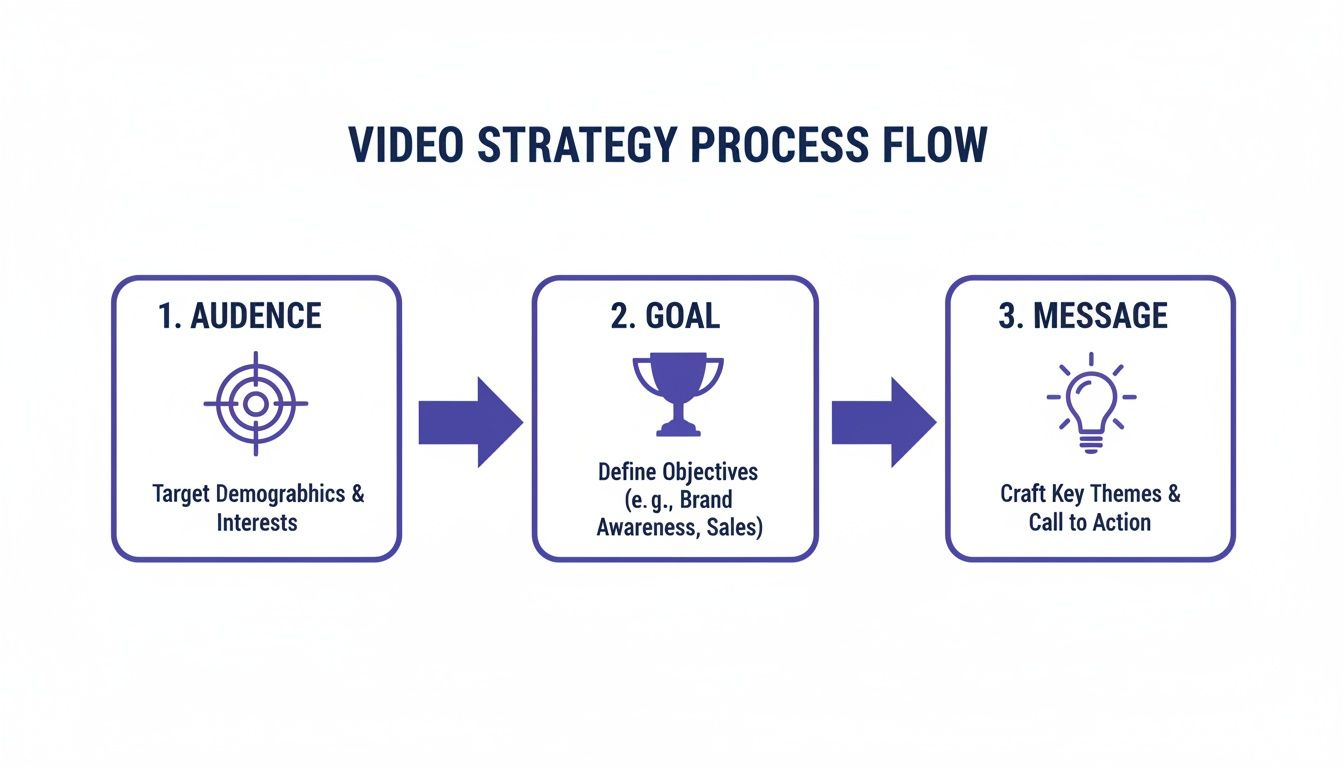
To help you nail down these foundational pieces, I've put together a simple framework. Think of it as your pre-flight checklist before you start creating.
Promotional Video Planning Framework
This table breaks down the key strategic elements you need to define before you move on to the creative part of your project.
| Element | Key Question to Answer | Example (E-commerce Skincare Brand) |
|---|---|---|
| Audience | Who are you talking to? (Be specific!) | Millennials (25-35) struggling with adult acne, feeling overwhelmed by complex routines. They value authenticity and relatable content. |
| Goal | What is the ONE action you want them to take? | Drive traffic to the product page for our new "Clarity" serum. |
| Message | What's the single most important idea to convey? | "Achieve clear, confident skin with a simple, 3-step routine you can actually stick to." |
| Platform | Where will this video live primarily? | Instagram Reels & TikTok, with a longer version for YouTube ads. |
With these pillars in place, you're not just making a video; you're building a strategic asset. You’ve ensured your creative work is perfectly aligned with your business goals from the very beginning. This strategic approach is fundamental to effective video marketing for social media, turning views into real results.
Writing Hooks and Scripts That Actually Stop the Scroll
You've got about three seconds.
Seriously. In the blur of a social media feed, that’s all the time you have to convince someone to stop and watch your video. If that opening doesn't immediately grab them by the collar, they're gone. That's why a killer script, starting with an irresistible hook, isn't just nice to have—it's everything.
Your script is the backbone of your entire video. It creates a clear path, gives your message purpose, and makes sure every single second is working toward your goal. Without one, you’re just throwing cool shots together and crossing your fingers.
The Simple Anatomy of a Script That Sells
A great script doesn't need to be complex. In fact, simpler is almost always better. The most successful promo videos all follow a basic, four-part story structure. It's a proven formula that works whether you're selling software, a new line of sneakers, or a coaching program.
This structure logically and emotionally walks your viewer from where they are to where you want them to go.
- The Hook: Jolt them out of their scrolling stupor. This is job number one.
- The Problem: Hit on a pain point they know all too well. Show them you get it.
- The Solution: This is where you introduce your product or service as the hero—the clear, simple answer to their problem.
- The Call to Action (CTA): Tell them precisely what to do next. No hints. Be direct and make it dead simple.
When you follow this framework, you're not just selling; you're telling a tiny, compelling story. You're taking someone from a place of frustration to a moment of hope, with your brand leading the way.
Tried-and-True Hook Formulas
Your hook needs to be sharp. Generic lines like, "Are you tired of...?" are completely worn out and get ignored instantly. You need to be more creative to cut through the noise.
Try starting with one of these angles instead:
- Provocative Question: "What if you could run your entire social media in just 10 minutes a day?" (This is perfect for a SaaS tool targeting swamped marketers).
- A Surprising Stat: "Did you know 8 out of 10 startups fail from cash flow problems? Here’s how you can avoid becoming a statistic." (Great for a fintech product or a consulting service).
- The Dramatic Before-and-After: Instantly show a chaotic, messy desk transforming into a clean, organized workspace. (An absolute winner for an e-commerce brand selling home organization products).
These hooks work because they trigger curiosity, create a sense of urgency, or paint a picture of a desired outcome right from the jump.
Keep Your Tone Human
The single biggest mistake people make when writing scripts? They sound like a corporate robot. People connect with other people, not with jargon-stuffed press releases. Your script should feel like you're talking to a friend over coffee.
Pro Tip: Read your script out loud. If it feels clunky or awkward to say, it’s going to sound ten times worse to your audience. If you wouldn't say a word in a real conversation, cut it.
Stick to short sentences and simple language. The goal is to build trust and make your offer feel like a helpful tip, not a hard sell. For a closer look at putting it all together, check out our guide with a ready-to-use sample video script.
Use AI as Your Creative Sidekick
Let’s be honest, staring at a blank page is the worst. This is where AI script generators can be a huge help. Don't think of them as a replacement for your own creativity, but as a powerful tool to kickstart the brainstorming process.
Feed an AI tool your audience, their problem, and your solution, and it can spit out dozens of different hooks, angles, and script ideas in seconds. You might get a lot of duds, but you only need one great idea to get the ball rolling. From there, you can rewrite, refine, and inject your brand's unique voice to make it your own. It’s a fantastic way to test more creative ideas, faster.
Using AI to Build Your Video Without a Camera
So, you've got a killer script. Now it's time to bring it to life, and the best part is, you don't need a single piece of camera equipment. Modern AI tools have completely changed the game, letting anyone turn words on a page into a visually stunning story. This camera-free workflow isn't just a neat trick; it's a massive strategic advantage that saves you time, slashes your budget, and gives you incredible creative freedom.
This approach lets you produce professional-quality videos that, just a few years ago, were only possible for companies with huge marketing departments. You can now test dozens of creative concepts without the logistical nightmare of a traditional video shoot.

From Script to Visual Storyboard
First things first, you need a visual storyboard. This is where you map out your video, breaking down your script scene by scene and deciding what visuals will pop up on screen for each line. But instead of sketching or spending hours scrolling through stock footage, you can use AI to generate custom B-roll, images, and video clips that perfectly match your narrative.
Let's say your script has the line, "Feeling overwhelmed by your messy workspace?" You can prompt an AI image generator to create a shot of a cluttered, chaotic desk. For the next line, "Our organizer brings calm to the chaos," you can generate a slick, contrasting image of a clean, minimalist setup. This kind of direct visual storytelling is incredibly powerful and gets your message across in an instant.
Generate Custom B-Roll and Visuals Instantly
Finding high-quality, relevant B-roll has always been one of the biggest headaches in video production. It's often expensive, time-consuming, and you can rarely find exactly what you need. AI video generation tools completely fix this by creating brand-new video clips from nothing more than a simple text description.
Imagine needing a specific shot for your promo video that just doesn't exist in any stock library.
- For an e-commerce brand: "A slow-motion clip of a single drop of serum landing on a leaf."
- For a SaaS company: "An animated data graph showing upward growth with a clean, futuristic aesthetic."
- For a travel agency: "A drone-style shot flying over a serene, undiscovered beach at sunset."
With AI, you can generate these precise visuals in minutes. This means you can create a video that is 100% unique to your brand and perfectly aligned with your script, giving you a level of creative control that was previously out of reach for most businesses.
This shift toward accessible, high-quality video creation is mirrored in broader market trends. In 2025, U.S. businesses are set to spend $85 billion on digital video ads, surpassing traditional TV ad spend for the first time. For small businesses, this data-driven pivot shows exactly how to make promotional videos that drive results: focus on creating engaging, mobile-optimized clips that capture attention quickly. Learn more about these pivotal video marketing statistics on SellersCommerce.com.
Choose Your AI Presenter
What if your video needs a human face, but you don't have an actor (or you're just camera-shy)? This is where AI avatars come in. These are realistic, AI-generated presenters who can deliver your script right on camera. This tech is an absolute game-changer for creating explainer videos, product demos, and social media ads without ever stepping in front of a lens yourself.
When picking an avatar, think about who best represents your brand's personality.
- Is your brand professional and authoritative? Go for an avatar in business attire.
- Is it more friendly and approachable? A casual-looking avatar might be a better fit.
- Targeting a global audience? Many platforms offer a diverse range of avatars to connect with different demographics.
This makes it easy to maintain a consistent brand presence across all your video content. For a deeper look at this technology, check out our guide on using real-life avatars for your videos.
Generate a Flawless Voiceover
The final piece of the production puzzle is the audio. AI-powered text-to-speech (TTS) can turn your written script into a natural-sounding voiceover in seconds. And forget about those robotic, monotone computer voices from the past. Today's AI voices are incredibly realistic, packed with nuanced inflections and emotion.
One of the biggest wins here is the ability to generate voiceovers in multiple languages and accents almost instantly. This makes it incredibly easy to localize your promotional videos for international markets, expanding your reach without the high cost of hiring a team of voice actors. You can even test different voice styles—energetic, calm, confident—to find the perfect tone for your video. This flexibility ensures your promo not only looks great but sounds professional and completely polished.
Editing and Polishing for Maximum Engagement
You’ve got your script, visuals, and voiceover ready to go. Now comes the fun part: bringing it all together into a polished, scroll-stopping promotional video. This is where the real magic happens. Editing isn’t just about slapping clips together; it’s about creating a rhythm and a flow that keeps people glued to the screen from the first second to the very last.
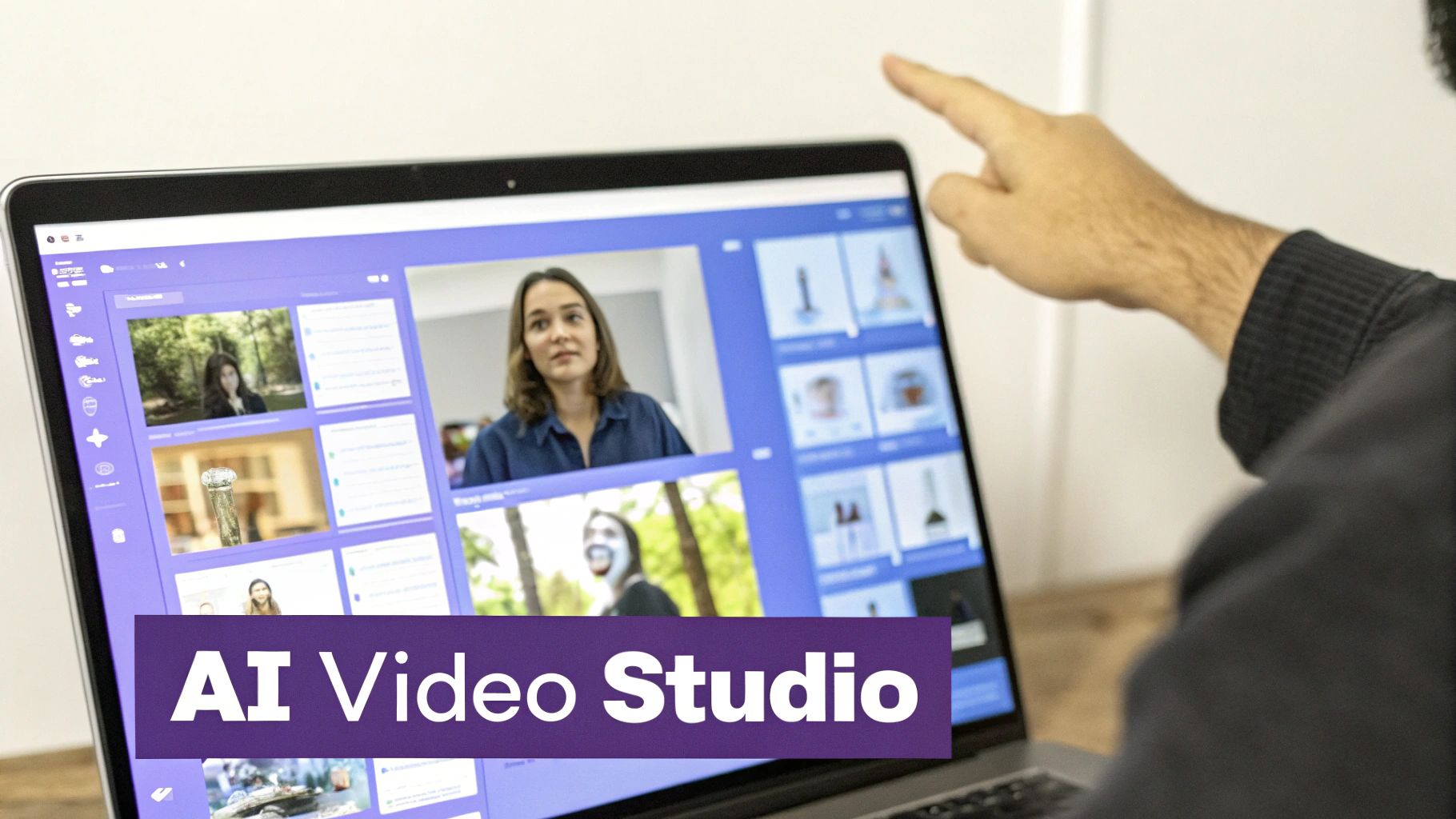
A great edit can elevate good assets into a truly great video. The best part? You don't need years of editing experience or clunky, complicated software anymore. Modern AI tools have made it incredibly simple to get a professional finish with just a few clicks.
Master Your Pacing with Quick Cuts
Online attention spans are notoriously short. Your video's pacing—how quickly it jumps from one shot to the next—is your secret weapon against the dreaded scroll-past. Lingering too long on a single shot is a surefire way to lose your audience.
The trick is to use quick, dynamic cuts that match the energy of your script and music. Think of it as a visual heartbeat. If you’re launching an exciting new product, keep your cuts fast and snappy, maybe switching shots every 1-2 seconds. This builds a sense of momentum that pulls the viewer right along with you.
Why Auto-Captions Are Non-Negotiable
Here’s a stat that might surprise you: up to 85% of social media videos are watched with the sound off. If your video’s message is buried in its voiceover, most of your audience will completely miss it. This is why auto-synced captions aren't just a nice-to-have; they're an absolute must.
But don't stop at plain, boring text. To really make an impact, use dynamic captions that highlight words as they’re spoken. You've seen this on viral videos—it's a simple technique that guides the viewer's eye and ensures your key points land, even in total silence. It’s a small detail that makes a massive difference.
Use Smart Features for a Clean Look
A professional-looking video builds trust and makes your brand feel more credible. It’s all in the details. Thankfully, AI tools now give you access to powerful features that once required serious editing chops.
- One-Click Picture-in-Picture: Need to overlay your AI avatar on top of some B-roll? It’s perfect for tutorials or product demos where you need to show and tell simultaneously.
- AI Background Removal: Instantly remove the background from a video clip of a person. This lets you place your speaker in any environment you choose, creating a clean, branded look without ever needing a green screen.
These features help you create that polished, modern aesthetic that makes your promo video feel a cut above the rest.
The goal of your promo video isn’t to take a deep-dive on your product or services. It’s a quick, attention-grabbing trailer... so use fast cuts in your edit, as well as catchy sound bites or titles.
The Power of Sound Design
While many people will watch on mute, the audio experience is critical for those who have their volume up. Sound design is more than just the voiceover; it’s the entire auditory package.
Start by picking the right royalty-free music track. The music sets the emotional tone. Do you want your video to feel inspiring, urgent, or calming? Next, make sure your voiceover is crisp and clear. You'll want to mix your audio levels so the music supports the narration without overpowering it.
Finally, don't forget the technical specs for your platform. If you're editing a video for YouTube, for instance, making sure it follows the optimal YouTube video dimensions is key for a professional look. These finishing touches are what separate a decent video from one that truly shines.
Distributing Your Video on the Right Platforms
You’ve poured your heart and soul into creating an amazing promotional video. That’s a huge accomplishment, but it's really just the starting line. A brilliant video is totally useless if the right people never see it. Getting it out there—distribution—is where your creative work actually starts paying off.
And please, don't just blast the same video file across all your social channels. That’s a classic rookie mistake. Every platform has its own vibe, its own audience, and its own technical quirks. A one-size-fits-all approach is a surefire way to underperform everywhere instead of winning somewhere.
Tailor Your Video for Each Platform
Think of each social media network as a different party. You wouldn't wear a tuxedo to a backyard BBQ, right? The same logic applies here. To connect with people, you need to match the vibe, and that means tweaking your video for each platform.
The most glaring difference is the aspect ratio—the actual shape of your video. Mess this up, and your video instantly looks clumsy and unprofessional.
Here’s a quick rundown of what you need to know:
- Vertical (9:16): This is the undisputed champion on mobile-first platforms like TikTok, Instagram Reels, and YouTube Shorts. It takes over the entire phone screen for a super immersive feel.
- Square (1:1): Perfect for the main feeds on Instagram and Facebook. It just takes up more visual real estate than a horizontal video, making it that much harder to scroll past.
- Horizontal (16:9): The old-school widescreen format. This is still your go-to for the main YouTube platform and for embedding videos directly onto your website.
But it’s not just about the shape. A chaotic, high-energy, trend-based video might go viral on TikTok but would likely fall flat on a more buttoned-up platform like LinkedIn.
Master Platform-Specific Tactics
To really get traction, you have to play by the rules of each platform and use its native features. It shows you're part of the community, not just an advertiser dropping in unannounced.
For TikTok and Instagram Reels:
- Jump on Trending Audio: Using a popular song or sound can give your video a massive algorithmic boost. Seriously, don’t skip this.
- Be Quick and Punchy: Attention spans are microscopic. Aim for videos between 15-30 seconds that deliver the goods right away.
For Instagram Stories:
- Make It Interactive: Use the built-in tools like polls, question stickers, and quizzes. This gets people to physically engage with your content, which the algorithm absolutely loves.
For YouTube:
- Think Like a Search Engine: Your title, description, and tags are everything. Use the keywords your target audience is actually searching for.
- Create a Killer Thumbnail: Your thumbnail is your video's billboard. It has to be compelling and high-quality enough to make someone stop scrolling and click.
Don’t just post your video and walk away. Promote it! Share it in your email newsletter, stick it on your homepage, and even put a little ad spend behind it to target your ideal customers.
The Simple Power of A/B Testing
So, how do you really know what works? You test. A/B testing (or split testing) sounds complicated, but it's just about trying small variations to see what your audience responds to. It's the best way to stop guessing and start making data-backed decisions.
You don’t need two completely different videos. Just tweak one thing at a time.
- Test Your Hook: Try two different opening lines or visuals in the first three seconds. Which one stops the scroll more effectively?
- Test Your CTA: Run one version with a "Shop Now" button and another with "Learn More." Which one gets more clicks?
- Test Your Thumbnail: On YouTube, this is a game-changer. Try two different designs and see which one gets a better click-through rate.
By running these little experiments, you let your audience tell you what they want. Over time, this refinement process makes every video you produce more effective than the last.
Got Questions About Promo Videos? We’ve Got Answers.
Even with a solid plan in hand, you're bound to have questions when you start making videos. You might be wondering, "How long should this thing even be?" or "How can I pull this off without a Hollywood budget?"
Let's tackle some of the most common hurdles that trip people up. Think of this as your practical, no-fluff guide to getting it right.
How Long Should My Promotional Video Be?
The real answer? It depends entirely on where you're posting it. What crushes it on TikTok will be dead on arrival on YouTube. There's no magic number, but there are some solid rules of thumb that will keep you on the right track.
TikTok & Instagram Reels (15-45 seconds): Think fast. You have to grab them in the first 3 seconds and deliver your message with a punch. If you’re pushing past a minute, you better have an incredibly gripping story to tell.
Instagram & Facebook Feed (30-60 seconds): You've got a little more breathing room here. A one-minute video works great for a quick product demo or a powerful customer testimonial. Just remember, people are still scrolling, so keep it tight.
YouTube (2-5 minutes): This is where you can stretch your legs. People come to YouTube to learn or be entertained, so longer content like in-depth tutorials, behind-the-scenes looks, or detailed product walkthroughs can do really well.
The goal is never to fill time—it’s to hold attention. A powerful 30-second video will always beat a rambling 3-minute one. Let the platform and your message be your guide.
How Can I Make a Great Video on a Tight Budget?
This is the question I hear most often, and the good news is, the answer has never been better. High-quality promotional videos aren't just for big companies with bottomless marketing budgets anymore.
First things first, your best asset isn't your wallet; it's your creativity. A clever hook and a script that genuinely solves a viewer's problem are completely free. Get your message dialed in before you ever think about production.
From there, lean into AI-powered video tools. This is the single biggest game-changer for anyone on a budget.
How AI Slashes Your Costs:
- Zero Equipment: Forget about fancy cameras, lights, or mics. You can generate your entire video right from your keyboard.
- No Location or Actor Fees: AI avatars and generated scenes mean you skip the costs of studio time, travel, and talent.
- Instant B-Roll: Instead of paying for expensive stock footage subscriptions, you can generate the exact custom clips you need in seconds.
When you pair a strong, audience-focused script with AI production, you can create something that looks and feels professional for a tiny fraction of the traditional cost.
What Metrics Should I Actually Track?
Making the video is just one part of the job. The other, equally important part is knowing if it's actually working. It’s easy to drown in data, so let’s cut through the noise and focus on the handful of metrics that truly matter.
These are the numbers that tell you if people are watching, if they care, and if they're doing what you want them to do.
View-Through Rate (VTR): This is the percentage of people who watched your video all the way to the end. A high VTR is a huge win—it means your message was compelling enough to hold their attention from start to finish.
Click-Through Rate (CTR): Of all the people who watched, what percentage actually clicked your link or call-to-action? This is your go-to metric for measuring if your video is successfully nudging people to take that next step.
Conversion Rate: This is the big one. How many of the people who clicked through actually completed the goal? This could be making a purchase, booking a demo, or signing up for a newsletter. This metric connects your video directly to business results.
Focusing on these three will give you a crystal-clear picture of what's working and help you make smarter moves on your next campaign.
Ready to create high-converting promotional videos in minutes, not weeks? With Sprello, you can generate scripts, visuals, and voiceovers with AI to produce stunning content without any cameras or complexity. Start building your next winning video today at Sprello.ai.


