

Think of a video production timeline template as your project's command center. It's a strategic roadmap that breaks down the entire creative process into clear, manageable phases, giving you a predictable system instead of a chaotic scramble to the finish line.
Why Your Video Projects Keep Missing Deadlines

Let's be real—managing a video project can feel like herding cats. You start with a fantastic idea, but before you know it, you're drowning in disorganized feedback, chasing down assets, and watching your deadlines zoom past. It’s a familiar story for marketers and creators: projects kick off with a ton of energy but end up late and over budget.
The problem usually isn't a lack of creativity. It's a lack of structure. Without a solid plan, small hiccups turn into massive delays, and that's where a video production timeline template becomes your best friend.
The True Cost of Disorganization
A missed deadline is more than just a minor hiccup; it creates real problems. Launch campaigns get delayed, your social media calendar is thrown into disarray, and all that momentum you built just fizzles out. The usual suspects behind these breakdowns include:
- Undefined Scope: The project kicks off without clear goals, leading to endless "just one more thing" requests and scope creep.
- Disorganized Feedback Loops: Vague notes from multiple people trickle in randomly, sending editors down a rabbit hole of conflicting revisions.
- Lack of Clear Ownership: When nobody is sure who’s responsible for signing off on the script or approving the final cut, the entire project grinds to a halt.
- Unrealistic Expectations: Teams constantly underestimate how long crucial steps like color grading or sound mixing actually take, creating huge bottlenecks right at the end.
A timeline template isn’t just a schedule; it’s a communication tool. It gets your entire team, from the writer to the client, on the same page about roles, dependencies, and deadlines from the very beginning.
Bringing Order to the Chaos
A great template provides the framework you desperately need. It turns the fuzzy idea of "making a video" into a series of concrete, actionable steps. In the past, corporate video projects often took 4-8 weeks from start to finish, with huge chunks of time spent on scripting, filming, and several weeks just for editing. You can find more insights on video marketing timelines to see how things have evolved.
Here’s a quick comparison to show you just how much time a template can save by creating a more efficient workflow.
Traditional vs. Template-Driven Production Timelines
| Production Phase | Traditional Timeline (Average) | Template-Driven Timeline (Average) |
|---|---|---|
| Pre-Production | 1-2 Weeks | 2-4 Days |
| Production | 1-3 Weeks | 1-5 Days |
| Post-Production | 2-3 Weeks | 3-7 Days |
By mapping out every phase—pre-production, production, and post-production—you can see what's coming, assign resources intelligently, and set milestones that you can actually hit.
This structured approach doesn't kill creativity; it gives it a solid foundation to build on. Instead of constantly putting out fires, you can manage the workflow proactively. This leads to a much smoother, more predictable journey from that first spark of an idea to the final, polished video.
Download Your Free Video Production Timeline Templates
Enough with the theory—let's get your project on the rails. I’ve put together two different, battle-tested templates based on what works in the real world. Each one is built for a specific job, so you’ll have the right tool for the right audience.
These aren't just blank slates. They come loaded with the standard tasks and phases you’d expect in any production. Just copy one and start plugging in your own project details. You'll be up and running in minutes instead of hours.
The Project Manager’s Spreadsheet Template
For anyone who lives in the details, this spreadsheet is your command center. It works in both Google Sheets and Excel and is designed for tracking every last task, dependency, and deadline with precision.
This is the version you'll want when you need to get granular. It's perfect for:
- Assigning ownership: Clearly mark who’s responsible for the script, who’s gathering assets, and who’s on the final sound mix.
- Tracking dependencies: Make it obvious that the first edit can’t kick off until the script is locked and approved.
- Monitoring progress: Use simple status updates like "Not Started," "In Progress," and "Complete" to see where everything stands at a glance.
This level of detail is a lifesaver for keeping your internal team in sync. It answers the "who does what by when?" question before anyone even has to ask, which is key to avoiding those classic production bottlenecks.
A solid timeline is just like a solid script—it sets the foundation for everything that follows. If you're still working on that part, this sample video script can help get your pre-production moving.
The Stakeholder’s Visual Timeline Template
While the spreadsheet is for the crew in the trenches, the visual timeline is for getting everyone else on board. I’ve made it available as a clean PDF and a customizable Canva template, so it’s perfect for presentations.
Use this high-level overview to:
- Get buy-in from clients or leadership by showing them a simple, clear roadmap of the entire project.
- Align the whole team during kickoff, focusing on the big milestones instead of burying them in details.
- Set expectations for review cycles and delivery dates without getting lost in the weeds.
It boils a complex process down into something anyone can understand, which is huge for managing expectations with clients or executives. When they can clearly see the key dates, the whole approval process runs so much smoother.
Pick the template that solves your problem right now, and let's get building.
Breaking Down the Three Phases of Production
Every video project, no matter how big or small, goes through the same natural lifecycle. If you want to build a realistic and effective timeline, you have to understand this flow. The entire process neatly breaks down into three distinct, non-negotiable phases: pre-production, production, and post-production.
I like to think of it like building a house. Pre-production is the blueprint and foundation. Production is the actual construction. Post-production is all the interior design and finishing touches. If you rush or skip a phase, you’re just setting yourself up for a shaky final product.
Phase 1: Pre-Production – The Strategic Blueprint
This is, without a doubt, the most important phase. It's where most projects either get on the right track or fly completely off the rails. Pre-production is all about planning, planning, and more planning. The goal is to squash as many surprises as you can before a single camera starts rolling.
When pre-production is done right, the actual shoot day feels almost… boring. And trust me, that's a good thing. This is where you move beyond a cool idea and get into the nitty-gritty details.
Key tasks in this stage always include:
- Finalizing the Script: This is the absolute core of your video's message. It needs to be reviewed, tweaked, and completely locked down before you do anything else.
- Creating Storyboards and Shot Lists: Storyboards give you a visual map of each scene, while a shot list is a detailed breakdown of every single camera angle and action you need. These are the director's bible on shoot day.
- Location Scouting and Permitting: Finding the perfect backdrop is crucial, but so is getting the paperwork to film there. Securing permits can take a surprising amount of time, so start early.
- Casting and Crewing Up: You'll need to find the right on-screen talent (whether they're actors or your own team members) and assemble your crew—director, camera operator, sound tech, and so on.
Pre-production is where you solve problems on paper. That's infinitely cheaper and less stressful than trying to fix them on set with a full crew waiting around on your dime. A little extra detail here saves you a mountain of time and money later.
Phase 2: Production – Capturing the Vision
Alright, this is the "lights, camera, action" part. If you nailed pre-production, this phase should run like a well-oiled machine. It’s often the shortest part of the whole process, but it's also the most expensive on a per-day basis. You're coordinating people, pricey equipment, and locations all at once.
The key here is just executing the plan. You stick to the storyboards and the shot list with as much precision as possible. The goal is simple: capture all the raw footage you need for the edit and avoid the dreaded, budget-killing reshoot.
This is where having both a detailed task list and a high-level visual timeline really pays off.
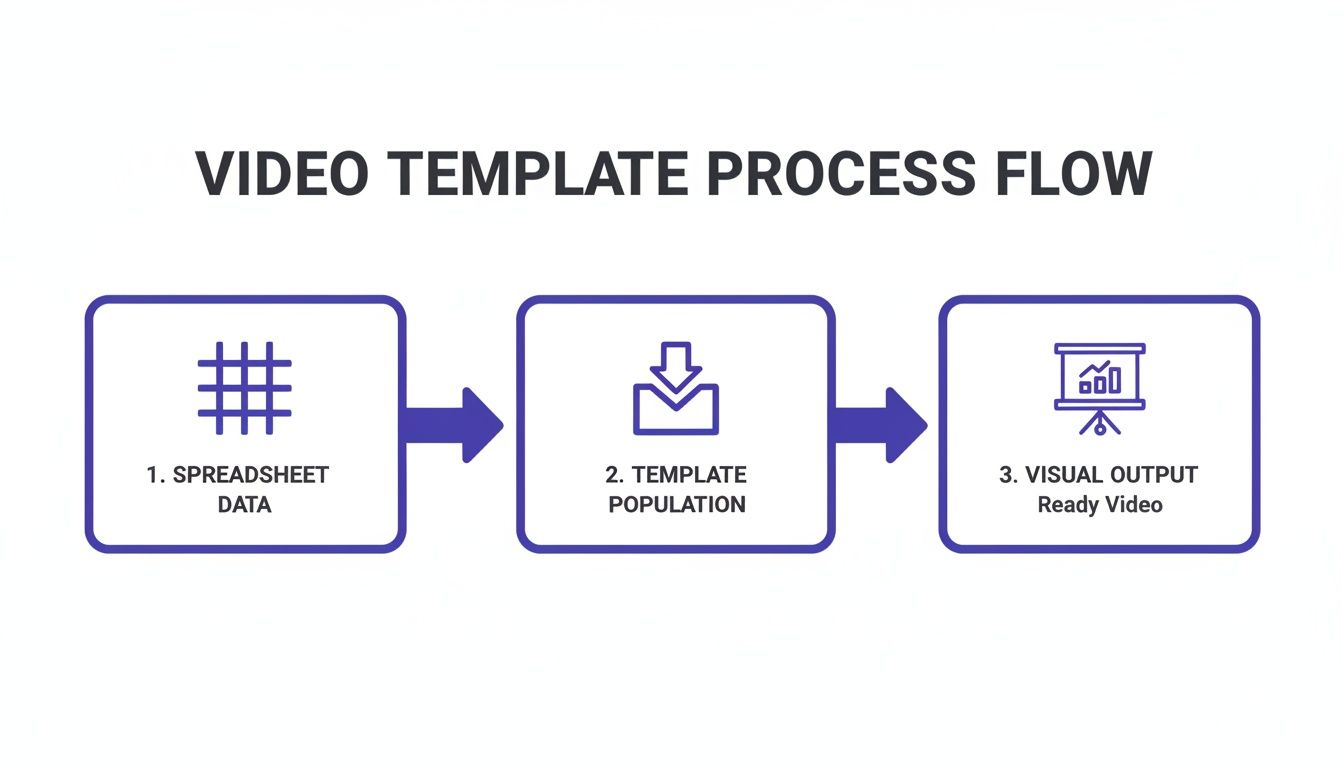
As you can see, a well-structured spreadsheet acts as the data-rich foundation. The visual timeline then makes that information easy to digest for quick check-ins and keeping stakeholders in the loop without bogging them down in details.
Phase 3: Post-Production – Where the Magic Happens
Once all your raw footage is in the can, post-production begins. This is where the story you envisioned truly comes to life. It's often the longest and most labor-intensive phase, pulling together a wide range of technical and creative skills to assemble the final cut.
Historically, post-production has been a major bottleneck for marketing teams. Traditional timelines could easily stretch to an average of six weeks from concept to final video, with the edit alone taking up to three of those weeks. A big reason for this was a skills gap—around 43% of marketers say they lack in-house editing talent—and a perception that it's just too expensive.
This is where templates really change the game. By having a structured checklist and process, teams can slash production cycles to under a week for many projects. You can discover how video marketing has changed and see more data on this trend.
Post-production is a meticulous process of refinement, turning all those raw assets into a polished video. Here's what that typically looks like:
- Organizing Footage: First things first, you have to log and organize every video file, audio recording, and graphic. It’s tedious, but absolutely essential.
- Rough Cut: The editor assembles the first draft of the video. The focus here is purely on the story structure and pacing, making sure the main beats from the script are hitting correctly.
- Fine Cut and Revisions: Now it's time to tighten things up. Feedback from the team and stakeholders gets incorporated, and the editor perfects the flow and timing of every shot.
- Color Correction and Grading: The colorist gets to work, adjusting the footage to ensure the tones are consistent and visually match the video's intended mood.
- Sound Design and Mixing: This is where the audio comes to life. Dialogue is cleaned up, sound effects are added, and the music is mixed in to create a full, immersive audio experience.
- Adding Graphics and Titles: Finally, any on-screen text, logos, or slick motion graphics are added to complete the visual package.
Once the video is done, you’re not really done. You need a system for storing and accessing these final assets. A solid foundation in video asset management is non-negotiable. It ensures your valuable content is always easy to find and repurpose, saving you an incredible amount of time down the road.
Let's be real: a single video production timeline is a great starting point, but it's never a one-size-fits-all solution.
Trying to squeeze a 15-second TikTok ad into a six-week production schedule is just as crazy as rushing a high-stakes corporate video in three days. The real skill is knowing how to bend, stretch, and shrink your master template to fit the job at hand.
The power of a good timeline isn't its rigidity; it's in its flexibility. You have to know which steps to compress, which to expand, and which to cut entirely based on the project’s actual goals. Let’s get into the nitty-gritty of how this works in the real world.
Shrinking the Timeline for Short-Form Social Ads
For platforms like TikTok, Instagram Reels, or YouTube Shorts, speed is the name of the game. The entire production cycle is often just a few days from a rough idea to a live post. Volume and rapid-fire A/B testing trump cinematic perfection every time.
Your timeline has to match that chaotic energy. Forget about long, drawn-out approval cycles. Pre-production might be a 30-minute brainstorm, not a week of storyboarding.
Here’s how the focus shifts:
- Pre-Production: This gets squished down to the bare essentials. Instead of polishing one perfect script, you’re banging out multiple hooks and concepts to see what sticks.
- Production: The shoot is lean and mean. Often, it’s just a single creator with a smartphone or a tiny crew grabbing a batch of clips in a couple of hours.
- Post-Production: Editing is all about speed and impact. Think quick cuts, bold captions, and a clear call-to-action. The goal is to crank out several variations for testing.
With social media, "done" is almost always better than "perfect." Your timeline should be built to get multiple versions out the door fast, so you can see what your audience actually responds to. The feedback loop is immediate.
Expanding the Timeline for Complex Corporate Videos
Now, let's flip the script. When you're working on a big corporate explainer video, a client testimonial, or a brand documentary, you need to slow way down. These projects have more cooks in the kitchen, higher production values, and a message that has to be absolutely on-brand.
Here, your timeline needs to breathe. Instead of cutting steps, you'll be adding more detail and building in buffer time for feedback.
The biggest time-suck (and the most important thing to plan for) is the feedback loop. You’re not just getting notes from one person; you’re managing input from the head of marketing, the legal team, and maybe even the C-suite.
- Build in review cycles: Don't just assume feedback will happen. Add specific line items like "Stakeholder Review" and "Feedback Implementation" after major milestones (e.g., script lock, first cut).
- Set clear deadlines for notes: Allocate specific time windows for feedback, like 48-72 hours. This simple step prevents a project from getting stuck in limbo for weeks waiting on one person's approval.
- Plan for heavier logistics: Tasks like location scouting, casting professional actors, and organizing a larger crew all take significant time. These need to be baked into your pre-production schedule from day one.
A detailed timeline is your best tool for managing expectations. When clients can see exactly where their feedback fits into the schedule, the whole process feels more collaborative and a lot less chaotic.
How Timelines Change by Project
Not all videos are created equal. A quick social ad is a sprint, while a corporate explainer is more of a marathon. This table shows how the same core tasks can have dramatically different time allocations depending on the project's scope.
Timeline Adjustments by Video Type
| Task | Social Media Ad (1-3 Days) | Corporate Explainer (2-3 Weeks) | YouTube Episode (1 Week) |
|---|---|---|---|
| Concept & Scripting | 1-2 hours | 3-5 business days | 1 business day |
| Storyboarding | Skipped or a quick sketch | 2-3 business days | 2-4 hours |
| Filming | 1-3 hours | 1-2 full days | 4-6 hours |
| Editing & Graphics | 2-4 hours | 5-7 business days | 2-3 business days |
| Review & Approvals | 1 hour (internal) | 3-5 business days (multiple rounds) | 1 business day (internal) |
| Final Delivery | Immediate | 1 business day | 1 hour |
As you can see, the core activities are similar, but the time and resources invested change everything. Planning for these differences upfront is what separates a smooth project from a stressful one.
Creating a Recurring Workflow for a YouTube Series
Running a weekly or bi-weekly YouTube series is a different beast altogether. It’s not a one-off project; it’s a content machine you have to keep feeding. The goal here is to build a repeatable, efficient system that lets you produce consistent content without burning out.
This is where batching becomes your superpower.
Instead of taking one video from start to finish, you adapt your timeline to manage multiple videos at different stages of production all at once. Think less like a sprint and more like an assembly line.
Here’s a practical way to structure a batched workflow:
- Monthly Content Planning: Block out one day to brainstorm, research, and outline all the video topics for the entire month ahead.
- Week 1 - Scripting & Prep: Write the scripts for all four or five videos. As you do, make a master list of all the B-roll, graphics, and other assets you'll need for the whole batch.
- Week 2 - Filming: Schedule one or two full days to film all the "A-roll" (the main talking-head parts) for the entire month's content. Get it all done at once.
- Weeks 3 & 4 - Post-Production: Now your editor has all the core footage. Each week, they can focus on editing and finishing one or two videos, pulling from the asset list you already made.
This approach turns your timeline into a powerful content calendar. It creates a predictable rhythm, which is the key to maintaining a consistent publishing schedule over the long haul.
How AI Tools Can Seriously Speed Up Your Workflow

Think of your video timeline as the map for your project. If that's the case, then modern AI tools are the souped-up engine that gets you to your destination in record time. This isn't just about jumping on a trend; weaving AI into your process is a smart, strategic move that can slash your production time and costs.
Don't worry, the robots aren't taking over the creative jobs. Instead, AI acts like a super-efficient assistant, tackling all the tedious, repetitive tasks. This frees up your team's brainpower to focus on what really matters: the creative vision and high-impact decisions.
Nail Your Pre-Production with AI's Help
Pre-production is where projects are made or broken, and this is where AI can give you a massive head start. That feeling of staring at a blank page when you need to come up with ideas? Gone.
You can use AI to spit out dozens of script ideas, video hooks, and different angles in a matter of minutes. Some tools can even generate scripts that are already tuned for a specific audience, which cuts down that initial writing time from days to hours.
Once you have a script, AI helps you see it. AI storyboarding tools can take your text descriptions and instantly whip up a visual storyboard. What used to take days of sketching or mind-numbing stock image searches can now be knocked out in an afternoon. Getting your team and stakeholders on the same page has never been faster.
A Smarter Way to Handle Production and Assets
The production phase is usually the most expensive and time-consuming part of any timeline, but AI is changing that game, too. The biggest shift I've seen is the rise of AI-generated B-roll.
Instead of coordinating a whole film shoot or digging through endless stock footage libraries for the "perfect" clip, you can now generate custom B-roll that fits your script perfectly. For many projects, this alone can shrink the production window from several days down to just a few hours.
AI-powered virtual avatars are another powerful option. For things like corporate training videos or quick social media updates, these digital presenters can deliver a script flawlessly without you needing a studio, camera crew, or endless retakes. It's a huge time-saver that cuts out a ton of logistical headaches.
By letting AI handle asset creation, you get to sidestep the usual production bottlenecks. All that time you save on logistics can be poured back into refining your creative, testing more ideas, and making the final product even better.
Fast-Track Your Post-Production
If there's one area where AI delivers the most immediate "wow" factor, it's post-production. The tedious, manual tasks that used to eat up an editor's entire day can now be automated with incredible accuracy.
Here are a few ways AI-powered tools have become indispensable for hitting tight deadlines:
- Automated Rough Cuts: Some platforms can actually analyze your raw footage and assemble a first draft of the edit based on your script. It gives editors a huge head start.
- Instant Captions: Getting accurate, time-synced captions used to be a chore. Now, it’s an automated process. Being able to quickly transcribe video to text makes your content instantly more accessible.
- One-Click Resizing: AI can intelligently reframe your main video for different platforms—like a vertical cut for TikTok or a square one for Instagram—while automatically keeping the subject in the shot. It’s a lifesaver.
- Effortless Background Removal: Need to isolate a person or drop them into a new setting? AI can remove backgrounds from video clips with scary-good precision, a task that once required painstaking manual work.
By putting these tools to work, you can turn your post-production phase from a multi-day slog into a well-oiled machine. If you want to dive deeper, check out our guide to the best AI video editing tools out there today. Smartly adopting this tech is the key to keeping up with modern content demands without ever compromising on quality.
A Few Common Questions About Video Timelines
Even the most beautiful video production timeline template will eventually meet reality. Projects rarely go exactly as planned. Curveballs get thrown, questions pop up, and knowing how to adapt is what separates a smooth production from a chaotic one.
Let's walk through some of the most common issues people run into when trying to manage a video project. Think of this as the field guide for keeping your production on track.
How Do I Handle Client Feedback and Revisions?
This is the big one. Client feedback can feel like a massive, unpredictable variable. The secret is to stop treating it as an interruption and start treating it like a scheduled milestone.
Build specific review rounds right into your timeline. For example, after you deliver the "First Edit," your next line item should be "Client Review & Feedback." Crucially, you need to assign a clear deadline to it, like 48 hours. This politely and professionally sets the expectation that feedback needs to be prompt.
You should also define the number of revision rounds included in the initial project scope. Two rounds is a pretty common industry standard, and anything beyond that often triggers a change order.
When you schedule feedback, it stops being a potential delay and becomes just another predictable step in the process. This one simple move helps you manage expectations and get ahead of scope creep before it even starts.
Setting these ground rules during the kickoff meeting ensures everyone is on the same page from day one.
What's the Single Biggest Mistake People Make?
Hands down, the most common mistake is being too optimistic. It's easy to create a "perfect world" timeline where every task is finished instantly, every approval is immediate, and no technical gremlins ever appear. This is a direct path to a missed deadline.
Something always comes up. A key decision-maker gets sick, a hard drive fails, or a great creative idea just takes longer to nail down than you thought. A professional timeline accounts for this chaos.
The solution? Build in a contingency buffer. A good rule of thumb is to add an extra 10-15% of the total project time as a safety net. You can either sprinkle this time throughout key phases or add a block of "contingency" time right before the final delivery date. This buffer turns unexpected problems into manageable speed bumps instead of project-ending disasters.
Can the Same Template Work for Different Sized Teams?
Absolutely. A good template is flexible, and its power lies in how you use the "Assignee" column. It's all about scale.
For a solo creator: You're the assignee for everything. The template acts as your personal checklist, making sure you don't forget a single step, from storyboarding to final sound mix. It's an essential tool for keeping yourself organized and honest.
For a large team: The template becomes the central command center. A project manager can delegate each task to a specific person or role—'Scriptwriter,' 'Editor,' 'Motion Graphics Artist.' This creates complete clarity on who owns what and when it's due.
This way, everyone on the team sees exactly where they fit in and how their work directly impacts the next person in line.
How Often Should I Update the Timeline?
A timeline isn't something you make once and forget about. It's a living document that needs to reflect the project's current reality. To be useful, it needs regular attention.
The project lead should get in the habit of updating the timeline at the end of each day or, at the latest, the start of the next one. This means marking tasks as complete, nudging deadlines for anything that's behind schedule, and immediately communicating any major changes to the team.
Using a cloud-based tool like Google Sheets is perfect for this, since everyone can see the updates in real-time. This daily check-in keeps your timeline from becoming a work of fiction and allows you to spot potential bottlenecks before they cause a real delay.
Ready to stop chasing deadlines and start shipping more videos? Sprello is the all-in-one AI video suite that helps you create high-converting social ads and content in minutes, not weeks. From script to final export, our platform centralizes your entire workflow so you can test more ideas, learn what converts, and scale your brand's video marketing. Start creating with Sprello today


