

Trying to keep up with social media video specs can feel like you're aiming at a moving target. Every platform has its own set of rules, and getting them right is the first step to making your content look professional and stopping the scroll.
The big three you always need to nail are aspect ratio (like 9:16 for vertical videos), resolution (usually a solid 1080p does the trick), and maximum duration. These specs can vary wildly from TikTok to YouTube, so let’s break it down.
Your Quick Reference Guide to Video Specs
Before we get into the nitty-gritty of each platform, it helps to see the big picture. Think of these specs as more than just technical hurdles; they're the difference between your video looking polished and professional or getting awkwardly cropped and blurry. A bad export can kill your reach before you even get started.
At their core, video specs boil down to a few key elements. This image lays out the main things you'll be juggling: format, codec, frame rate, aspect ratio, resolution, and duration.
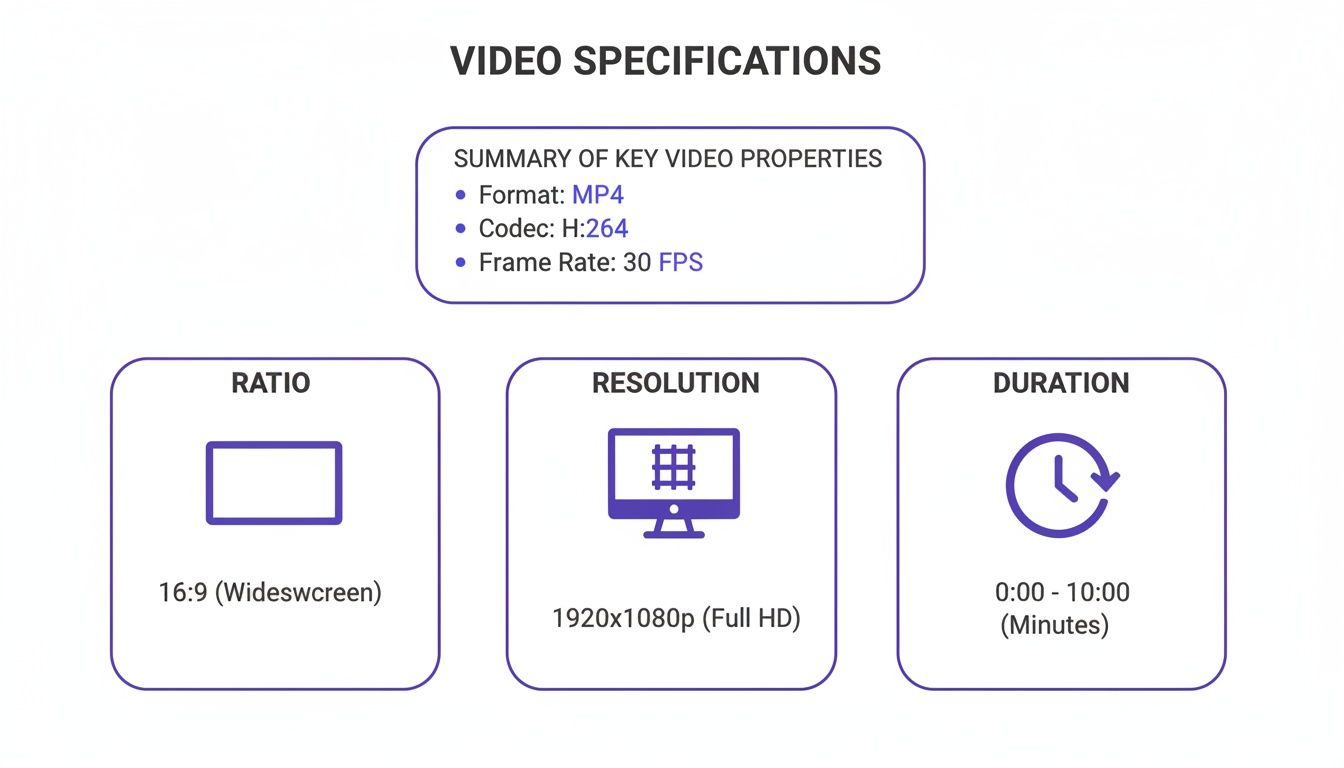
Getting a handle on these concepts is what makes your video feel like it belongs on the platform you're posting to. To make your life easier, I've put together a quick reference chart with the most common specs you'll need.
Social Media Video Specs Quick Reference Chart
This table is your cheat sheet for the most popular platforms and placements. Keep it handy when you're exporting your next video.
| Platform | Placement | Aspect Ratio | Resolution (Recommended) | Max Length | Max File Size |
|---|---|---|---|---|---|
| TikTok | In-Feed Video | 9:16 | 1080x1920 | 10 min | 500 MB |
| Reels | 9:16 | 1080x1920 | 15 min | 4 GB | |
| Stories | 9:16 | 1080x1920 | 60 sec | 4 GB | |
| Feed Video | 1:1, 4:5 | 1080x1080 | 240 min | 10 GB | |
| YouTube | Shorts | 9:16 | 1080x1920 | 60 sec | 10 MB |
| Feed Video | 1:1, 16:9, 9:16 | 1920x1080 | 10 min | 5 GB |
While this chart covers the basics, some platforms require a bit more attention to detail, especially in a professional context. For a deeper dive into the more corporate-focused networks, this guide on LinkedIn video specifications is a fantastic resource.
There's no denying that mobile viewing reigns supreme, which has made vertical video the undisputed king. It’s not just a trend; vertical formats now account for a staggering 95% of all mobile video consumption. This is why platforms like TikTok are all-in on the 9:16 aspect ratio.
Why Platform-Specific Video Specs Matter
Ever pour hours into a video, only to see it get butchered by a social media platform? It's a frustratingly common problem. Getting social media video specs right isn't just about ticking a technical box—it directly affects how many people see your content and what they think of your brand.
When you ignore the guidelines, the platform’s automatic adjustments can be ruthless. Imagine your perfectly framed shot getting awkwardly cropped, cutting off key visuals or text. A video that looks sharp on your computer can suddenly appear pixelated and amateurish after upload. Even worse, a file that's too large can lead to agonizingly slow load times, causing viewers to scroll right past before it even starts playing.
The Connection Between Specs and Performance
Here’s the thing: social media algorithms are built to reward content that gives users a good experience. A video that fits the screen, loads fast, and looks crisp is simply more watchable. As a result, the platform is far more likely to show it to more people.
Optimizing your videos has a direct impact on your results:
- Higher Engagement: Videos that are formatted correctly look professional and are easier to consume, which naturally leads to more likes, comments, and shares.
- Increased Watch Time: A smooth, high-quality viewing experience keeps people hooked longer. This signals to the algorithm that your content is worth promoting.
- Better Ad Performance: When it comes to paid ads, correct specs are non-negotiable. They ensure your ad shows up exactly as you designed it, leading to better click-through rates and a more efficient ad spend.
With videos on track to make up more than 82% of all consumer internet traffic, getting this right is essential. A polished, correctly sized video has a much better chance of being shared and recommended than one that’s blurry or poorly cropped.
Avoiding Common Technical Pitfalls
Beyond the basics of aspect ratio and resolution, other technical details like file formats and bitrates can make or break your video. For example, trying to upload a less common file type like an AVI instead of the standard MP4 could cause the upload to fail or result in ugly visual glitches after the platform compresses it.
Bitrate is another tricky one. A bitrate that's too high creates a massive file without any real quality improvement on a small phone screen. On the flip side, a bitrate that's too low will leave your video looking like a pixelated mess.
By getting familiar with the specific social media video specs for each platform, you put yourself in control. This attention to detail ensures your message comes across clearly and professionally, which is fundamental to building trust with your audience and hitting your goals.
A Complete Guide to TikTok and Instagram Video Specs
If you're creating vertical video, you're playing in the worlds of TikTok and Instagram. They're the two heavyweights, and while they seem similar on the surface, they have subtle differences in their video requirements for Reels, Stories, and feed posts. Knowing these details is the first step to making your content look like it belongs, not like a clunky afterthought.
The undisputed king of both platforms is the 9:16 aspect ratio. It’s the full-screen, immersive format that phones were made for. To keep your videos looking sharp and professional, you should always be exporting at a 1080x1920 pixel resolution. Anything less, and you risk that fuzzy, pixelated look that immediately cheapens your content and can make viewers scroll right past.
TikTok In-Feed Video Specs
TikTok is simple because it's built for one thing: vertical video. There aren't a lot of different formats to worry about, which makes things pretty straightforward. Stick to these specs, and your videos will look perfect for its massive audience.
Here’s exactly what you need for a standard TikTok video:
- Aspect Ratio: 9:16 is mandatory. If you upload something else, TikTok will just slap black bars on the top and bottom or sides to make it fit, which looks terrible.
- Resolution: Stick with 1080x1920 pixels. This is the standard for crisp, high-quality video.
- File Format: Your safest bets are MP4 or MOV.
- Max File Size: When uploading from a computer, you get up to 500 MB.
- Duration: You can upload videos up to 10 minutes long. But let's be real—the punchy, short-form content is what usually wins on TikTok.
Quick tip: Don't forget about the on-screen interface! The caption, likes, comments, and share buttons will cover parts of your video. Keep any important text or visuals out of the bottom and right-hand side of the screen, or they’ll get lost behind the UI.
Instagram Video Specs: Reels, Stories, and Feed
Instagram is a bit more complex because it has several different places where video can live. Reels are a direct competitor to TikTok, so their specs are almost identical. But Stories and in-feed videos have their own rules you need to know.
Instagram Reels:
Since Reels are Instagram's version of TikTok, the specs are nearly a perfect match. This is great because it means you can often repurpose your content between the two without much extra work.
- Aspect Ratio: 9:16
- Resolution: 1080x1920 pixels
- Max File Size: A generous 4 GB
- Duration: Up to 15 minutes
Instagram Stories:
Stories use the same vertical format as Reels but are designed for short, in-the-moment updates. We've got a whole guide on this, so for a deeper look, check out our complete write-up on Instagram Story specs.
- Aspect Ratio: 9:16
- Resolution: 1080x1920 pixels
- Duration: Up to 60 seconds for each individual Story card.
Instagram Feed Videos:
The main feed gives you more creative room. While vertical video is definitely taking over, you can still use the classic square (1:1) or a slightly taller portrait (4:5) format.
- Aspect Ratio: You can choose between 9:16, 4:5, or 1:1.
- Resolution: Use 1080x1920 for vertical (9:16), 1080x1350 for portrait (4:5), or 1080x1080 for square (1:1).
To really nail your strategy, it’s worth understanding the specific video length limitations for Reels on Instagram and TikTok. Getting these specs right matters: short-form video views shot up 36% year-over-year, helping Instagram Reels get 22% higher engagement and keeping users on TikTok for an average of 52 minutes daily. It all starts with fundamentals like the 9:16 aspect ratio and 1080x1920 resolution. You can find more data like this in these video marketing statistics on sellerscommerce.com.
Getting Your Video Specs Right for Facebook and YouTube
Figuring out the video specs for Facebook and YouTube can seem tricky at first. They’re built for entirely different viewing habits. Facebook is all about grabbing attention in a fast-scrolling, mobile-first feed, while YouTube is the destination for longer, more intentional viewing (plus its own vertical format, Shorts). To get the best results, you need to understand how each platform works.
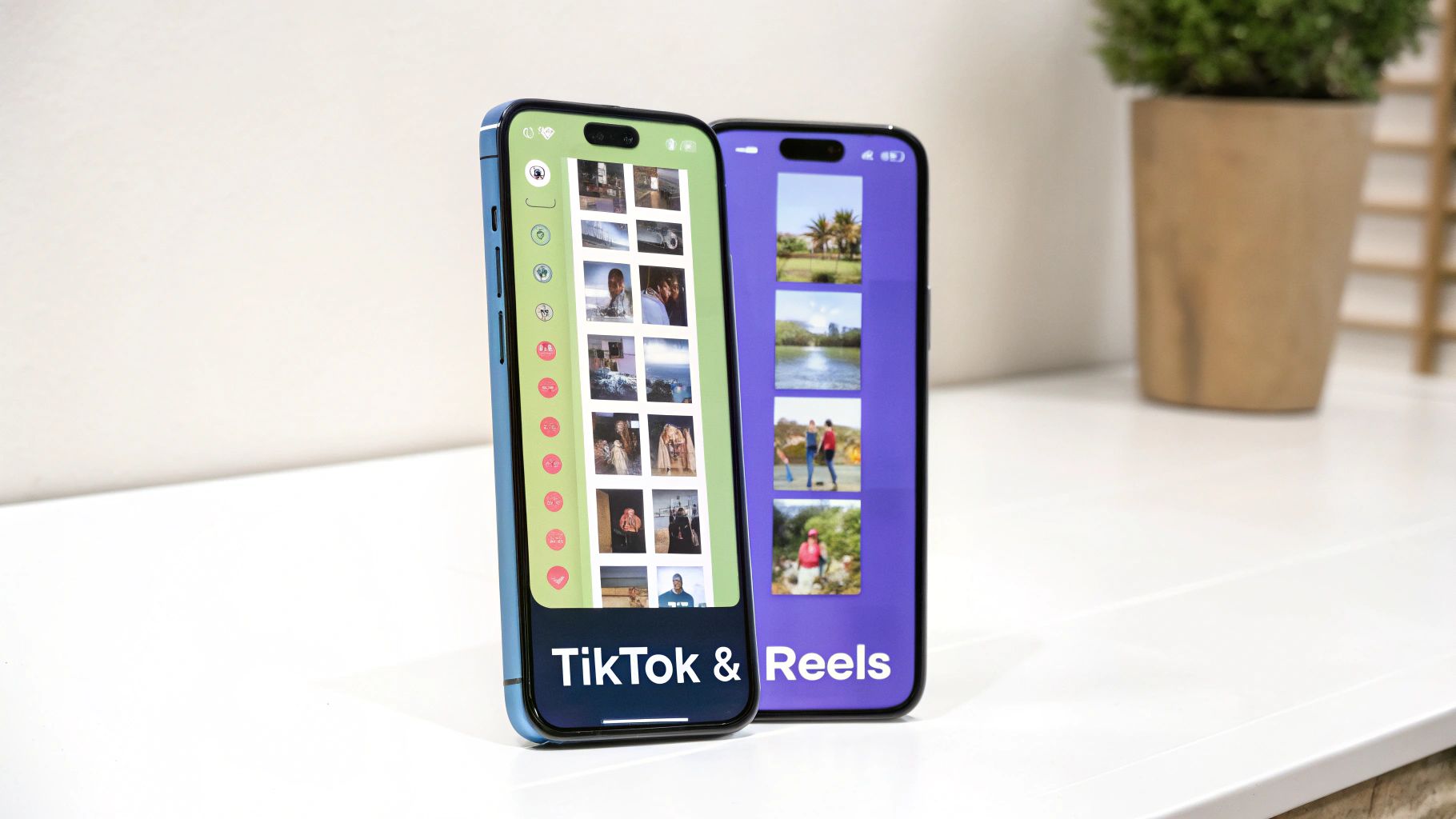
On Facebook, you're juggling specs for the main Feed, Stories, Reels, and ads. Over on YouTube, the lines are drawn more clearly between traditional widescreen videos and the vertical Shorts format. The bottom line is simple: platforms reward creators who play by their rules, giving natively formatted videos much better reach and engagement.
Key Facebook Video Specs
Facebook’s video ecosystem is incredibly diverse, and each placement has its own ideal dimensions. The most effective formats these days are square (1:1) and vertical (4:5) because they simply take up more real estate on a phone screen.
- Facebook Feed Videos: A 4:5 aspect ratio (1080x1350 pixels) is your best bet for stopping the scroll on mobile. The classic 16:9 still works for desktop, but designing for mobile first is the only way to go.
- Facebook Stories and Reels: These are all about the full-screen vertical experience. You absolutely need to use a 9:16 aspect ratio with a 1080x1920 resolution here.
- Facebook Video Ads: Ad specs usually mirror the organic formats depending on where you run them. For a deeper dive, check out our guide on the right video size for a Facebook ad.
Brands that optimize their video formats often see engagement double compared to non-video posts. For a standard Feed video, you can upload a 16:9 video at 1280x720 resolution, up to 10GB in size and 240 minutes long. But for Stories, the rules change completely: a vertical 9:16 format, a max file size of 4GB, and a 2-minute time limit. Industry leaders like Sprout Social have also shared great insights on these specs.
Essential YouTube Video Specs
YouTube is still the undisputed king of long-form video content, but its short-form feature, YouTube Shorts, has become a powerhouse. This means you’re essentially creating for two different platforms in one.
Pro Tip: Don't forget the thumbnail! For standard YouTube videos, viewers often decide what to watch based on the thumbnail alone. A high-quality, eye-catching thumbnail (1280x720 pixels) is just as critical as your video specs for getting those clicks.
Standard YouTube Videos (Long-Form)
These are the classic videos that show up on your channel page, in search results, and as recommendations.
- Aspect Ratio: The universal standard is 16:9. While you can upload other ratios, they’ll get pillarboxed or letterboxed (those black bars) to fit the player.
- Resolution: To look professional, 1920x1080 pixels (1080p) should be your minimum. YouTube can handle up to 8K, but 1080p is the sweet spot for most viewers' devices and internet speeds.
- Max File Size: You have a massive amount of room to play with: up to 256 GB or 12 hours long, whichever you hit first.
- File Format: The go-to format is MP4 using an H.264 video codec. It’s reliable, high-quality, and universally compatible.
YouTube Shorts
Shorts are YouTube's answer to TikTok and Reels, and they follow the same vertical video playbook.
- Aspect Ratio: It's a strict 9:16. No exceptions if you want it to be recognized as a Short.
- Resolution: The standard is 1080x1920 pixels.
- Duration: Videos must be 60 seconds or less.
- File Format: Same as standard videos—MP4 is your safest and best option.
Getting to Grips with Advanced Video Terminology
To really nail your social media videos, you have to look past the basics like aspect ratio and resolution. Getting comfortable with the technical terms you see in your export settings is what separates the pros from the amateurs. These settings are all about striking the right balance between crystal-clear visuals and a manageable file size.
Think of your video file as a package you're shipping. The container format (like MP4 or MOV) is the box itself. It’s what holds everything together—the video stream, the audio, and even extra data like captions. For social media, MP4 is the undisputed champion. It works everywhere and keeps file sizes reasonable.
Inside that box, the video and audio streams are squashed down to save space. This shrinking process is handled by something called a codec.
Codecs and Containers: What's the Difference?
A codec (short for coder-decoder) is just a piece of software that compresses your video file for storage and streaming, then uncompresses it when someone hits play. The codec you choose has a huge impact on both your final file size and how good the video looks.
Here's a quick look at the most common codecs and containers you'll run into.
Common Video Codecs and Containers Comparison
| Term | What It Is | Common Choices | Best For |
|---|---|---|---|
| Container | The "box" or file wrapper that holds the video, audio, and metadata together. It's the file extension (e.g., .mp4). | MP4, MOV, AVI, MKV | MP4 is the gold standard for web and social media due to its universal compatibility and good compression. |
| Video Codec | The algorithm that compresses and decompresses the video stream inside the container. It dictates quality vs. file size. | H.264 (AVC), H.265 (HEVC), ProRes, VP9 | H.264 is the workhorse for social media. It offers a great blend of high quality and small file size that works everywhere. |
| Audio Codec | The algorithm that compresses and decompresses the audio stream. | AAC, MP3 | AAC is the standard for most video files, especially when paired with an H.264 video codec in an MP4 container. |
So, what does this all mean for you?
- H.264 (AVC): This is, without a doubt, the most widely supported video codec on the planet. It hits that sweet spot between quality and file size, which makes it the safest bet for any social platform you can think of.
- H.265 (HEVC): This is the newer, more efficient version of H.264. It can deliver the same quality at a smaller file size, which is great, but its compatibility isn't quite universal yet. Stick with H.264 for social media to avoid any playback headaches.
Bottom line: Using the H.264 codec inside an MP4 container is the winning combination for social media. It guarantees your video will upload without a hitch and play back smoothly for pretty much everyone.
Frame Rate and Bitrate: The Quality Controls
While containers and codecs are about the file's structure, frame rate and bitrate are all about how the video actually looks and moves. Nailing these two settings is how you get smooth, sharp video that doesn't take forever to upload.
Frame Rate (fps) is simply the number of individual pictures, or frames, shown every second to create the illusion of motion. For most social media content, 30 fps is the standard and looks perfectly smooth. You might see options for 60 fps, which can be great for capturing silky-smooth slow-motion, but it will also double your file size. For most purposes, it's overkill.
Bitrate is the amount of data used to create one second of video, usually measured in megabits per second (Mbps). A higher bitrate crams more data in, which means better quality but a much bigger file. A lower bitrate results in a smaller file, but if you go too low, you'll start seeing ugly, blocky artifacts. Finding that perfect balance is the key to optimizing for both quality and speedy uploads.
A Smarter Way to Handle Social Video Specs
Knowing the right video specs for every platform is great, but let's be honest—manually tweaking export settings for every single video is a massive time sink. One minute you're digging through a chart for TikTok specs, the next you're re-exporting for Instagram Reels, and then again for YouTube Shorts. It can bring your entire content creation process to a grinding halt.
This is exactly where modern video creation tools come in. Instead of you having to remember every single resolution or aspect ratio, these platforms have built-in presets that do the heavy lifting. Need a 9:16 Instagram Reel? Done. A 4:5 Facebook Feed post? Just a click away. This approach takes all the guesswork out of the equation and guarantees every video you export is perfectly optimized right from the start.
Let Automation Handle the Details
The real game-changer here is automating the most tedious parts of video creation. Think about it: you get access to a library of templates where the correct dimensions are already locked in. All you have to do is focus on the fun part—adding your content and getting creative.
This shift lets you pour your energy into what actually matters: the story, the message, and the visuals. You're no longer stuck in the weeds of technical settings.
By automating spec compliance, you can stop worrying about how to export the video and focus on what makes the video great. That small change can make a huge difference in both the quality and quantity of content you're able to produce.
More Than Just Specs: Features That Speed You Up
Beyond just getting the dimensions right, many tools offer features designed to accelerate the entire creative process. A few of my favorites include:
- One-Click Resizing: You can take a single video and instantly repurpose it for multiple platforms without having to rebuild it from scratch.
- AI Background Removal: Cleaning up your footage for a polished, professional look used to take specialized software and a lot of patience. Now, you can do it in seconds.
- Auto-Captioning: This one is a huge time-saver. Tools can now generate accurate, timed captions for you automatically, which is essential for accessibility and grabbing the attention of viewers watching with the sound off. And if you need more granular control, you can always learn how to make an SRT file for perfect, custom subtitles.
When you start using tools to assist your workflow, your role changes. You move from being a technical operator to a creative strategist. It’s all about producing high-quality, platform-native content faster and more efficiently, which is exactly what you need to keep up today.
Frequently Asked Questions About Video Specs
Trying to keep all the different video specs straight can be a headache. Even with a good guide, you're bound to have questions pop up about the little details or run into a snag. This is where you'll find quick, clear answers to the most common problems creators hit when trying to get their videos just right.
Think of this as your go-to spot for troubleshooting. Whether it's weird cropping issues or a video that looks great on your computer but blurry online, we'll dig into why it happens and how you can fix it.
What Happens If I Use the Wrong Aspect Ratio?
Uploading a video with the wrong aspect ratio is probably the most frequent mistake people make. When you do this, the social media platform has to guess how to display it, which usually ends in one of two ways:
- Awkward Cropping: The platform might just zoom in on your video to make it fill the screen. This often means important parts of your shot get chopped off, which can completely ruin your message.
- Black Bars (Pillarboxing/Letterboxing): If it doesn't crop, the platform will add black bars to fill the empty space—either on the sides or on the top and bottom.
Either way, your video looks unprofessional. It's an instant signal to viewers that the content wasn't made for them, and that's often enough to make them keep scrolling.
Should I Always Export at the Highest Resolution?
It feels like exporting in the highest quality possible, like 4K, would be the best move, right? Not necessarily. For social media, it can actually create more problems than it solves. You’re much better off exporting at the platform’s recommended resolution, which is almost always 1080p (1920x1080 or 1080x1920).
Here's why: uploading a huge 4K video just for the platform to crush it down to 1080p doesn't give the viewer any quality benefit. All it does is give you a massive file that takes forever to upload and process.
If you've ever noticed your video looks blurry after you upload it, that's usually because of aggressive compression. The best way to fight this is to start with a clean, high-quality video and export it using the platform's preferred settings (usually H.264 codec). And definitely avoid re-uploading a video that's already been downloaded and compressed before.
Can I Use the Same Video for TikTok and Instagram Reels?
Yep, you sure can. The technical specs for TikTok and Instagram Reels are nearly identical, so using the same video file is a smart way to save time. Both platforms are built for the 9:16 aspect ratio and a 1080x1920 resolution.
The one thing you really need to watch out for are the "safe zones." Each app places its interface elements—like the username, caption, and like/comment buttons—in slightly different spots. Always give your video a quick preview on both platforms to make sure no important text or visuals are getting covered up.
Ready to stop worrying about specs and start creating amazing videos? Sprello automates the entire process with platform-specific presets, AI scripting, and one-click editing features. Create high-converting social content in minutes at https://sprello.ai.


