September 19, 2026
AI Fashion Photography Explained from Concept to Catalog
Learn what AI fashion photography is, how it works, and how brands scale catalog and campaign assets with quality, consistency, and governance.
Your fall drop is approved. The buy is locked. Regional teams are asking for localized PDPs, paid social wants cropped variations, and brand wants every image to feel like it came from the same campaign. Then the old production math shows up. Sample delays, studio calendars, model bookings, retouch queues, and one small problem nobody likes to say out loud: most of the pressure isn't creative, it's operational.
That's why AI fashion photography keeps coming up in merchandising and marketing meetings. Not because teams suddenly want novelty, but because they need a way to produce more assets without letting quality drift across SKUs, channels, and regions. The interesting shift isn't just image generation. It's control.
A lot of teams get stuck because they evaluate AI the way they'd evaluate a cool demo. One strong image appears, everyone gets excited, and then production reality arrives. Can the system hold sleeve shape across a whole knit program? Can it preserve color relationships from front view to side view? Can legal, e-commerce, and brand all review from the same workflow instead of trading screenshots in chat?
That's where this gets practical. The question isn't “Can AI make a fashion image?” It can. The harder question is “Can your team approve, version, and scale those images reliably?” That's the difference between experimentation and usable production.
Introduction to AI Fashion Photography Today
A common scene plays out a few weeks before launch. The merchandising team has hundreds of active SKUs. Creative has a campaign direction, but not enough time to shoot every variation. E-commerce needs clean product assets. Social needs edits that feel less transactional. Regional teams need some room to adapt styling without breaking the brand.
In that situation, AI fashion photography stops looking like a side experiment and starts looking like a production option. Market estimates reflect that shift. One report estimated the AI-generated fashion photography market at $2.01 billion in 2025, with a projection of $8.07 billion by 2030 at a 32% CAGR. Another projection put the market at $6.12 billion by 2029 at a 32.1% CAGR. The broad takeaway is simple: this moved from niche creative tooling into a fast-scaling commercial category as digital retail increased demand for image production at volume, according to The Business Research Company's market report on AI-generated fashion photography.
That kind of growth matters, but not for bragging rights. It matters because it changes the work expected from internal teams. Once a category becomes part of normal commercial production, people need standards, review criteria, and accountability.
Why the pressure feels different now
Traditional fashion photography had obvious constraints. Booking a set, shipping samples, hiring talent, and scheduling post all forced decisions upstream. AI removes some of those physical bottlenecks, but it also introduces new ones. Teams can generate more options, faster, which means they also need tighter approval discipline.
The volume problem doesn't disappear when generation gets easier. It usually moves downstream into review, correction, and version control.
That's why some teams feel both excited and uneasy. They can see the upside, but they can also see the risk of creating a larger pile of inconsistent assets.
What teams actually need from it
Most fashion organizations don't need infinite visual possibility. They need dependable output. In practice, that usually means:
- Catalog consistency: Product pages need stable lighting, shape, and color behavior.
- Channel adaptation: Paid social, marketplaces, and owned commerce each need different framing and crops.
- Brand continuity: One season's imagery still has to feel connected to the next.
- Approval clarity: Reviewers need to know what counts as acceptable before assets start circulating.
If that sounds less glamorous than a prompt-generated campaign fantasy, that's fine. Production work usually is.
What AI Fashion Photography Really Means
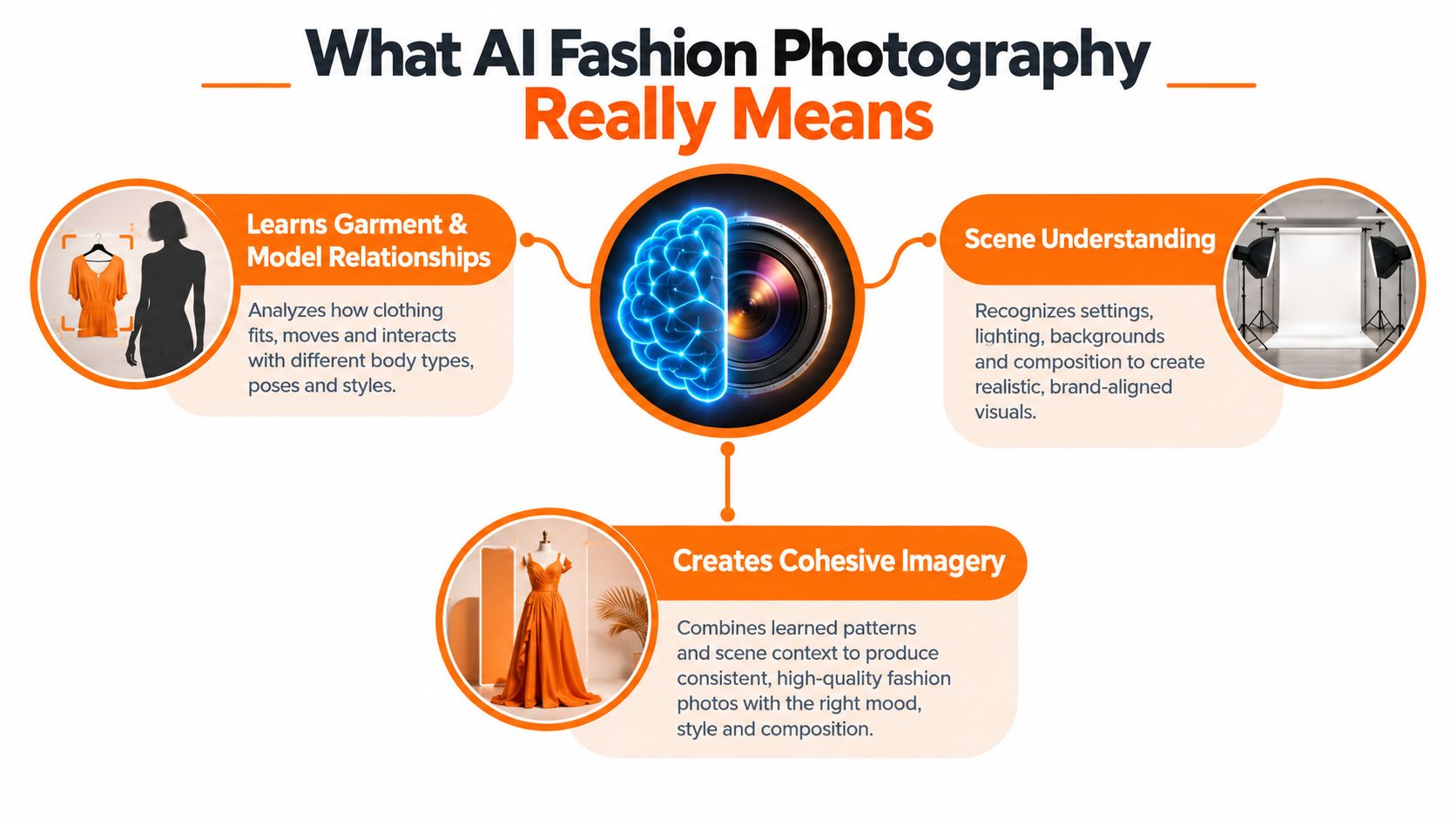
Think of AI fashion photography as a digital studio system, not a magic camera. You give it references, direction, and constraints. It uses those inputs to generate fresh images that resemble a planned shoot, even though no physical camera captured that exact frame.
That's different from a filter. A filter changes an existing image. AI generation builds a new one from instructions and references. It can combine a garment, a model pose, a backdrop style, and a lighting direction into something that didn't previously exist.
A more useful mental model
If you're in merchandising, imagine a visual line plan. You're not sketching every garment from zero. You're organizing silhouettes, colorways, and pairings so a collection reads coherently. AI fashion photography works in a similar way. It translates structure into imagery.
If you're in marketing, briefing a studio team with extremely literal rules. You specify what the garment should look like, what mood the scene should convey, and how tightly the output should stay within the brand system. The system then interprets that brief.
That's why teams often confuse “it can generate images” with “it understands my brand.” Those are not the same thing. Generation is capability. Consistency is process.
What falls inside the category
AI fashion photography can support a range of outputs:
- Product-first imagery such as PDP-style shots, mannequin alternatives, or clean studio compositions.
- Styled look imagery where multiple garments must work together visually and proportionally.
- Lifestyle or campaign scenes where story, environment, pose, and wardrobe all interact.
Each of those asks for a different degree of control. Single-product studio imagery is usually more manageable than a layered street scene with movement and props.
The business side of the category also tells an interesting story. Market segmentation data found that the software component held the largest share at 63.4% in 2025, which suggests that much of the value sits in platforms and tools rather than isolated service work. The same report found that e-commerce was the biggest application slice at $624.6 million, or 34.7% of total market revenues in 2025, and that North America was the largest region while Asia-Pacific was the fastest-growing in that same year, according to DataIntelo's AI-generated fashion photography market breakdown.
That software tilt is worth noticing. It means the category is less about one spectacular image and more about repeatable systems. If you want a useful orientation before choosing tools, this guide to professional AI photography software is a practical place to compare how teams frame capability.
How AI Fashion Photography Works Behind the Scenes
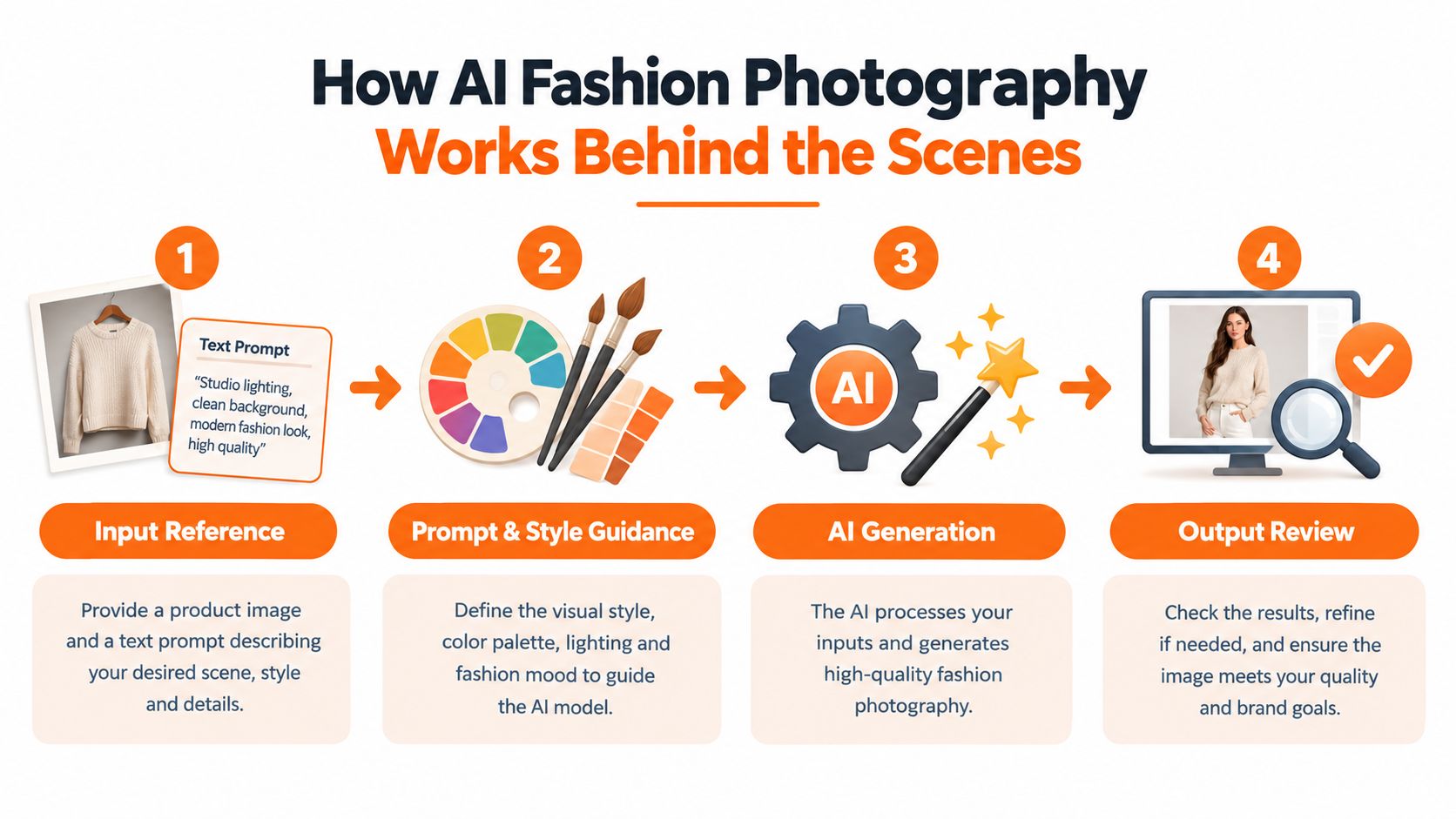
The simplest version looks like this: input, guidance, generation, review. The version is messier, because every one of those stages can change the outcome.
Inputs decide more than teams expect
The starting point is usually some mix of garment references, model references, front and back views, side angles, fabric details, and written instructions. Teams often treat these like prep materials. They're more than that. They define the conditions of the output.
A wrinkled reference, an inconsistent color sample, or a missing texture detail can all lead to avoidable drift. So can casual prompt changes. If one art director asks for “soft daylight studio realism” and another asks for “premium editorial natural light,” they may think they're saying the same thing. The model may not.
That's why disciplined testing matters. A practical benchmark should be run as a pre-registered test with locked SKU lists, fixed prompts, and verified front, back, side, and texture references, with a blind review rubric scoring garment fidelity, brand consistency, and visible fit cues. The technical reason is straightforward: prompt changes or reference changes create a new experimental condition, so uncontrolled iteration can make approval rates look better than they really are, as explained in Lamina's benchmark guidance for AI fashion photography evaluation.
Scene difficulty changes the whole equation
Not all image types behave the same. A clean, product-first studio image is not the same production problem as a lifestyle scene with multiple garments, body movement, and environmental detail.
A benchmark called LookBench separates evaluation into RealStudioFlat, AIGen-Studio, RealStreetLook, and AIGen-StreetLook. Its split includes 1,011/62,226 queries/corpus for RealStudioFlat versus 160/58,846 for AIGen-StreetLook, showing why performance comparisons need to be stratified by scene complexity and image source, according to the LookBench paper on enterprise-scale fashion image evaluation.
That sounds technical, but the operational lesson is plain. Don't judge your entire rollout based on one easy use case.
Practical rule: Evaluate studio PDP assets separately from campaign-style imagery. They look related to humans, but they behave like different production systems.
What cost actually means here
Teams often ask whether generation is cheap. That's the wrong metric. The useful measure is fully loaded cost per approved asset, defined as generation spend plus prompt preparation, art direction, review, retouching, and revision labor, divided by approved assets, as recommended in the Lamina benchmark guidance above.
That number forces honesty. A low generation cost doesn't help if your reviewers reject half the outputs or your retouch team spends hours fixing details. The same discipline also helps teams working upstream on concept and product direction. If your organization is exploring visuals earlier in the pipeline, these examples of profitable AI apparel designs help show how ideation and image production can connect, but they shouldn't be confused with proof of production readiness.
Production Ready Use Cases That Scale
The safest rollout isn't the flashiest one. It's the one where the team can define success clearly, review quickly, and recover easily when an asset misses the mark.
Start with product-first catalog work
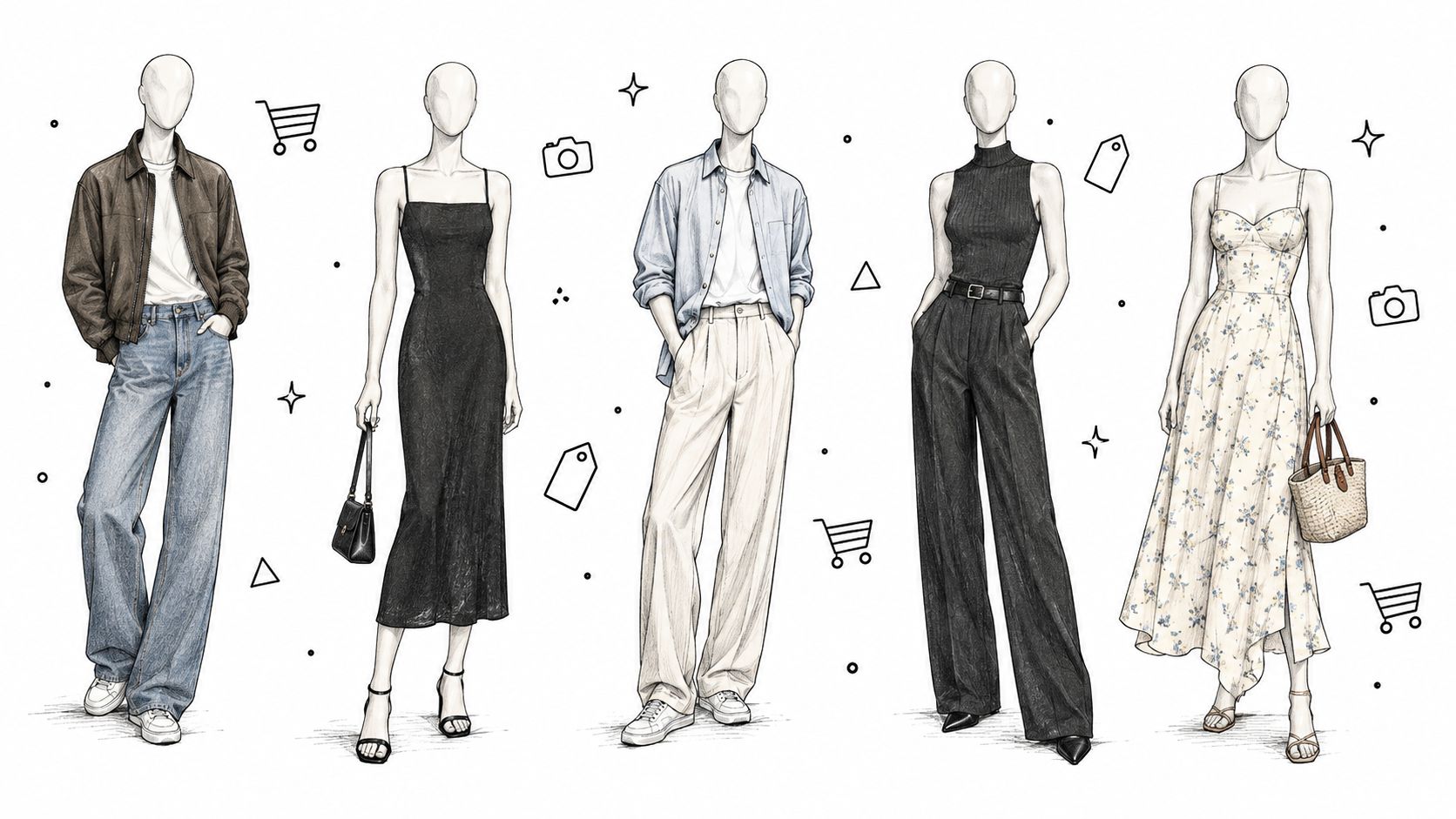
For many brands, the best first use case is product display page imagery. The visual goals are narrower. The team usually wants stable framing, believable garment shape, clean styling, and repeatable background treatment. That's a smaller control problem than a hero campaign image.
This is also where the category's commercial center of gravity sits. Earlier market segmentation showed e-commerce as the largest application area, which aligns with what operators see every day: brands have a constant need for large volumes of product imagery.
A useful comparison point is this guide to AI product photography workflows, especially if your team is deciding how much of the process belongs in studio, post, or generation.
The middle ground is lookbook work
Lookbooks and assortment stories sit in a more interesting zone. They need more emotion than a flat PDP image, but they still benefit from controlled styling logic. A knit set, outerwear capsule, or coordinated accessories story can often work well here if the team locks pairing rules in advance.
These projects tend to succeed when merchandising and creative agree on a few essentials:
- Silhouette integrity: Long coats still need to read long. Cropped jackets still need to sit correctly.
- Styling hierarchy: The hero product can't get visually buried by props or secondary pieces.
- Range planning: The image system should support many SKUs without feeling randomly varied.
Campaign and social variation need tighter hands
The highest-risk use case is broad lifestyle storytelling. Once you ask for movement, layered garments, interaction with an environment, and a specific emotional tone, you've multiplied the review burden. That doesn't make it unusable. It means the approval model must be stricter.
This is also where channel variation can create hidden complexity. A single core image may need website hero crops, marketplace-safe edits, paid social variants, and regional swaps.
A short walkthrough like the one below is useful because it shows how quickly “generate a fashion image” turns into a multi-format production question.
A simple rollout order
If you need a sequence, use one based on complexity and review risk:
- Studio-like single-item assets where approval criteria are easiest to define.
- Merchandised looks with controlled combinations and limited scene variation.
- Campaign storytelling once the brand team trusts the system and the workflow.
Teams get in trouble when they reverse that order. They fall in love with a hero image and then discover they can't maintain the same standard across a whole assortment.
Quality Brand Consistency and Governance at Scale
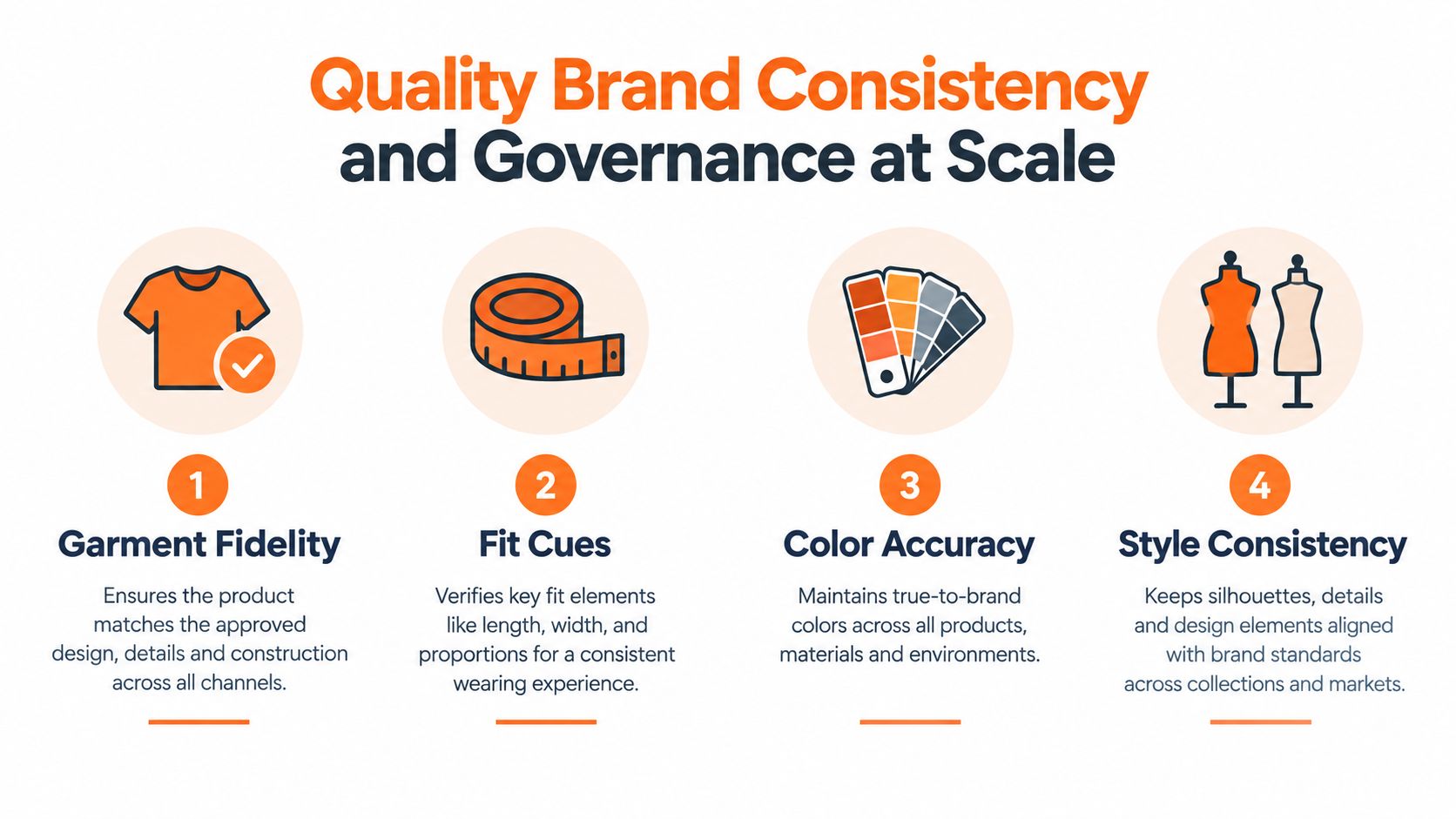
The core challenge in AI fashion photography isn't making one image look good. It's making hundreds of approved assets feel like they belong to the same brand, season, and product truth.
That takes governance. Not vague brand guidelines in a slide deck. Actual production rules that teams can apply while they work.
The four controls that matter most
Most review failures fall into a small set of categories:
- Garment fidelity: Does the asset preserve the actual construction, trim, seam lines, and proportion of the product?
- Fit cues: Can a shopper understand length, drape, volume, and how the piece sits on body?
- Color accuracy: Does the image stay within acceptable interpretation of the approved product color?
- Style consistency: Does the background, model treatment, crop logic, and lighting behavior match the brand system?
Those sound obvious, but teams often document them loosely. The better approach is to convert them into pass-fail rules, review comments, and naming conventions.
Lock your standards before you scale your output. Otherwise each approver becomes their own brand system.
Where governance usually breaks
The biggest breakdowns aren't always visual. They're procedural.
One region updates prompts for warmer light. Another swaps model references for local preference. A marketplace team requests tighter crops and removes styling notes. None of those changes seem dramatic in isolation. Together, they fragment the catalog.
A recent industry write-up highlighted this missing layer well: most coverage still emphasizes faster image creation, while enterprise teams really need guidance on auditing inputs, preserving consistency across SKUs, regions, and seasons, and managing approvals at scale. That gap matters because adoption is moving beyond experimentation and into operational control, as discussed in MetaModels' analysis of fashion brands and AI model photography.
Brand Consistency Control Matrix for AI Fashion Assets
| Asset Type | Consistency Risk | Governance Control Required |
|---|---|---|
| PDP studio image | Low to medium | Locked references, fixed crop rules, color review |
| Multi-item look | Medium | Approved pairing logic, fit review, silhouette checks |
| Editorial lifestyle image | High | Art direction sign-off, scene rules, stricter brand review |
| Regional variant | Medium to high | Local adaptation rules, version naming, central approval path |
| Social crop set | Medium | Channel templates, focal point lock, reusable safe zones |
A checklist teams can actually use
A workable governance layer usually includes:
- Input audit: Confirm that garment references are complete, current, and tied to the right SKU.
- Prompt versioning: Store approved prompt language like you'd store copy or retouch standards.
- Output labeling: Name assets by season, region, channel, SKU group, and approved version.
- Review routing: Separate merchant review from brand review from legal review so comments don't blur together.
The important shift is this: governance isn't an administrative add-on. It's what turns generated images into usable brand assets.
Workflows Tools and Ethical Considerations for Teams
A strong workflow for AI fashion photography looks less like a brainstorming session and more like a controlled production line. Briefs come in. Inputs are checked. Variations are generated against known rules. Reviewers score what they see. Approved assets move forward with traceable versions.
A repeatable team workflow
In practice, the cleanest handoff model often works like this:
- Merchandising defines scope. Which SKUs, which regions, which channels, and which asset types are in scope.
- Creative operations locks inputs. Reference images, styling rules, prompts, and naming conventions are frozen for the run.
- Generation happens in batches. Similar products should move together so reviewers compare like with like.
- Review uses a blind rubric. Reviewers score fidelity, consistency, and fit cues without getting distracted by who generated what.
- Retouch and exceptions are tracked. Teams note what needed fixing so they can improve the next run.
That workflow gets easier when teams use systems designed for visual operations rather than scattered folders and chat threads. For example, AI content workflow systems for brand teams are useful when you need a shared canvas for inputs, transformations, and approvals. One option in this category is Sprello, which provides a workflow canvas for fashion, beauty, and lifestyle teams to design and audit production-ready creative workflows across SKUs, channels, regions, and seasons.
How to measure whether the workflow is working
Two checks matter more than most dashboards:
- Approval logic: Are reviewers agreeing for the same reasons, or are they applying personal taste?
- Correction burden: How much human labor is still required after generation?
If those aren't visible, the process can look efficient while creating hidden rework.
Treat approval criteria as production tools, not creative opinions. When reviewers can't explain a rejection consistently, scaling gets expensive fast.
Ethical and legal points teams can't skip
Fashion teams also need a documented stance on likeness, disclosure, and rights. If a workflow uses model references, teams should know what permissions exist and where those permissions are stored. If imagery is synthetic, internal stakeholders should know when and how that fact is disclosed. If assets are adapted for regional use, local requirements may differ.
This isn't separate from operations. It's part of operations. The team that can't answer “what went into this asset?” will struggle to defend “why was this approved?”
Bringing AI Fashion Photography Into Production
The teams getting the most value from AI fashion photography usually aren't the ones chasing the wildest outputs. They're the ones building dependable asset systems. They know which use cases are safe, which ones need extra review, and where human correction is still worth the time.
That's why governance matters more than novelty. A fast image generator can still create a slow organization if nobody controls references, prompts, approvals, or versioning. A disciplined workflow does the opposite. It turns a messy stream of possibilities into a usable production pipeline.
If you're deciding where to start, keep it narrow. Begin with studio-style product imagery where standards are easier to define. Expand into styled looks when your review team can score consistency reliably. Move into campaign imagery only after the brand team trusts the process.
Creative operations leaders already know this pattern from other parts of production. Scale doesn't come from making more things. It comes from making approval repeatable.
If your team is reworking handoffs between merchandising, design, and marketing, it helps to look at creative production workflow models for content operations through that lens. The technology matters, but the production design matters more. That's what separates one impressive image from a catalog your team can ship.
Sprello gives fashion, beauty, and lifestyle teams an AI workflow canvas for building catalog-scale creative production with clearer inputs, brand guardrails, and approval paths across channels and regions. If you're trying to turn AI fashion photography into a governed system instead of a loose experiment, visit Sprello.
Related
More to explore
Fresh reads
AI Generated Model Photos: A Practical Guide for Brands
Learn what AI generated model photos are, how brands produce them, the QA checks, disclosure rules and when to pilot them across SKUs and channels.
8 Use Cases Examples for Product Merchandising Teams
Eight use cases examples from fashion, beauty, jewelry, and home teams: line planning, catalog photography, buyer line sheets, and regional content.
Swim Lane Chart Guide: Roles, Handoffs and Audits
Learn what a swim lane chart is, how merchandising and creative teams map roles and handoffs, and how to audit workflows. Includes a tool comparison.