

Learning how to make great UGC content really comes down to a simple, four-part loop: you plan, you create, you edit, and you share. It's not about big budgets or fancy equipment. The secret is making something relatable that shows your product through a real person's eyes, connecting with your audience on a human level.
What Is UGC and Why Is It So Effective?
User-Generated Content (UGC) is pretty much what it sounds like: any kind of content—videos, photos, reviews, you name it—created by actual users, not the brand itself. This isn't just another buzzword; it's a huge shift in how people decide what to trust and buy. Think of it as old-school word-of-mouth, but supercharged for the internet.
The magic of UGC is its raw, unpolished authenticity. A slick, professionally produced ad feels like, well, an ad. But UGC feels like a genuine recommendation from a friend. That authentic perspective cuts through the marketing clutter and builds an instant connection with people who might be interested in what you offer.
The Psychology of Trust
So, why does UGC work so well? It all comes down to social proof. When people see someone just like them—not an actor or a supermodel—using and loving a product, it validates their own interest and makes them feel more confident about buying. It's a peer-to-peer stamp of approval that just feels more trustworthy because it doesn't come directly from the company.
This trust pays off in a big way. The data doesn't lie:
- A staggering 86% of brands agree that more authentic UGC would make their content strategy significantly better.
- Shoppers are nearly 2.5 times more likely to say UGC is authentic compared to content created by a brand.
- Ads featuring UGC can get click-through rates up to 4x higher than traditional ads.
The simple workflow below breaks down how this powerful content comes to life.
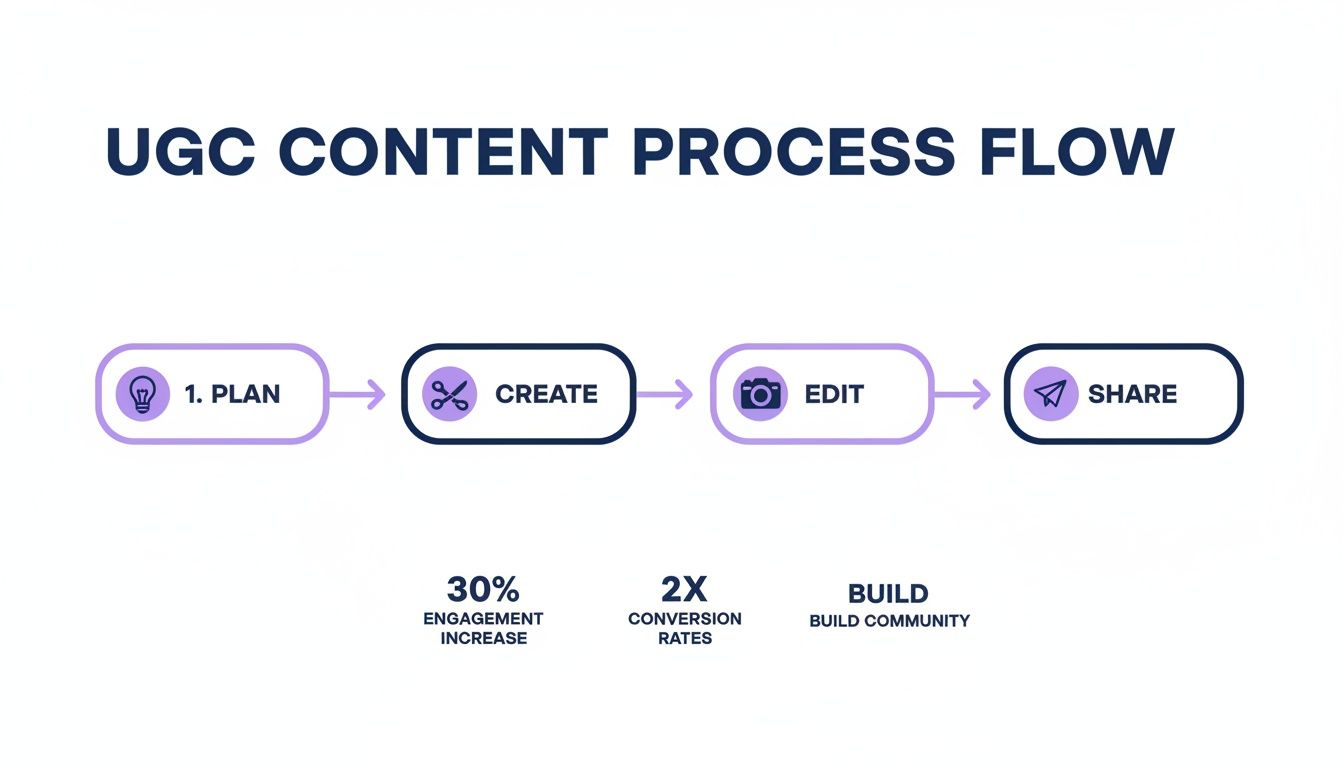
As you can see, the best UGC doesn't happen by accident. It's the result of a smart, deliberate process, from the initial idea all the way to hitting "publish."
A Closer Look: UGC vs. Branded Content
To really understand UGC's power, it helps to see it side-by-side with traditional branded content. The differences in how they're perceived and how they perform are striking.
UGC vs. Branded Content at a Glance
| Attribute | User-Generated Content (UGC) | Branded Content |
|---|---|---|
| Creator | Real customers, fans, or creators | The brand or its marketing agency |
| Tone | Authentic, raw, and unpolished | Professional, polished, and on-brand |
| Perception | A genuine recommendation or review | A direct advertisement or promotion |
| Trust Factor | Very high; seen as unbiased social proof | Lower; viewed with natural skepticism |
| Cost | Generally low-cost or even free | Can be expensive to produce |
| Conversion Rate | Significantly higher due to authenticity | Typically lower |
The table makes it clear: while branded content has its place for building a polished image, UGC excels at building trust and driving action.
Don't Have UGC? Create It Yourself
What if you're a new brand and don't have a ton of customers creating content for you yet? Waiting around for it to happen organically isn't always an option.
This is where creating UGC-style content is a total game-changer. By emulating the look and feel of authentic user videos, any brand can get in on the action. This lets you tap into all the benefits of user-generated content right from the start, building that crucial trust before your customer base has even had a chance to grow.
The Big Idea: At the end of the day, your goal isn't just to make content—it's to build trust. Both real UGC and UGC-style videos get you there by showing your product through a relatable, human lens. That makes your brand feel more approachable, believable, and ultimately, far more persuasive.
Your Pre-Production Blueprint for Viral UGC

Let's get one thing straight: viral UGC rarely happens by accident. The videos that feel so spontaneous and authentic—the ones that actually capture attention and drive sales—are almost always born from a smart plan. Before you even think about hitting record, you need a solid blueprint.
This plan starts by getting laser-focused on who you're talking to. And I don't mean just looking at basic demographics. Thinking about "women, 25-34," is way too broad. Instead, you need to build a detailed Customer Avatar. This is basically a semi-fictional character who represents your perfect buyer, pieced together from real data and insights.
Define Your Ideal Customer
Give your avatar a name. What’s their biggest frustration that your product solves? What’s the ultimate dream they're chasing? Getting to the heart of these motivations is how you create content that truly connects and makes them feel like you get them.
For example, say you sell a time-saving meal prep service. Your avatar might be "Stressed Sarah," a working mom who feels guilty about not having enough time for healthy family dinners. Her pain point isn't just a lack of time; it's the stress and guilt that come with it. Her desire is peace of mind and quality family time. Now, every single piece of content you create should speak directly to her.
A well-defined Customer Avatar is your north star. It ensures your hooks, scripts, and calls-to-action are not just generic marketing messages, but direct answers to a real person’s problems.
Once you know exactly who you're talking to, it's time to structure your ideas. A simple but incredibly effective tool for this is a creative brief. This document just forces you to get clear on the core components of your video before you dive into production.
Your Simple Creative Brief
Your brief doesn't need to be some complex, multi-page document. It just needs to answer three critical questions that will guide your entire creative process:
- The Problem: What specific struggle is your Customer Avatar facing? (e.g., "Sarah’s evenings are chaotic, leaving no time for healthy cooking.")
- The Solution: How does your product solve this problem in a unique way? (e.g., "Our meal kits provide a healthy, delicious dinner in under 15 minutes.")
- The Desired Emotion: How do you want the viewer to feel after watching? (e.g., Relieved, empowered, and confident.)
Answering these simple questions transforms a vague idea into a focused story. This is the exact kind of framework that smart tools, like Sprello's AI script generator, use to turn audience insights into compelling, ready-to-shoot scripts that hit all the right notes.
Finally, don't forget the soundtrack. Choosing the right audio is a huge piece of the puzzle, especially for platforms like Instagram Reels. Knowing how to find trending audio on Instagram Reels can give your content a massive boost in reach and impact.
Tackling this before you film ensures your video has the best possible chance of being discovered. This groundwork sets the stage for a video that doesn't just get views—it gets results.
Crafting a Natural Script and a Practical Shot List
Alright, you’ve figured out who you’re talking to. Now comes the fun part: deciding what you’re actually going to say and show them. This is where your abstract plan gets real and transforms into a tangible video.
The most effective UGC-style videos I've seen all follow a simple, five-part narrative. It’s a proven formula that feels authentic—more like a friend’s recommendation than a stuffy sales pitch. It guides your viewer from that initial moment of curiosity right through to taking action.
Of course, think of this as a flexible framework, not a rigid script you have to follow word-for-word. You can see how these elements fit together in different ways by checking out a good sample video script. The real secret is making each part feel natural.
The Five-Part UGC Formula
Let's break down the structure that makes these videos work so well. Each piece is a building block in telling a quick, compelling story.
- The Hook (0-3 seconds): You have to grab their attention immediately. This could be a bold claim ("I was skeptical, but this actually works."), a surprising visual, or a question that hits home.
- The Problem (3-7 seconds): Next, you introduce the pain point. It's so much more powerful to show the struggle your customer faces instead of just talking about it. A quick shot of a messy desk or a frustrated sigh says it all.
- The Solution (7-15 seconds): Now, you bring in your product as the hero. This is that "aha!" moment. A simple unboxing shot or a quick introduction to the product works perfectly here.
- The Demo & Benefits (15-25 seconds): Show the product in action and, most importantly, highlight the results. Focus on the transformation. Don't list features; show the benefit. For example: "It saved me 30 minutes this morning."
- The Call-to-Action (25-30 seconds): Finally, tell them exactly what to do next. Be direct and clear. "You have to try this for yourself—link in bio!"
This simple structure is the engine behind the explosive growth of the UGC content market, which is currently valued at $5.36 billion and projected to hit $32.6 billion by 2030. Why? Because a staggering 84% of people trust brands more when they see real people using their products, and this formula feels genuine. If you want to dive deeper into the numbers, you can discover more insights about UGC stats on crowdriff.com.
Building a Practical Shot List
Think of a shot list as your visual script. It’s how you turn your ideas into specific, filmable scenes. This is a non-negotiable step, whether you're briefing a human creator or using an AI tool to generate your video. A solid shot list ensures you get all the visual ingredients you need to tell your story.
Don’t just think about camera angles; think about the story each shot tells. Your shot list is your roadmap to a visually engaging video that flows logically from one moment to the next.
Let's say you're creating a video for a new skincare product. Your shot list might look something like this:
- Scene 1 (The Problem): A tight close-up shot of tired-looking skin under harsh bathroom lighting.
- Scene 2 (The Solution): A clean, satisfying shot of unboxing the product, showing off the nice packaging.
- Scene 3 (The Demo): A shot of someone applying the serum, focusing on its smooth texture.
- Scene 4 (The Results): A "before and after" split screen, or maybe a shot of glowing, healthy skin a week later.
- Scene 5 (The CTA): The creator holds the product up to the camera with a genuine smile.
This level of detail makes the entire production process seamless. It helps you visualize the final cut and gives your creator (or AI) crystal-clear instructions, which means no guesswork and no disappointing results.
Bringing Your UGC Video to Life: AI vs. Real Creators

Okay, you've got your killer script and a solid shot list. Now comes the fun part: turning that plan into a real, scroll-stopping video. This is where the magic happens.
You've really got two main roads you can go down. The first is the classic route—working with real, human creators. The second is the newer, incredibly fast path powered by AI. Both can get you fantastic results, but they're built for different needs when it comes to speed, scale, and budget. Let’s break down which one is right for you.
Guiding Real Creators for Authentic Footage
If you're going with a human creator, clear communication is your best friend. The goal isn't to micromanage them into being a robot; it's to give them a solid framework so you get footage that’s on-brand but still feels completely genuine.
The best way to do this is to focus on the little things that make UGC feel so real. I always encourage creators to stick to simple, effective techniques that anyone with a smartphone can pull off.
- Lean on Natural Light: Ask creators to film near a window during the day. That soft, natural light is so much more flattering and authentic than harsh overhead lights.
- Prioritize Clear Audio: Remind them to find a quiet spot. Nothing kills the vibe of a great take faster than muffled audio or a dog barking in the background.
- Keep It Steady: A cheap little phone tripod is a game-changer. But even just propping the phone against a stack of books can make a huge difference. Shaky cam is just distracting.
The real magic of working with creators is that human element they bring. Your brief gives them the "what," but a talented creator brings the "who"—their personality, their unique delivery, and that believable connection.
Building UGC Videos Instantly With AI
Now for the other path. This one is a lifesaver for brands that need to move fast and test a ton of ideas without the logistical headache of managing creators. This is where an AI video tool like Sprello completely flips the script. Instead of waiting for footage, you generate it on demand.
This approach gives you total creative control while letting you work at a pace that was unimaginable a few years ago. You can learn more about how to create AI UGC ads without creators and crank out dozens of variations in just a few hours.
To give you a clearer picture of how these two approaches stack up, I've put together a quick comparison.
UGC Production Workflow Comparison
| Phase | Traditional UGC Workflow | AI-Assisted Sprello Workflow |
|---|---|---|
| Talent | Find, vet, and brief creators | Choose from 20+ realistic AI avatars |
| Filming | Wait for creator to shoot footage | Generate custom B-roll clips instantly |
| Voiceover | Rely on creator's audio quality | Select a professional, natural AI voice |
| Revisions | Request changes and wait for reshoots | Make instant changes to script and scenes |
As you can see, the AI-driven workflow puts all the creative power right back in your hands. You can pick an AI avatar that perfectly fits your customer profile, generate B-roll that matches your brand's aesthetic, and pair it with a crisp, clean voiceover.
The result is a polished, high-performing video that you can produce in minutes, not weeks. It's an incredible option for rapid testing and scaling your best ideas.
Getting Your Content Seen by the Right Audience

Making a great video is a huge win, but that's really only half the job. The real magic happens when your video actually gets in front of the right people. Smart distribution is what turns a single, authentic video into a marketing powerhouse that works for you everywhere—from social feeds all the way to your checkout page.
It all starts with customizing your video for the specific platforms your audience loves. A one-size-fits-all approach just falls flat. Every platform has its own vibe and technical specs, and respecting those is key to getting the results you want.
Tailoring Your Content for Each Platform
Think of your main video as the starting point. From there, you'll want to create slightly different versions for each channel, focusing on the small details that make a massive difference in how it performs.
- TikTok: This platform is all about speed, trends, and grabbing attention fast. Use bold, native-style captions. Your video needs to be snappy and, if possible, tied to a trending sound or format.
- Instagram Reels: While it feels a lot like TikTok, Reels can have a slightly more polished, aesthetic vibe. Stick to the 9:16 aspect ratio, write clear and punchy captions, and use a good mix of popular and niche hashtags to help people find you.
- YouTube Shorts: People on Shorts are often looking for a quick hit of information or entertainment. Your call-to-action here could be to push viewers toward a longer video on your channel, making it a fantastic tool for the top of your funnel.
If you really want to get the most out of every video, dig into some different content repurposing strategies. It's the best way to get maximum mileage from your creative efforts.
Beyond Social Media Feeds
Don't let your UGC's influence stop at the social media feed. When you weave this content throughout your entire customer journey, you build trust at those crucial moments of decision. The numbers back this up: UGC drives 29% higher web conversions and has an impact on 70% of consumers before they make a purchase. What's more, just having UGC on your site can increase the time people spend there by 90%.
Think beyond the post. Your best UGC is social proof that can be strategically placed on product pages, in email campaigns, and on landing pages to build instant credibility where it matters most.
Picture a potential customer on your product page, on the fence about buying. Seeing a video of a real person unboxing and genuinely loving that exact item could be the final nudge they need to hit "add to cart." It’s the same with email newsletters—adding authentic customer videos can give your click-through rates a serious boost. It all works together to create a powerful, unified experience where real content constantly reinforces your brand’s value and trustworthiness.
Got Questions About UGC? We’ve Got Answers.
Jumping into user-generated content for the first time can feel a little confusing. It’s totally normal to have questions pop up, even when you have a solid plan. I’ve heard them all, so let’s clear up some of the most common ones right now.
Think of this as your quick-reference guide for those moments you get stuck. My goal is to get these questions out of the way so you can get back to what matters: making content that really clicks with your audience.
So, What’s This Going to Cost Me?
This is easily the question I get asked the most, and the honest answer is: it depends. A single video from a newer creator might cost you $150. On the other hand, a seasoned pro with a portfolio of videos that are proven to convert could charge upwards of $1,000. The price tag is usually influenced by a few things, like where you can use the video (usage rights), how many videos you need, and the creator’s specific industry.
There's another route you can take, especially if you're looking to scale. An AI tool flips the script from a per-creator fee to a simple subscription. This is a game-changer because you can experiment with tons of different video concepts for the price of hiring just one creator. It’s a much more flexible and budget-conscious way to go.
What if We’re a New Brand With No Customers Yet?
Ah, the classic chicken-and-egg situation. How do you get customer content when you don’t have any customers? The trick is to make "UGC-style" content yourself.
For a new brand, the best move you can make is to create videos that feel just like real UGC. This lets you build a powerful collection of social proof before your first customer has even thought about hitting the record button.
You can write scripts that nail your ideal customer’s problems, use AI avatars that look just like them, and even produce realistic product footage with AI-generated B-roll. It’s a smart way to hit the ground running with fantastic marketing assets from day one.
What Are the Biggest Mistakes People Make With UGC?
The absolute biggest mistake I see is making the content look too perfect. UGC bombs when it feels like a slick, traditional ad. Ditch the corporate speak, forget the flawless studio lighting, and definitely don't use a stiff, robotic script. People want realness, not perfection.
Another classic blunder is leaving out a clear call-to-action (CTA). You’ve done the hard work of grabbing their attention, so don’t fumble at the finish line. Tell your viewers exactly what to do next. Lastly, and this is a big one, always get usage rights locked down in writing. Trust me, it’ll save you a world of legal trouble later.
Ready to create high-converting UGC-style videos in minutes without the hassle of finding creators? Sprello gives you the power to generate scripts, build videos with realistic AI avatars, and produce unlimited content. Learn more and start creating today at https://sprello.ai.


