
When we talk about using AI to generate videos, we're talking about a complete shift in how content gets made. It's about using smart platforms to automatically create and edit video, sometimes from nothing more than a simple text prompt. These tools can handle everything from quick social media ads to polished presentations with lifelike avatars, slashing the time and cost you’d normally associate with video production.
Welcome to the New Age of AI Video Marketing
Let's be honest, the days of needing a studio full of expensive gear, a degree in complex editing software, and weeks of post-production are over. We've walked straight into a new reality where AI gives marketers and creators the power to produce high-converting videos in just a few minutes. This isn't just a small step forward; it's a total game-changer for how marketing content is created.
This massive shift is happening for one simple reason: the endless appetite for personalized, high-volume content on platforms like TikTok and YouTube. The old-school, manual workflows just can't keep up. Think about it—scripting, shooting, editing, and getting a single video approved can eat up days. That pace makes it impossible to test creative ideas at the speed social media demands today.
Why AI Video Isn't Just a "Nice-to-Have" Anymore
Today’s digital marketing game is all about constant experimentation. Your success depends on how fast your team can test different hooks, calls-to-action, visuals, and messages to find out what actually clicks with your audience. When every video takes a week to produce, you're lucky if you get to test a handful of ideas in a month.
This is the exact bottleneck AI smashes through. With a solid AI video workflow, a marketing team can pump out 10 to 50 video variations a day—not just a few a week. This incredible volume creates a rapid-fire feedback loop, giving you immediate data on what’s working and what’s not.
The real magic of using AI to generate videos isn't just about being faster. It's about gaining strategic agility. You're turning video production from a slow, expensive chore into a fast, data-driven engine for growth.
We’ve seen AI video go from a curious novelty to a core part of the marketing toolkit in less than a decade. The market numbers tell the story. The global AI video market was valued at USD 3.86 billion in 2024 and is on track to hit USD 42.29 billion by 2033. That explosive growth is directly fueled by the need for speed on social platforms, where millions of videos are uploaded every single day.
The Power of a Truly Integrated Workflow
The smartest way to approach this is with tools that connect every single step of the process, from the first spark of an idea to the final export. It's a world away from juggling separate apps for scripting, image generation, voiceovers, and editing. A unified platform makes everything flow.
Here’s what that looks like in practice:
- Ideation and Scripting: Instantly brainstorm dozens of script ideas and hooks that speak directly to your audience’s pain points.
- Visual Generation: Create custom B-roll, images, and video clips from text prompts, making sure your visuals are a perfect match for your message.
- Editing and Polish: Effortlessly combine all your assets, add AI avatars, remove backgrounds with a single click, and generate captions that are perfectly synced.
Getting a handle on the bigger picture of AI powered content creation helps you see just how significant these developments are. When you bring all these capabilities under one roof, you can finally stop worrying about the technical stuff and start focusing on creative strategy. You can dive deeper into building a powerful strategy in our complete guide to AI marketing video here: https://sprello.ai/blog/ai-marketing-video
Before You Generate a Single Frame, Nail Your Strategy
The biggest mistake I see people make with AI video is diving straight into the tools without a plan. A video that actually works—one that gets clicks, leads, and sales—doesn't start with a fancy generator. It starts with solid brainstorming, a killer hook, and a script that speaks directly to a real person.
Think of it like building a house. You need a blueprint before you start laying bricks. To ai generate videos that convert, you have to know who you're talking to, what you want to say, and how you’ll stop them from scrolling past. If you skip this, you’re just making more noise.
Come Up With Ideas That Actually Resonate
Before you write a single word, get a crystal-clear picture of your ideal customer. A video for a C-suite executive on LinkedIn needs a completely different vibe than one for a Gen Z gamer on TikTok. When you try to talk to everyone, you end up connecting with no one.
So, where do you find these insights? Start digging into your own data.
- What are the top complaints your support team hears?
- What questions do prospects always ask on sales calls?
- What language do people use in your 5-star (and 1-star) reviews?
This is your goldmine. Use it to brainstorm video concepts that hit on real problems.
For example, if you sell running shoes, don't just make a "buy our shoes" video. That's boring. Instead, try a concept like, "3 Common Running Mistakes That Are Wrecking Your Knees." You can subtly feature your shoe as part of the solution.
Or, if you're a SaaS company, skip the feature list. Create a video titled, "How We Help Marketing Agencies Save 10+ Hours a Week." See the difference? You’re not selling a product; you’re selling a solution to their problem.
Master the All-Important Three-Second Hook
On social media, you have about three seconds to earn someone's attention. If your opening is weak, it doesn't matter how great the rest of your video is—no one will see it. Your hook is everything.
A great hook usually pokes at a problem, makes a bold promise, or just makes someone curious. Let's say you're selling a skincare product. You could start with, "This is why your moisturizer isn't working." That immediately taps into a common frustration. It's so much better than, "Check out our new face cream!"
Your hook has one job: to make someone watch for another five seconds. A great video is just a chain of these small wins, starting with an opening that makes them pause and wonder what's coming next.
Try brainstorming at least five different hooks for every video idea. This is where AI's speed comes in handy later. You can quickly generate five versions of your video, each with a different hook, and see which one gets the best results.
Scripting for Impact (With a Little Help from AI)
Once you've got your concept and a killer hook, it's time to write the script. This is the perfect place to bring in AI writing assistants like ChatGPT or Jasper. But don't just ask it to "write a script." You need to give it specific, audience-aware instructions based on the homework you just did.
A good prompt gives the AI all the context it needs.
Here’s a Prompt Structure That Works
Act as a direct-response copywriter. Write a 30-second video script for an Instagram Reel.
- Target Audience: Busy parents of toddlers.
- Pain Point: They struggle to find healthy, quick snacks their kids will actually eat.
- Product: An organic, fruit-based snack pouch.
- Tone: Empathetic, friendly, and a little bit humorous.
- Call to Action: "Tap the link in our bio to try your first box risk-free!"
This kind of detail helps the AI produce a script that feels human and emotionally intelligent. It can tap into scenarios that make your audience feel like you get them. From there, you just need to polish it up, add your own brand's personality, and make sure the story flows smoothly from the hook to the final ask.
Bringing Your Vision to Life with AI Models
With a solid strategy and a killer script ready to go, we get to the fun part: actually making the video. This is where your ideas jump off the page and become real, moving visuals. We're essentially building the video from the ground up, using powerful AI models to generate every piece of the puzzle.
You'll be translating your storyboard into actual footage, creating everything from slick B-roll to custom images that feel like they were made just for your brand. The quality of what you get out really depends on how well you can tell the AI what you want.
Mastering the Art of the Prompt for Visuals
Getting the hang of prompting an AI video model is a skill, but it’s a lot easier than you might think. The secret is to be incredibly descriptive. Don't just say, "a video of a product." You need to paint a picture for the AI with your words.
Just look at the difference a good prompt makes. Let's imagine we're creating an ad for a new skincare line.
- Weak Prompt: "A video of our new face serum."
- Strong Prompt: "Cinematic product shot of a sleek, minimalist glass bottle of face serum on a white marble surface, next to a single green leaf. Soft, natural morning light streams in from a window, creating a gentle glow. The camera slowly pans from left to right."
The second prompt is miles better. It gives the AI specific directions on the scene's composition, the lighting, and even the camera movement. This is what separates a generic, forgettable clip from a professional visual that actually sells. If you're hunting for the right platform, checking out guides on the best AI tools for content creation can point you in the right direction.
Choosing the Right AI Model for Your Visuals
Not all AI models are created equal. Some are fantastic for realistic B-roll, while others excel at creating stylized animations or product renders. Picking the right one for the job is key to getting the look you're after.
| AI Model Family | Best For | Key Feature | Example Use Case |
|---|---|---|---|
| Sora (OpenAI) | Hyper-realistic cinematic shots and complex scenes | Generates longer, high-fidelity clips from a single prompt. | Creating a dynamic B-roll sequence of a cityscape at sunset for a corporate video. |
| Pika / Runway | Stylized visuals, character animations, and creative effects | Strong art direction controls and specific features like "motion brush." | Turning a static company logo into a fluid, animated intro for a social media ad. |
| Midjourney / DALL-E 3 | High-quality still images and concept art | Unmatched detail and artistic interpretation for static visuals. | Generating a series of on-brand, photorealistic images to use as backgrounds or in a slideshow-style video. |
| Synthesia / HeyGen | AI avatar and presenter videos | Creating professional-looking talking-head videos without filming. | Producing a scalable series of training modules with a consistent AI instructor. |
Ultimately, the best approach is often to mix and match. You might use one model for your background plates and another to generate a custom product shot to overlay on top.
Integrating Lifelike Avatars and Voices
A lot of videos, especially ads and tutorials, work better when there's a person on screen guiding the viewer. This is where AI avatars and voices have become a total game-changer, saving you the time and money of hiring actors and booking a studio.
Tools like ElevenLabs can generate incredibly realistic voices that you can direct to fit any mood—energetic for a TikTok ad, or calm and reassuring for a B2B demo. You can tweak the pacing and emphasis just like you would with a real voice actor. The trick is to find an avatar and voice that feel authentic to your brand. We have a whole guide on creating realistic avatars for your videos that dives deeper into this.
The simple flowchart below shows how this whole process starts way before you hit "generate." A solid idea and script are the foundation for everything that follows.
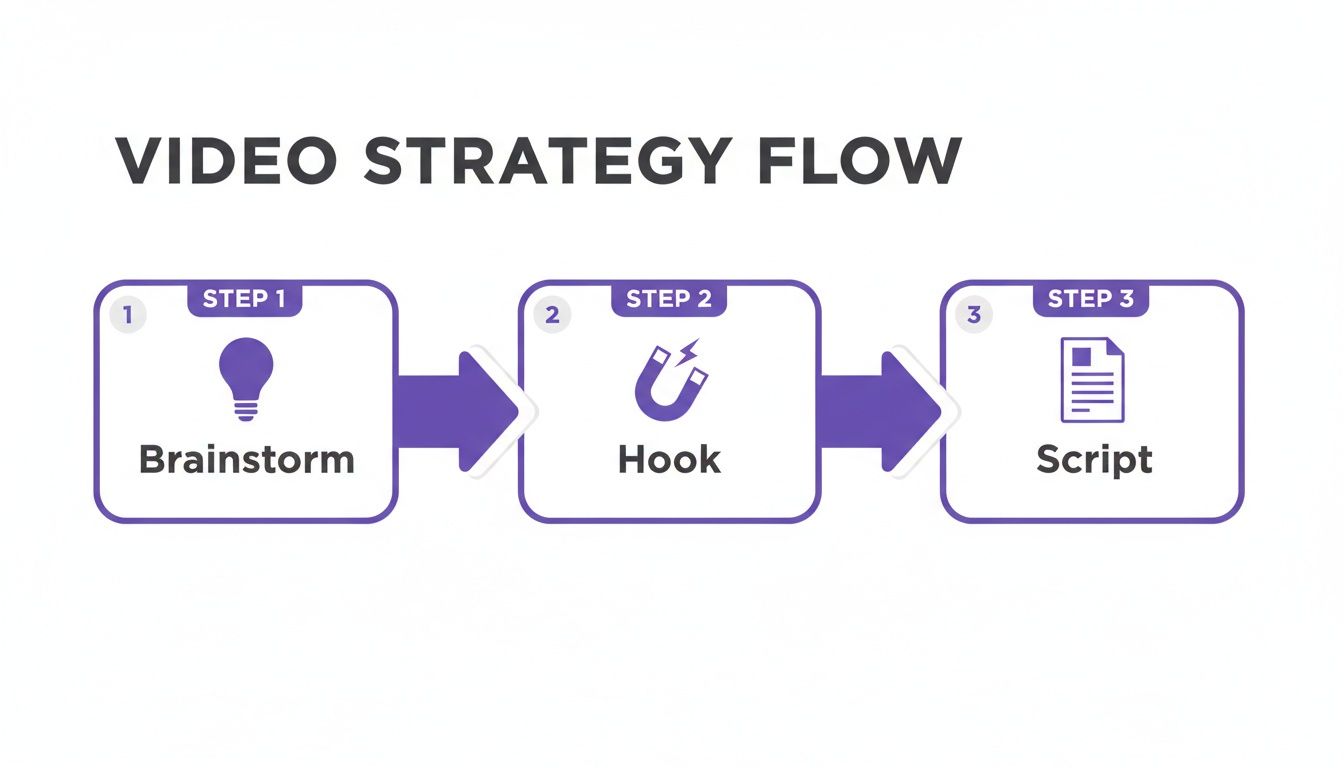
As you can see, great videos don't happen by accident. Strong brainstorming and scripting lay the groundwork for visuals that actually connect with people.
The real magic of using AI for visuals is the freedom to experiment. Don't love a shot? Generate a new one in seconds. Need to swap out the background? Just write a new prompt. That level of creative agility is something traditional video production just can't match.
Turning Your Raw Clips into a Polished Masterpiece
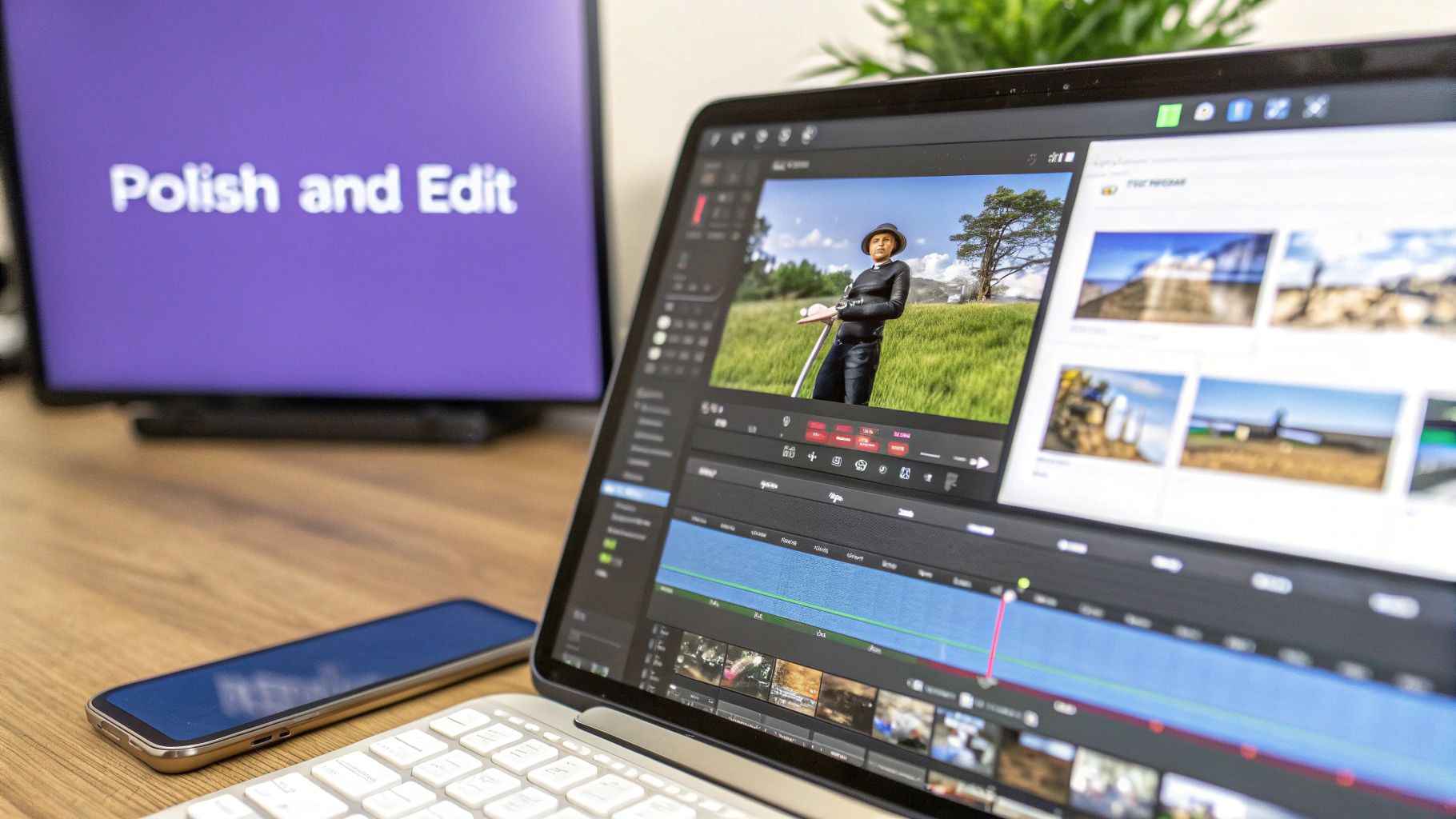
Alright, you've generated your individual scenes, B-roll, and voiceover clips. That's a huge milestone, but the job isn't quite done. Right now, you have a bunch of puzzle pieces scattered on the table. The final, and arguably most important, step is putting them together to tell a cohesive story that grabs attention and actually gets people to act.
This is where the magic of AI-powered editing comes in. Modern tools built to ai generate videos make this final polish incredibly fast. You can forget about wrestling with complicated timelines or manually setting keyframes. We're talking about powerful, often one-click features that give you professional results in seconds, so you can stay focused on the story, not the software.
Seamlessly Integrate Avatars and Backgrounds
Having a person on screen is one of the best ways to connect with your audience. Once your AI avatar is ready, the next move is to drop them right into your scene. This is where a feature like Picture-in-Picture (PiP) becomes your best friend. With a single click, you can overlay your avatar on top of your B-roll, creating a much more dynamic presentation.
For example, you could have your AI presenter pop up in a small circle in the corner while your main footage shows a product demo or a screen recording. It’s a classic technique that just plain works for tutorials and explainer videos.
Another game-changer is AI background removal. Let's say you generated an avatar against a simple background, but you really want them to look like they're in a bustling office or standing in front of a mountain range. AI can instantly erase the original background, letting you place your avatar into any scene you've created. This makes the whole thing feel totally integrated and believable.
The point of these features isn't just to be flashy; it's to make editing feel less like a chore and more like a creative sandbox. When you can simplify tricky tasks like this, you're free to experiment and find the perfect composition for your message.
Why Captions Are a Non-Negotiable
Let's be real: in the world of social media, tons of people watch videos with the sound off. Some studies have shown that up to 85% of videos on platforms like Facebook are viewed in silence. This makes captions an absolutely critical part of your video's success. If you don't have them, your message is completely lost on a huge chunk of your audience.
But not all captions are created equal. Static, boring text at the bottom of the screen is fine, but it doesn't do much to hold someone's attention. The gold standard today is dynamically highlighted captions that sync automatically.
Here’s how they work:
- They automatically transcribe your AI-generated voiceover with impressive accuracy.
- The text is perfectly synced to the spoken words, so there's no awkward lag.
- Words are highlighted as they're spoken, usually in a different color, which guides the viewer's eyes and makes the content easier to follow.
This dynamic effect is amazing for keeping viewers hooked, even without sound, and it seriously boosts message retention. It’s a small detail that makes a massive difference. For a closer look at these tools, our guide on automatic video editing has you covered.
Perfecting Your Export Settings for Every Platform
After all that creative work, the last thing you want is for your video to look blurry or poorly formatted. The export settings you choose are crucial for making sure your video looks sharp and professional wherever it's viewed. Each social platform has its own preferences, and getting them right matters.
Here’s a quick cheat sheet for the big ones:
| Platform | Recommended Aspect Ratio | Best For |
|---|---|---|
| TikTok & Instagram Reels | 9:16 (Vertical) | Short-form, full-screen mobile content. |
| YouTube & Website | 16:9 (Horizontal) | Longer-form videos, tutorials, and ads. |
| Instagram & Facebook Feed | 1:1 or 4:5 | Square or slightly vertical videos that fit well in feeds. |
My advice? Always export in the highest resolution possible, which is usually 1080p (Full HD) or even 4K. A high-quality export is the final touch that shows you respect your audience's time and attention.
Testing, Distributing, and Optimizing Your Videos
Getting your video exported and looking great is a huge step, but the real work is just beginning. Think of it this way: creating the video is half the job. Making it actually perform is the other half, and it's the part that truly moves the needle. Now we switch hats from creator to strategist.
The biggest game-changer with AI video is speed. In the old days, A/B testing was a budget-draining, time-consuming nightmare. Now? You can spit out several different versions of one core idea in the time it used to take just to get a single draft approved. This lets you test a whole lot more, a whole lot faster, to figure out what your audience actually wants to see.
A Smart Framework for A/B Testing
Don't just throw spaghetti at the wall and see what sticks. If you test five completely different videos at once, you'll never know why one worked and the others didn't. The key is to test one variable at a time for clean, actionable data.
Here are the elements I always recommend starting with:
- The First Three Seconds: Your hook is everything. Seriously. It's the single most critical part of your video. Try creating 3 to 5 versions with different opening lines or visuals. For a fitness app ad, you could test a pain-point hook like "Struggling with motivation?" against a benefit-driven one like "Unlock your best self in 5 minutes a day."
- The Call-to-Action (CTA): How you ask for the click makes a massive difference. Test simple, direct phrases like "Shop Now" against something more enticing like "Get Your Free Plan." You'd be surprised what a small tweak can do.
- The AI Avatar: Does your audience connect better with a male or female presenter? A super-energetic tone or a more calming, professional one? Generate the same script with different avatars and see which one builds more trust.
By methodically testing these key pieces, you stop guessing and start building a playbook of what actually works for your specific audience.
Finding the Winners by Analyzing Performance
Once your tests are out in the wild, you need to know what a "win" actually looks like. Forget vanity metrics like views. Focus on the numbers that tie directly to your business goals.
These are the key performance indicators (KPIs) that matter:
- Watch Time & Audience Retention: This shows you the exact moment people get bored and leave. If 80% of your viewers drop off after the hook, you have a clear sign your opening is broken. Platforms like YouTube and TikTok give you super detailed retention graphs—use them.
- Click-Through Rate (CTR): This is a simple measure of how many people who saw your video actually clicked your link. A high CTR means your message and CTA are hitting the mark.
- Conversion Rate: This is the big one. How many viewers actually made a purchase, signed up, or took the action you wanted? This tells you if your video is making you money.
The insights from your worst-performing videos are often more valuable than the wins. They show you exactly what not to do next time. Use this data to create a feedback loop that makes every video better than the last.
Getting Your Video in Front of the Right People
How you share your video is just as important as the video itself. Don't just post it once and cross your fingers. You have to match your distribution to the platform.
AI-generated video is already making a huge impact. For example, 72% of e-commerce consumers say they prefer AI-edited product demos over static images. This isn't just a novelty; 78% of retail businesses are already using AI videos to show off their products. It's the same in education, where 73% of platforms using AI-generated videos report up to a 41% increase in learner engagement. The data is clear: using AI for video leads to better results, as highlighted in this report on generative AI in video creation.
A smart distribution plan could look like this:
- TikTok & Instagram Reels: Use your 9:16 vertical cuts here. Jump on trending audio and write captions that encourage comments to play nice with the algorithm.
- YouTube: Upload the main 16:9 horizontal version for your channel, but also create a shorter, vertical version for YouTube Shorts to grab viewers who prefer that format.
- Website & Landing Pages: Embed the high-resolution 16:9 video right on your key pages. It's a proven way to keep visitors on your site longer and boost conversion rates.
When you combine smart testing with a solid distribution plan and a close eye on the data, you create a powerful engine for growth. Each video becomes a learning opportunity, leading to consistently better marketing performance over time.
Got Questions About AI Videos? We've Got Answers.
Jumping into AI video can feel a bit like exploring a new frontier, so it's totally normal to have questions. We get asked a lot about the practical side of this stuff, so I've put together some straight-up answers to the most common queries we hear. The goal here is to clear things up so you can start creating with confidence.
Seriously, How Long Does This Take?
This is usually the first question people ask. And honestly, the time it takes to create an AI video really hinges on how ambitious your project is. But even for complex stuff, the speed is pretty mind-blowing compared to the old way of doing things.
For a quick 30-second social media clip using a ready-made template and an AI avatar, you could be done in 15-20 minutes. No joke—from idea to final export. If you're building a more detailed ad with custom B-roll, several different scenes, and a specific voiceover, you're probably looking at an hour or two.
The real game-changer isn't just the speed. It's how you get to spend your time. Instead of getting bogged down in technical tasks like shooting and editing, you can pour that energy into what actually moves the needle: strategy, killer scripts, and A/B testing.
This completely changes the creative process. You can knock out several versions of an ad in one afternoon, something that would've taken a whole production crew weeks to pull off before.
Can AI-Generated Videos Actually Look Good?
This is a big one, I know. The quality of AI content is getting better at a staggering rate. For most marketing needs—think TikTok ads, YouTube explainers, or product demos—the final video often looks just as good as human-shot footage to the average person scrolling their feed.
The secret to getting that professional quality isn't just picking the right AI tool. It's all about your creative input. A sharp script, a clear vision for your visuals, and smart editing are what separate the good from the great.
- Your Script: The story and message are everything. This is your foundation.
- Your Visuals: The quality of your prompts directly impacts the style of the clips you generate.
- Your Edit: How you piece it all together is what creates that polished, professional feel.
Think of the AI as your crew. It handles the technical execution perfectly, but you’re still the director. You bring the vision.
What Are the Rules for Using AI-Generated Content?
Figuring out copyright and commercial use can feel like a headache, but most of the top-tier AI video platforms have made it really straightforward. When you create a video using a reputable tool, you almost always get full commercial rights to whatever you make.
This means you can use your videos for pretty much any business purpose without sweating it:
- Paid ad campaigns on Facebook, Google, and beyond.
- Organic content for all your social media channels.
- Videos for your website, product pages, or even internal training.
That said, it’s always a good idea to quickly scan the terms of service of the platform you choose. Good companies are crystal clear about your usage rights, so you can focus on growing your business without any legal surprises down the road.
What’s This Going to Cost Me?
The cost to ai generate videos is a fraction of what traditional video production costs, which is why it's becoming so popular for businesses of all sizes. You're not budgeting thousands for camera operators, actors, and studios anymore. Instead, it's usually just a simple monthly subscription.
Many platforms work on a credit system for generating new things—like a fresh batch of B-roll or a new voiceover. The cool part is, once you've created those assets, you can often reuse them in unlimited videos without burning more credits. This setup really encourages you to experiment and get creative.
When you look at it from an ROI perspective, the value is undeniable. A single successful ad campaign made with AI can easily cover the cost of a year's subscription. That makes it one of the most efficient marketing plays you can make right now.
Ready to create high-converting videos in minutes? Sprello gives you an all-in-one suite to script, generate, and edit stunning social media content and ads without any filming. Start creating for free today!


