
Content demands are accelerating, but budgets and timelines are not. The key to scaling your output without sacrificing quality lies in leveraging the right AI content generation tools. From drafting blog posts and ad scripts to producing entire videos in minutes, these platforms are no longer just a novelty; they are a competitive necessity for businesses and creators.
This guide cuts through the noise. We have curated a comprehensive list of the top tools across text, image, audio, and video creation. Instead of generic marketing descriptions, you will find a practical breakdown of what each platform actually does best. Our goal is to help you build a modern, efficient content workflow by choosing the tools that solve your specific problems.
Inside this resource, you will discover:
- Actionable insights on the best tools for different tasks.
- Ideal use cases for small businesses, agencies, and independent creators.
- Clear pros, cons, and pricing signals to inform your decision.
Each recommendation includes screenshots and direct links, so you can immediately explore the platforms that fit your needs. Forget the hype and endless scrolling. This is your straightforward guide to the essential AI content generation tools that will save you time, reduce costs, and elevate your content strategy today. Let's find the perfect fit for your tech stack.
1. Sprello
Best For: End-to-end AI video creation for marketing and social media.
Sprello establishes itself as a premier choice among ai content generation tools by offering a truly comprehensive, all-in-one video marketing suite. It’s designed to take brands, agencies, and creators from a simple idea to a high-converting video ad in minutes, completely sidestepping the need for filming, influencers, or complex editing software. This platform masterfully integrates the entire production workflow into a single, cohesive interface, making it a powerhouse for anyone looking to scale video content efficiently.

What sets Sprello apart is its seamless integration of top-tier AI models (like Kling, Veo, and ElevenLabs) for generating B-roll, images, and voiceovers directly within its visual storyboard editor. This eliminates the common friction of juggling multiple subscriptions and platforms. Users can start with an AI-generated script tailored to their audience, which automatically splits into scenes. From there, the drag-and-drop storyboard allows for rapid composition, instant previews, and effortless integration of generated media alongside a library of over 20 realistic AI avatars.
Key Features & Use Cases
- End-to-End Workflow: From AI scriptwriting and scene breakdown to a visual storyboard, media generation, and final export, the entire process is unified. This drastically reduces production time, with users reporting the ability to move from one video a week to multiple ads per day.
- Multi-Model AI Engine: Sprello provides access to a curated selection of leading AI models for video, image, and audio. This ensures you are always using powerful, up-to-date technology without needing to manage separate accounts.
- Polishing Tools Built-In: Features like one-click picture-in-picture, AI background removal, and auto-synced dynamic captions are included. These tools enable the creation of professional, polished vertical and feed videos ready for social platforms.
- Practical Use-Case: A small e-commerce brand can use Sprello to generate a week's worth of TikTok ads in a single afternoon. They can create an audience-aware script, select an AI avatar to be the presenter, generate product-relevant B-roll footage, and add dynamic captions-all without any filming.
Pricing & Availability
Sprello operates on a flexible credit system, where generating new AI assets consumes credits but using your own uploaded media is unlimited.
- Starter: $29/month ($24/month billed annually) for 1,000 credits/month.
- Growth: $59/month ($49/month billed annually) for 2,250 credits and more workspaces.
- Scale: $119/month ($99/month billed annually) for 5,000 credits, increased storage, and priority features.
A 3-day free trial is available, allowing new users to explore the platform’s full capabilities.
Our Take
Sprello is an exceptionally strong contender for anyone serious about leveraging AI for video marketing. Its true end-to-end functionality solves a major pain point by consolidating the entire creative process. While heavy users may find themselves needing higher-tier plans to support their generation needs, the value delivered in speed, efficiency, and access to top AI models is undeniable.
- Pros: Truly integrated workflow, access to multiple best-in-class AI models, and built-in professional editing features.
- Cons: Monthly credits can be consumed quickly with high-volume production, and AI-generated content may sometimes lack the nuance of real human creators.
2. Sprello
Sprello is a specialized AI content generation tool designed specifically for video marketing. It streamlines the entire workflow from initial concept to a finished, high-converting video ad, making it a powerful asset for creators, marketing agencies, and e-commerce brands who need to produce video content at scale without filming. The platform integrates everything from scriptwriting and storyboarding to generating final video assets, significantly reducing the time it takes to get from an idea to a testable creative.

Unlike general-purpose video editors, Sprello's workflow is built around marketing performance. It uses integrated AI models (including tech from ElevenLabs and Ideogram) to generate audience-aware ad copy, realistic AI avatars, and custom B-roll, all tailored to ad campaign objectives. This end-to-end approach means you can create multiple variations for A/B testing in minutes.
Key Features & Use Cases
- Best For: Marketing teams and creators needing to quickly generate and test video ad variations for social media platforms like TikTok, Instagram, and Facebook.
- Standout Feature: The integrated script-to-storyboard-to-video workflow is its main differentiator. You start with a script, and the AI suggests visuals, which you can then generate directly within the platform.
- Practical Use: An e-commerce brand can use Sprello to create 10 different video ads for a new product in under an hour, using different hooks, visuals, and calls-to-action, without any actors or camera equipment.
| Pros | Cons |
|---|---|
| Marketing-specific workflow reduces creative production time | Credit-based system for generation can be costly for heavy use |
| Unlimited video exports using your own assets | Newer platform with some features still listed as "coming soon" |
| High-quality, realistic AI avatars and voiceovers | Less flexible for non-marketing or long-form video projects |
Sprello offers a free trial to get started, with paid plans that provide more credits for AI generation. Its focused approach makes it one of the most practical ai content generation tools for anyone focused on performance marketing and rapid creative testing.
3. OpenAI — ChatGPT
OpenAI's ChatGPT is a foundational AI assistant that excels at general-purpose content generation. It serves as a powerful starting point for nearly any creative task, from drafting long-form articles and brainstorming marketing angles to writing code and generating complex data analyses. The platform scales from a widely accessible free version to robust Enterprise plans, making it a versatile tool for individuals, startups, and large organizations.
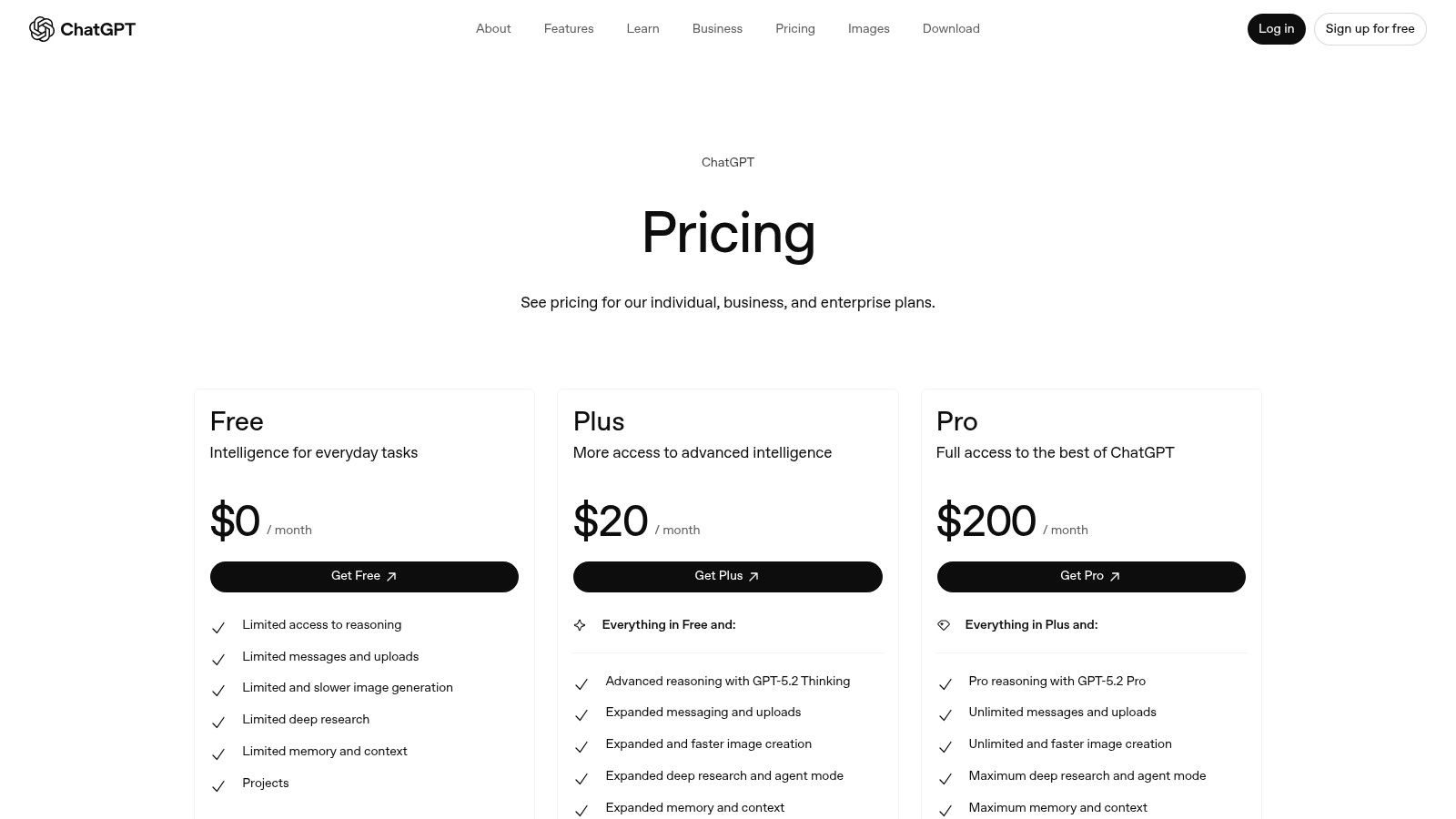
Unlike specialized tools, ChatGPT's strength lies in its adaptability and conversational interface. With access to advanced models, it can understand nuanced requests and generate highly creative and coherent text. The introduction of custom GPTs allows users to create specialized versions of the AI tailored to specific workflows, while premium tiers offer advanced features like image generation, data analysis, and priority access to new models. This makes it an indispensable tool for research, ideation, and first-draft creation.
Key Features & Use Cases
- Best For: Individuals and teams needing a versatile AI for ideation, drafting, research, and coding. It's the go-to for kickstarting almost any content project.
- Standout Feature: The ability to create and use custom GPTs. This lets you build personalized AI assistants trained on your specific instructions and knowledge for repetitive tasks.
- Practical Use: A marketing team can use ChatGPT to generate a dozen initial concepts for an ad campaign, then use the same conversation to refine the copy for different channels, providing a solid foundation for tools like Sprello. For a deeper look, check out this advertisement script example to see how ideas can be structured.
| Pros | Cons |
|---|---|
| Broad ecosystem with frequent, powerful feature updates | Image and advanced data usage are subject to plan limits |
| Scales from free personal plans to secure Enterprise tiers | API pricing is separate from the ChatGPT subscription |
| Strong third-party integrations via its API and plugins | The free version can be slower and less capable during peak times |
ChatGPT offers a free tier, with paid plans like Plus, Team, and Enterprise unlocking more advanced capabilities and higher usage limits. Its all-around utility makes it one of the most essential ai content generation tools available today.
4. Anthropic — Claude
Anthropic’s Claude is a safety-focused AI assistant that excels at nuanced tasks like drafting professional documents, analyzing complex information, and writing code. Positioned as a thoughtful conversational AI, it is designed for users who require high-quality, coherent long-form content generation with strong ethical guardrails. The platform’s interface is clean and user-centric, prioritizing clarity and ease of use for both casual and enterprise-level tasks.
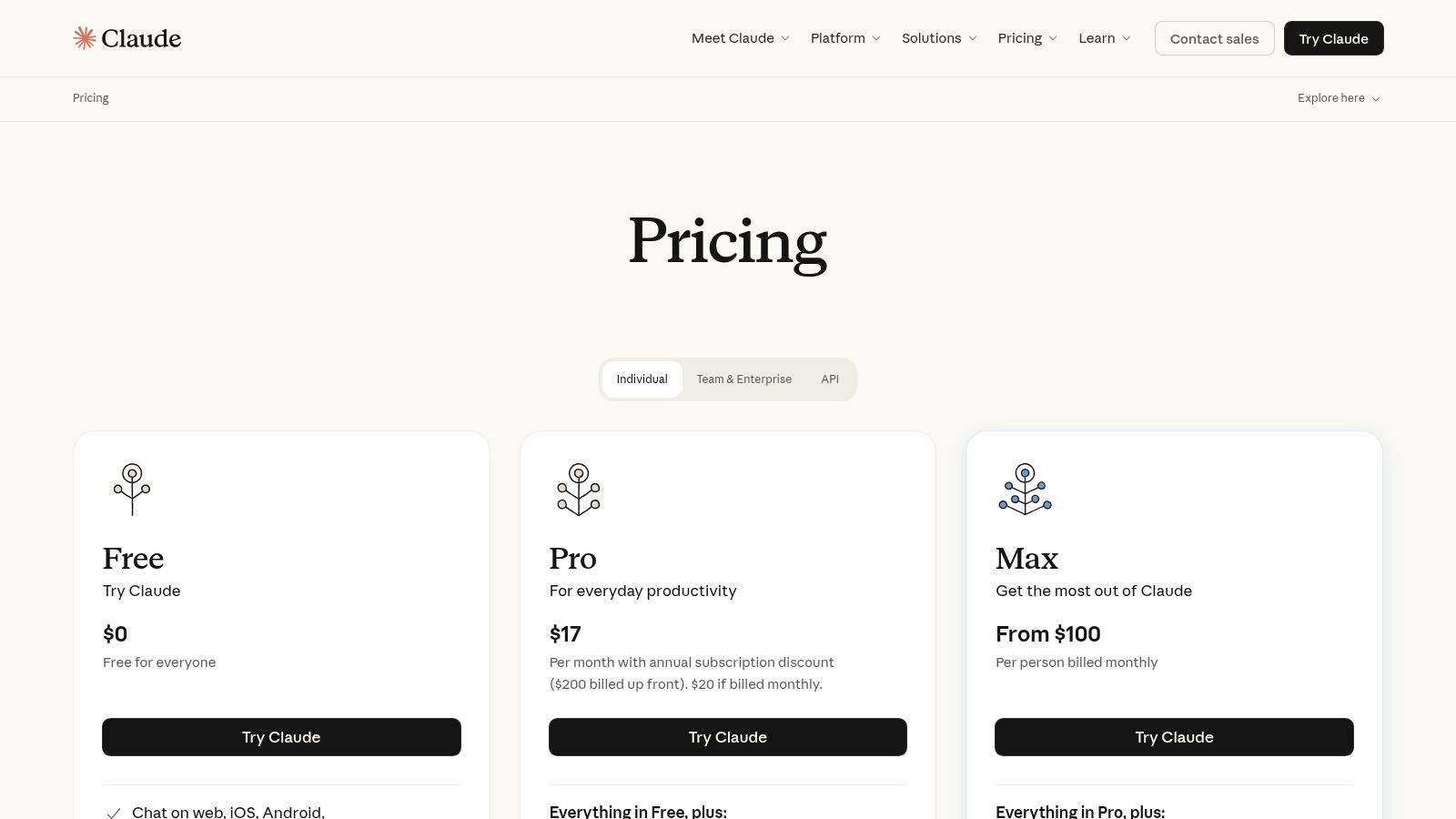
Unlike many AI assistants that focus solely on chat, Claude introduces "Artifacts," a no-code feature that lets users create shareable mini-apps from their conversations. This allows teams to build and reuse specific workflows, such as a custom tone-of-voice editor or a market analysis summarizer. With tiered plans and enterprise connectors for Google Workspace and Slack, Claude scales from a personal writing assistant to a core business intelligence tool.
Key Features & Use Cases
- Best For: Professionals, researchers, and business teams who need a reliable AI for drafting detailed reports, analyzing documents, and creating repeatable, shareable workflows.
- Standout Feature: The "Artifacts" feature is a game-changer, turning a simple AI chat into a reusable, no-code tool that can be shared across a team to standardize tasks.
- Practical Use: A marketing team can use Claude to analyze a 200-page market research report, then create an Artifact that automatically generates social media posts based on key findings, ensuring brand consistency.
| Pros | Cons |
|---|---|
| Strong writing quality with memory features for continuity | Max and Team tiers can be expensive for heavy individual usage |
| No-code app creation via Artifacts enables repeatable workflows | Some advanced features like web search may have separate quotas |
| Emphasis on safety and reliability in content outputs | May be less suited for highly creative or unconventional content styles |
Claude offers a free tier to get started, with paid plans like Pro, Max, and Team available to unlock more advanced features and higher usage limits. Its focus on practical business applications makes it one of the most versatile ai content generation tools available for professional use.
5. Google — Gemini (via Google One AI Pro/Ultra)
For teams already embedded in the Google ecosystem, accessing Gemini through Google One's AI Pro or AI Ultra plans offers a deeply integrated approach to content generation. This isn't a standalone tool but a powerful AI layer woven directly into apps like Gmail, Docs, and Drive, augmented with bundled storage and access to Google's creative tooling. It transforms familiar applications into dynamic workspaces where you can draft emails, summarize documents, or brainstorm ideas with AI assistance without switching contexts.
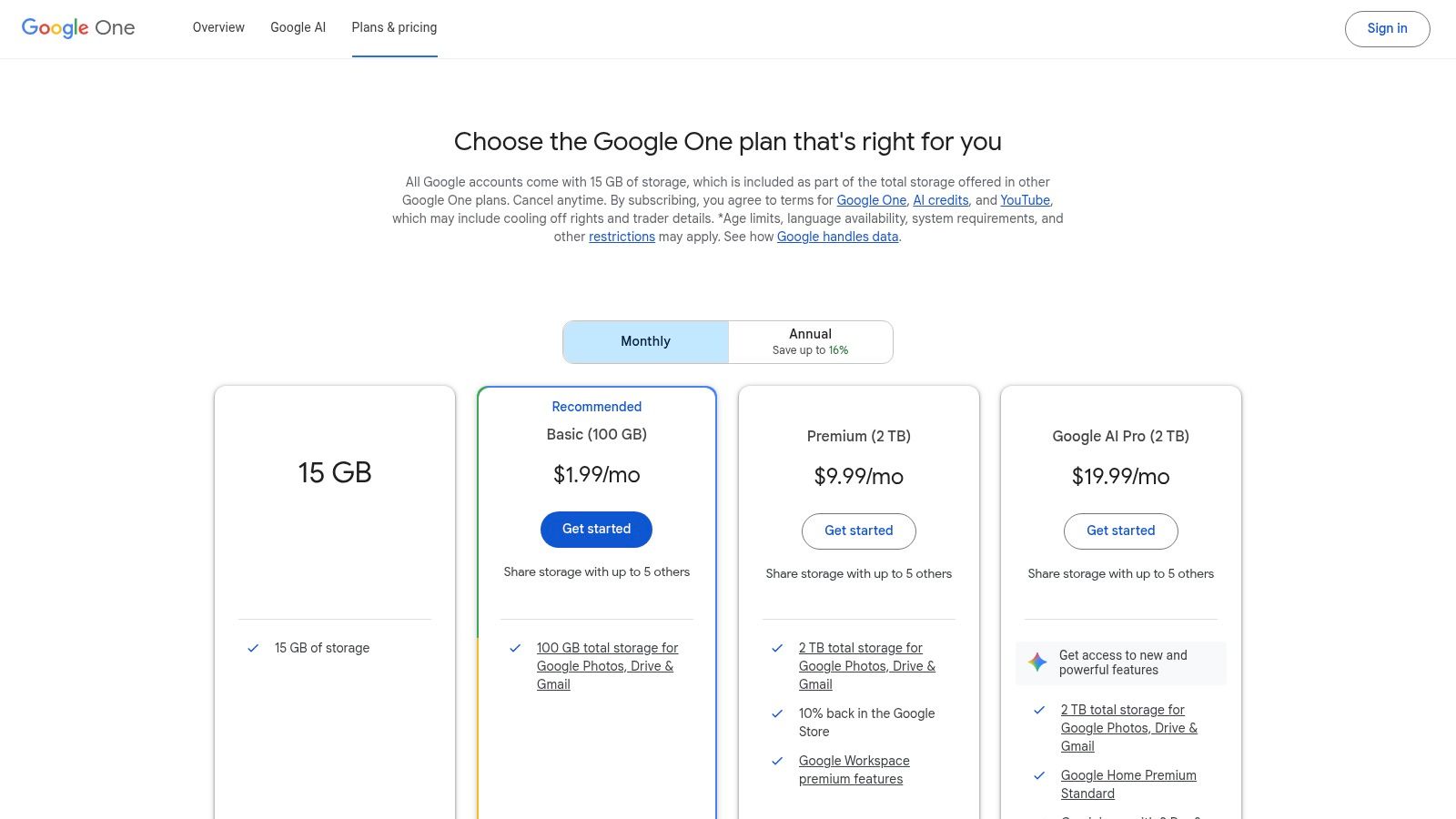
Unlike dedicated writing or creative platforms, Google's strength is its seamless workflow integration. The AI Pro plan provides access to the powerful Gemini 2.5 Pro model and includes monthly credits for creative tools like Flow and Whisk. The AI Ultra tier elevates this with higher usage limits, access to the forthcoming Veo 3 video model, and up to 30 TB of storage. This makes it a comprehensive productivity and creativity suite rather than just a single-function generator.
Key Features & Use Cases
- Best For: Small businesses, agencies, and creators heavily invested in Google Workspace who want to enhance their existing workflows with integrated AI capabilities.
- Standout Feature: The native integration within Google Docs and Gmail is a major differentiator, allowing for in-app drafting, summarization, and content refinement.
- Practical Use: A marketing team can use Gemini in Google Docs to outline a campaign brief, generate draft copy, and then use the "Help me write" feature in Gmail to create outreach emails, all from one connected environment.
| Pros | Cons |
|---|---|
| Deep integration with Google Workspace apps and Google Search | Credits and usage limits across apps can be complex to track |
| Bundled storage and cross-product AI features in a unified plan | AI Ultra pricing is premium and may be expensive for small teams |
| Access to advanced models like Gemini 2.5 Pro and future video tools | Less focused on specialized content formats than dedicated tools |
Google One plans with AI access are available via a monthly subscription. This bundled approach makes it one of the most practical ai content generation tools for users looking to consolidate their subscriptions and bring generative AI into their everyday productivity software.
6. Adobe — Firefly
Adobe Firefly is a family of creative generative AI models designed for safe commercial use, deeply integrated into Adobe's Creative Cloud ecosystem. Rather than just a standalone tool, Firefly acts as an AI co-pilot within flagship apps like Photoshop and Express, enabling users to generate and edit images, vectors, and video assets using simple text prompts. This focus on integration makes it a powerful asset for creative professionals who want to enhance their existing workflows, not replace them.
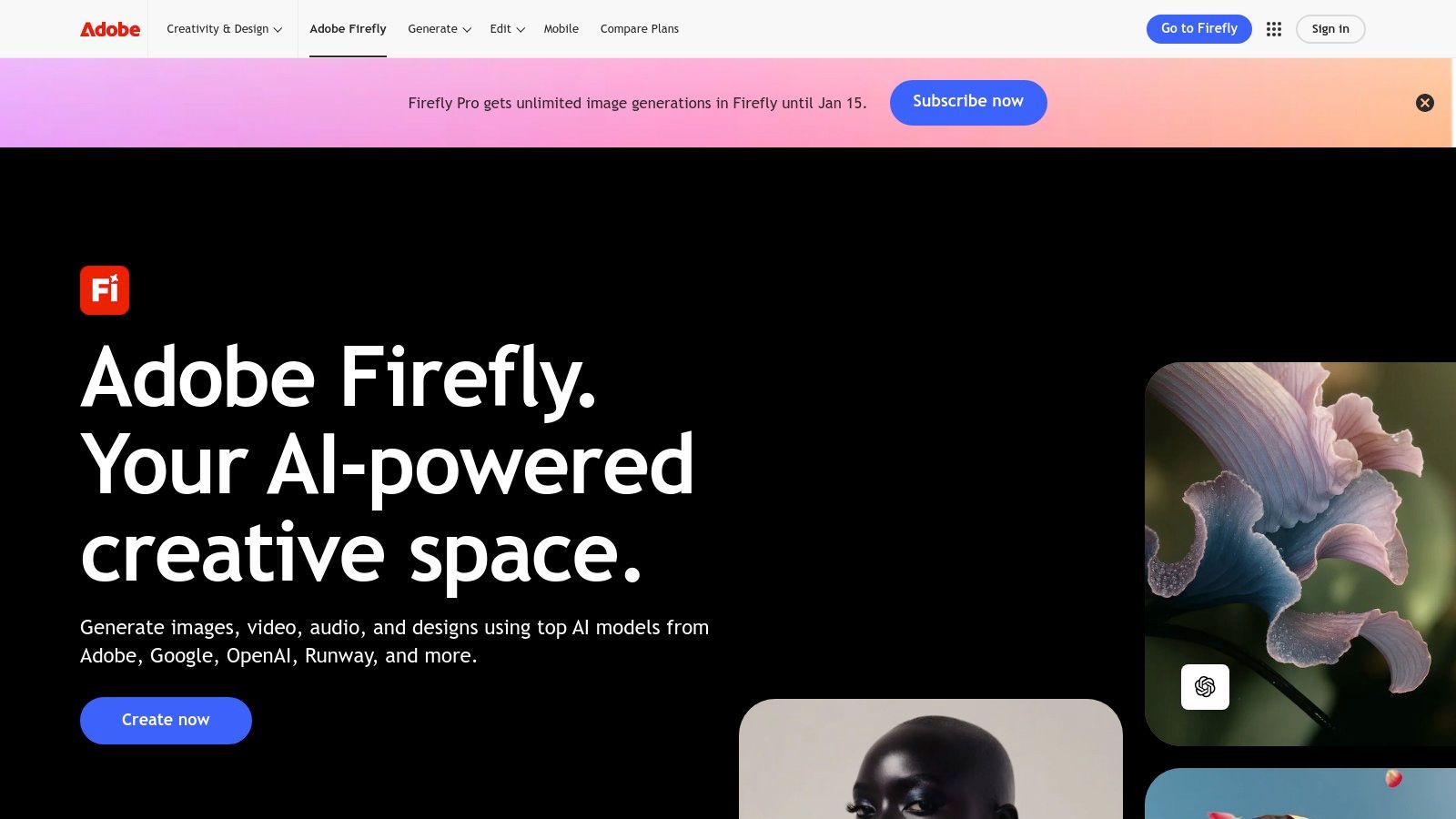
Unlike many AI image generators, Firefly is trained on Adobe Stock's licensed library, which means the content it produces is designed to be commercially safe and free from copyright infringement concerns. This makes it an ideal choice for businesses and agencies that require legally sound creative assets. It also offers access to partner models from Google and OpenAI directly within the Adobe environment, providing a versatile and centralized creative hub.
Key Features & Use Cases
- Best For: Creative professionals, marketing agencies, and enterprises already invested in the Adobe ecosystem who need commercially safe AI-generated assets.
- Standout Feature: The deep integration with Photoshop, Illustrator, and Adobe Express. Features like Generative Fill and Generative Expand allow for seamless in-painting and out-painting directly within a user's project, a major workflow advantage.
- Practical Use: A graphic designer can use Generative Fill in Photoshop to instantly remove an object from a product photo or extend the background of an image to fit a new ad format, all without leaving their primary design software.
| Pros | Cons |
|---|---|
| Strong brand safety and rights management for commercial use | Generative credit system can be complex and costly for high-volume users |
| Deep, seamless integration with Adobe Creative Cloud apps | Best value is realized when bundled with Adobe apps, not as a standalone service |
| High-quality output trained on a licensed, commercially safe dataset | Reliance on the Adobe ecosystem may not suit users of other design software |
Adobe Firefly is available with a free plan that includes a set number of generative credits. Paid plans, often bundled with Adobe Express or the full Creative Cloud suite, provide more credits and features, making it one of the most robust ai content generation tools for professional creative work.
7. Runway
Runway is a production-focused AI video and image suite that bridges the gap between simple generative tools and professional editing software. Known for its powerful Gen-4.5 text-to-video model, it's tailored for creators and marketing teams who need to rapidly produce high-quality visual concepts, social media content, and ad creatives. The platform provides a comprehensive set of tools, moving beyond simple generation to include AI-powered editing features within a collaborative, team-friendly workflow.
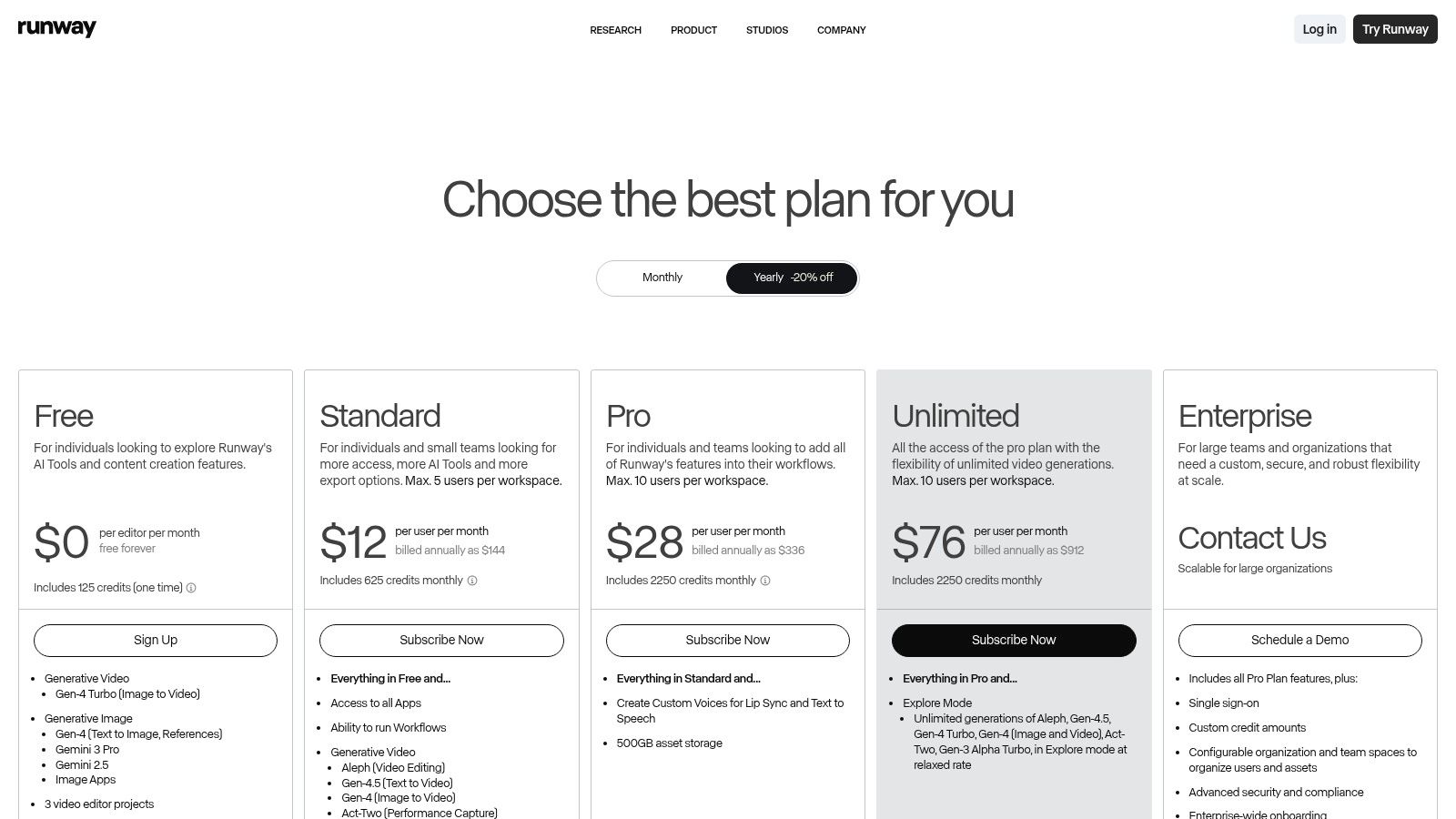
Unlike many single-purpose generators, Runway offers an end-to-end creative environment. Users can generate video from text or images, then use integrated tools to upscale resolution, remove watermarks (on paid plans), or perform other edits. This makes it a strong choice for teams needing to iterate on video concepts quickly without exporting and importing assets between different applications. For those looking to get started, you can learn more about how to make AI videos to understand the fundamentals.
Key Features & Use Cases
- Best For: Creative agencies, marketers, and filmmakers who need a powerful tool for conceptualizing and producing short-form video content and visual effects.
- Standout Feature: The Gen-4.5 text-to-video and image-to-video models provide a great balance of generation speed and visual quality, perfect for quick-turnaround projects.
- Practical Use: A marketing agency can use Runway to generate a dozen different video ad concepts for a client campaign in an afternoon, testing various visual styles and narratives without any filming.
| Pros | Cons |
|---|---|
| High-quality video generation with good motion consistency | Credit system can become expensive for high-volume commercial use |
| Integrated AI editing tools create a seamless workflow | Some features are capped by per-user or per-workspace limits |
| Team-friendly plans and collaborative features | Can have a steeper learning curve compared to simpler generation tools |
Runway offers a free tier to experiment with its tools, with paid plans that provide more credits, higher resolutions, and advanced features. It’s one of the most robust ai content generation tools available for anyone serious about incorporating AI into their video production process.
8. Midjourney
Midjourney is a creative engine renowned for generating high-quality, artistic images from text prompts. It operates primarily through Discord, which fosters a strong community where users can share prompts and inspiration. It is a go-to tool for creating ad visuals, concept art, YouTube thumbnails, and consistent brand assets, with a distinct, often photorealistic or painterly aesthetic that sets it apart from competitors.
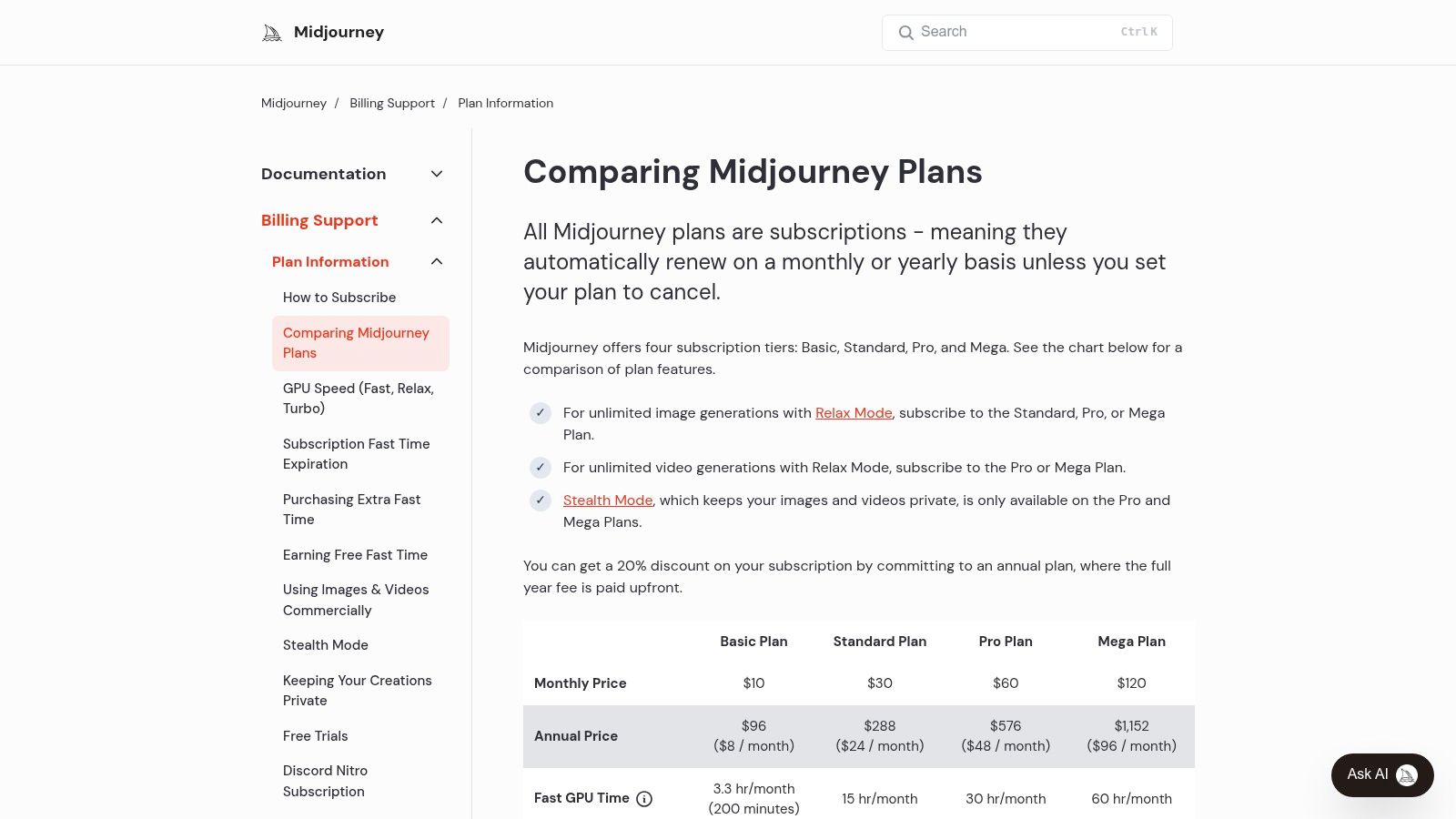
Unlike many web-based tools, Midjourney's Discord interface encourages rapid ideation and collaborative discovery. Its powerful model excels at interpreting complex prompts to produce stunning, cohesive imagery. With features like character and style consistency, it has become an indispensable tool for designers and marketers aiming for a specific visual identity across their content. The platform has also introduced video generation capabilities on its higher-tier plans.
Key Features & Use Cases
- Best For: Creative professionals, artists, and marketers who need best-in-class, artistic still images for ad campaigns, social media, and conceptual moodboarding.
- Standout Feature: The consistent and high-quality aesthetic of its visual outputs. Its images have a recognizable level of detail and artistic flair that is difficult to replicate.
- Practical Use: A marketing agency can generate a full suite of custom visual assets for a new brand campaign, from website hero images to social media posts, all maintaining a consistent artistic style without a photoshoot.
| Pros | Cons |
|---|---|
| Produces consistently high-quality, artistic visual outputs | Limited enterprise admin features, lacking SSO and standard paperwork |
| Active user community on Discord provides endless inspiration | Bulk seat management for teams is less developed than competitors |
| Unlimited relaxed generations on mid and higher tiers for large projects | Requires using Discord, which can be a learning curve for new users |
Midjourney offers multiple subscription tiers with varying amounts of "Fast GPU" time and access to unlimited "Relax Mode" generation. Its power as one of the premier visual ai content generation tools makes it essential for anyone prioritizing image quality.
9. ElevenLabs
ElevenLabs is a premier AI voice generation and text-to-speech platform renowned for creating incredibly lifelike, natural-sounding audio. It moves far beyond robotic narration, offering a suite of tools for professional voice cloning, multilingual dubbing, and creating expressive voiceovers for videos, podcasts, and audiobooks. For content creators and businesses, this means access to studio-quality audio production without the need for expensive equipment or voice actors.
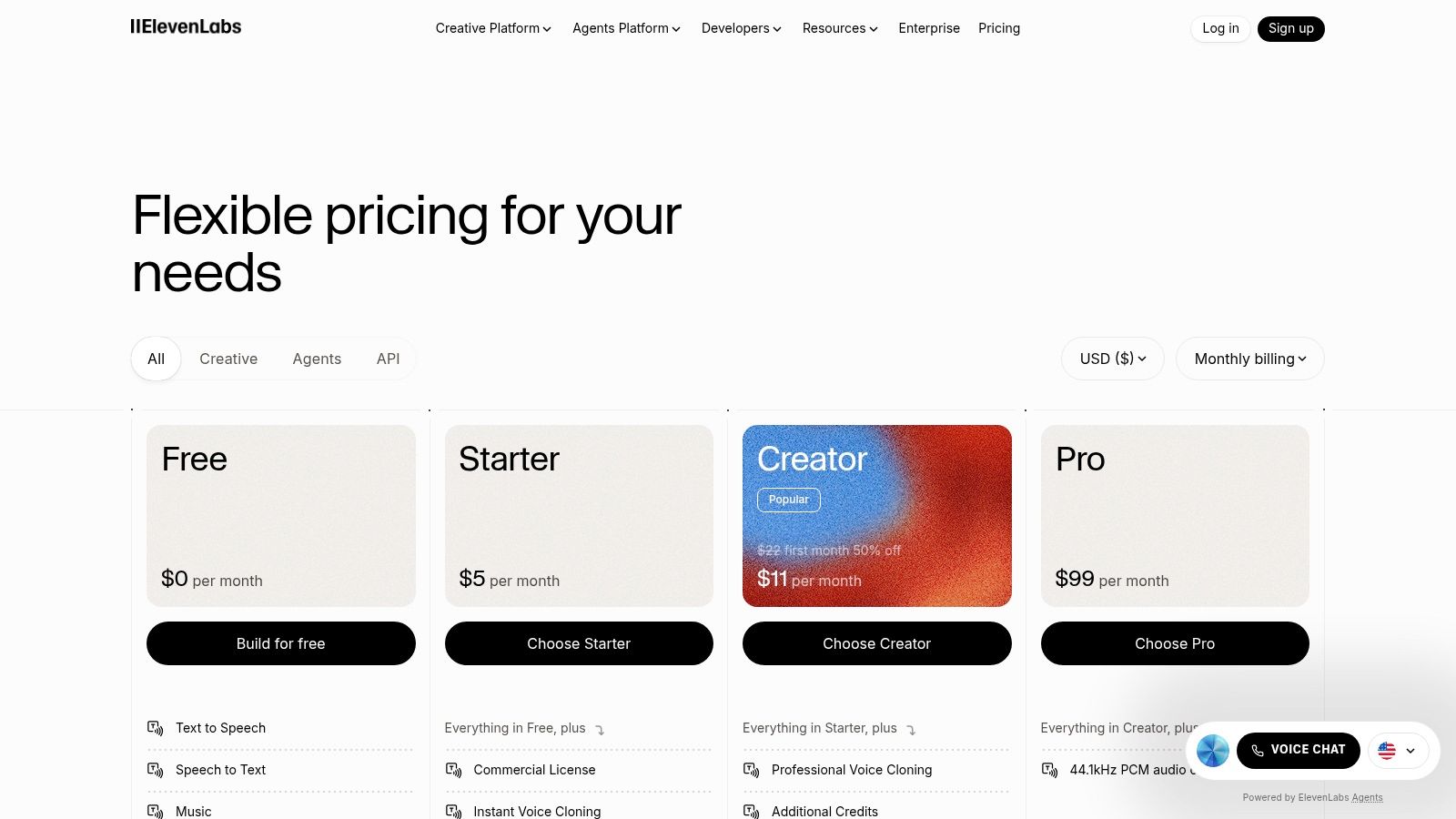
What sets ElevenLabs apart is the sheer quality and emotional range of its AI voices. The platform can capture nuances like intonation and pacing, making the audio highly engaging. Its powerful API and dubbing studio also make it a go-to solution for localizing content at scale, allowing brands to reach global audiences by translating and recreating their video or audio content into different languages while preserving the original speaker’s voice characteristics.
Key Features & Use Cases
- Best For: Podcasters, video creators, and businesses needing high-quality voiceovers, audiobooks, or multilingual content dubbing for global expansion.
- Standout Feature: The Professional Voice Cloning (PVC) is exceptionally realistic, requiring only a small sample of audio to create a high-fidelity digital replica of a voice.
- Practical Use: A company can use the Dubbing Studio to take an English product demo video and instantly generate versions in Spanish, German, and Japanese, using a cloned voice of the original presenter for brand consistency.
| Pros | Cons |
|---|---|
| Unmatched realism in generated voices with emotional nuance | Credit-based system can be confusing to calculate for new users |
| Powerful multilingual dubbing and voice cloning capabilities | Voice agent and API usage can incur separate or complex costs |
| High-bitrate audio output and a robust API for custom integrations | Some advanced features are locked behind higher-tier plans |
ElevenLabs offers a free tier to experiment with the technology, with paid plans scaling based on character usage and feature access. This makes it one of the most powerful and accessible ai content generation tools for anyone focused on producing top-tier audio content.
10. Canva — Magic Studio
Canva's Magic Studio integrates a suite of AI tools directly into its popular all-in-one design platform, making it a go-to for small businesses and social media teams. It combines user-friendly design with powerful AI capabilities like Magic Write for copy, Magic Media for generating images and videos from text, and smart features like background removal and AI voiceovers. This integration streamlines the entire content creation process from idea to finished asset within a single, collaborative environment.
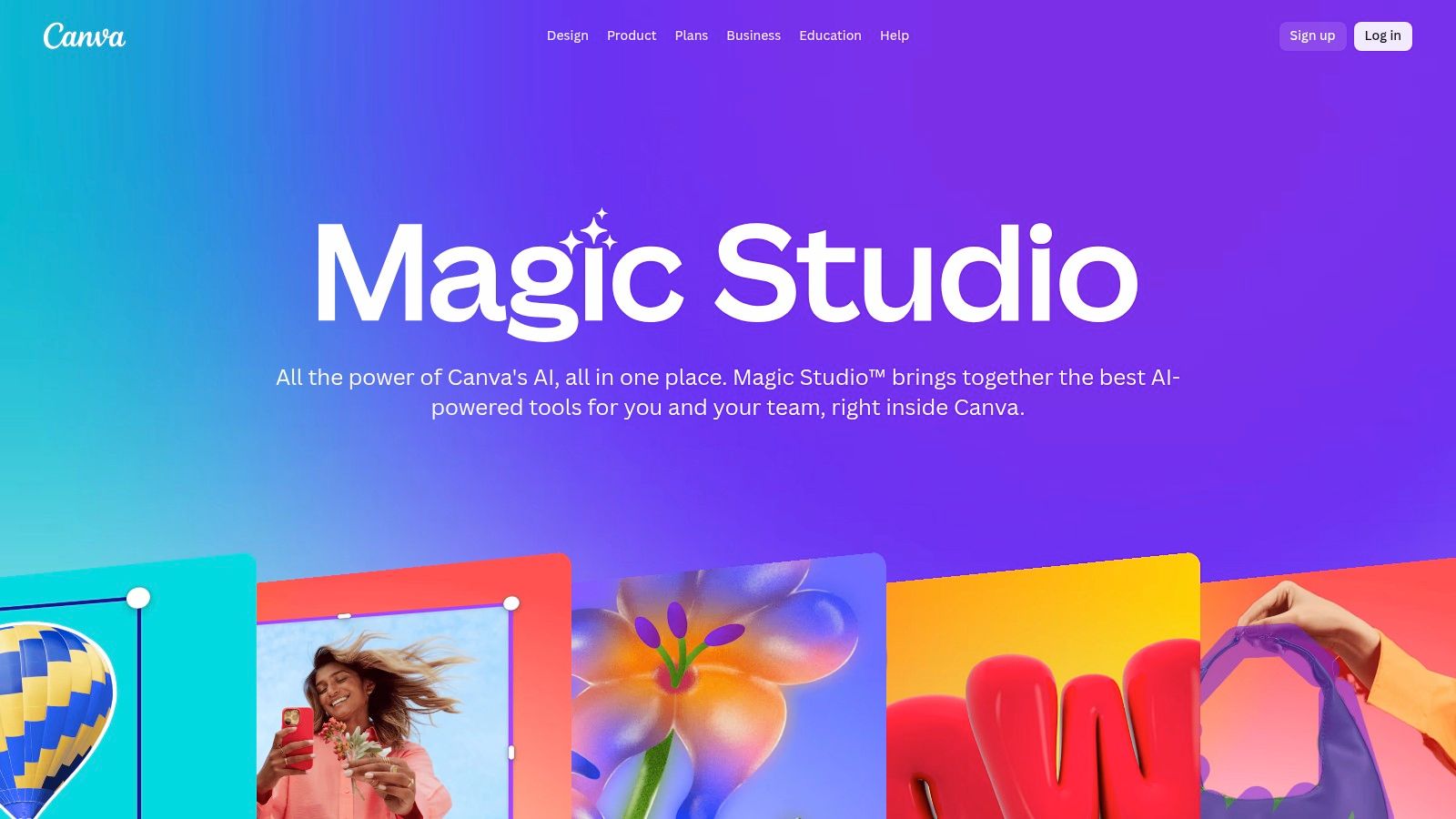
Unlike standalone AI generators, Canva's strength is its ecosystem. It leverages thousands of templates and an app marketplace that connects to third-party models like DALL-E, Google Imagen, and Runway. This allows teams to produce a wide variety of on-brand content quickly, from social media posts to presentations, without needing advanced technical skills or multiple subscriptions.
Key Features & Use Cases
- Best For: Social media managers, small business owners, and marketing teams who need to produce a high volume of visual content quickly and collaboratively.
- Standout Feature: The integrated app marketplace that brings powerful third-party models (like DALL-E and Runway) directly into the familiar Canva workflow.
- Practical Use: A marketing agency can use Magic Studio to design a complete social media campaign, generating images with Magic Media, writing captions with Magic Write, and then using Magic Resize to instantly adapt all assets for Instagram, Facebook, and LinkedIn.
| Pros | Cons |
|---|---|
| Fast social asset production with easy collaboration and templates | Pro and Teams pricing can vary significantly by region and seat counts |
| Marketplace provides access to multiple AI models in one interface | Power users may still need professional video editors for complex edits |
| Excellent for maintaining brand consistency across various asset types | Some AI features are credit-based, which may add to costs for heavy use |
Canva offers a free plan with limited Magic Studio access. Paid Pro and Teams plans unlock more advanced features and higher usage limits, positioning it as one of the most accessible ai content generation tools for everyday marketing tasks.
11. Jasper
Jasper is a comprehensive AI content platform designed for marketing teams that need to create high-quality, on-brand content at scale. It moves beyond simple text generation by incorporating sophisticated features like Brand Voice, knowledge bases, and audience personas to ensure every piece of content, from blog posts to ad copy, is consistent and effective. The platform is built around creating standardized workflows for marketing campaigns.
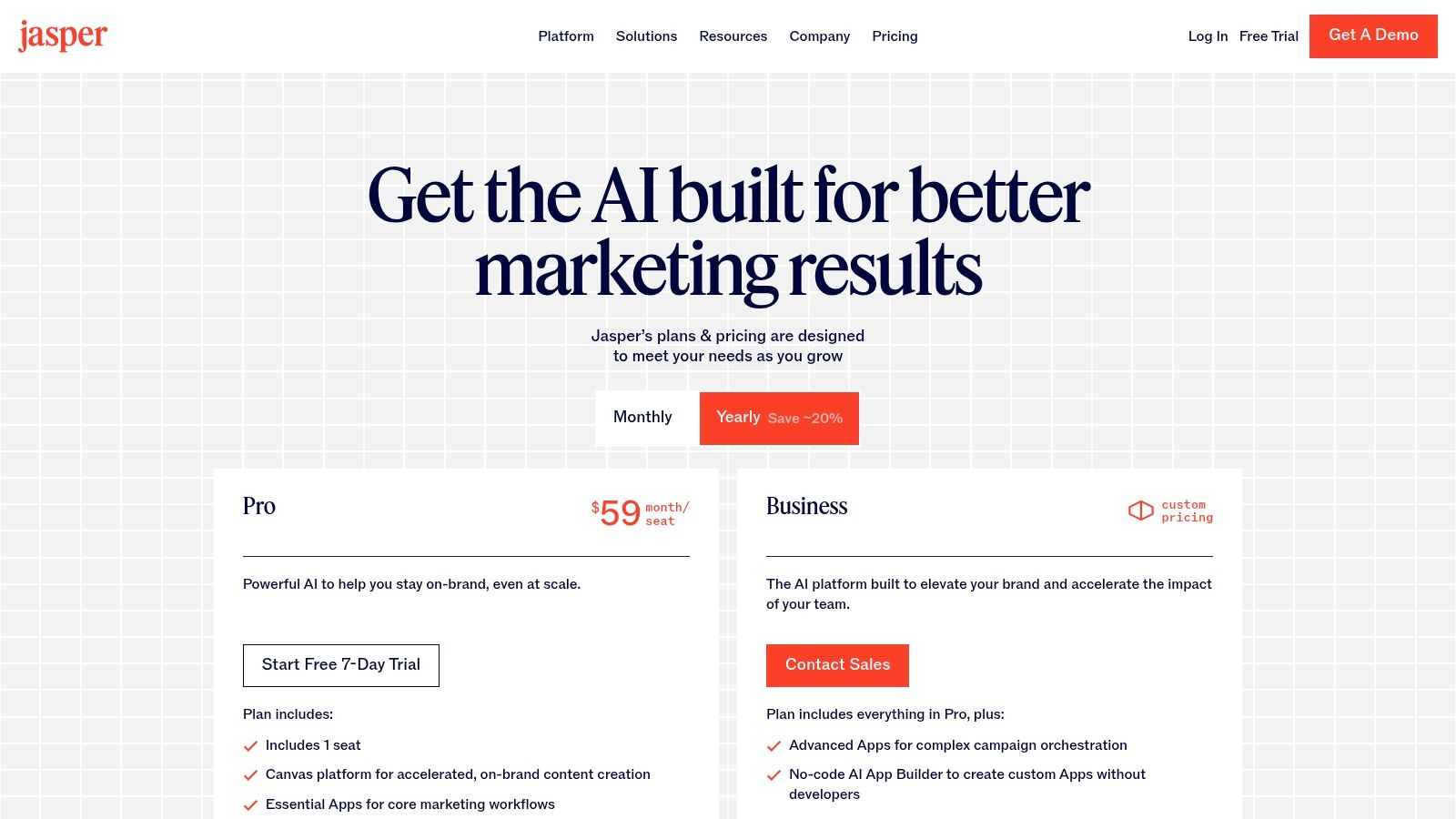
Unlike more general writing tools, Jasper provides a suite of features tailored for team governance and control. Its collaborative "Canvas" workspace, content pipelines, and even a no-code app builder allow teams to create repeatable processes. This focus on brand consistency and workflow automation makes it a powerful choice for businesses looking to integrate AI deeply into their marketing operations rather than just for ad-hoc tasks.
Key Features & Use Cases
- Best For: Corporate marketing teams and agencies that require strong brand governance and tools to standardize content creation across multiple users and campaigns.
- Standout Feature: The Brand Voice and Knowledge Base features are central to its value. Jasper learns your company's style, tone, and specific product information to generate content that sounds genuinely like your brand.
- Practical Use: A marketing team can upload its style guide, product specs, and case studies, then use Jasper to empower every team member to write accurate, on-brand emails, social media posts, and product pages without constant supervision.
| Pros | Cons |
|---|---|
| Strong brand control and governance for team-wide consistency | Per-seat pricing can become expensive for larger teams |
| Purpose-built features to standardize tone and campaign workflows | Best value when adopted as an end-to-end workflow, not for occasional use |
| Excellent onboarding resources and a focus on marketing-specific applications | Can have a steeper learning curve than simpler writing tools |
Jasper offers a free trial, with paid plans structured for creators, teams, and businesses. Its enterprise-grade features make it one of the most robust ai content generation tools for organizations serious about brand integrity.
12. G2 - AI Writing Assistants Category
G2 serves as a comprehensive buyer's marketplace rather than a standalone tool, offering a powerful way to research and compare the vast landscape of AI writing assistants. It aggregates user reviews, feature breakdowns, and market presence data to help businesses and creators make informed decisions. By compiling real-world feedback, G2 provides a transparent look at how different platforms perform in practice, moving beyond marketing claims.
Unlike a direct provider, G2's value lies in its crowdsourced intelligence and filtering capabilities. You can sort tools by company size (SMB, Enterprise), language support, and user satisfaction, which is crucial for finding a solution that fits a specific workflow. Its "Grid" reports visually map out market leaders and high performers, offering a quick yet detailed snapshot of the competitive environment.
Key Features & Use Cases
- Best For: Marketing managers, IT decision-makers, and small business owners who need to evaluate and shortlist multiple ai content generation tools based on verified user experiences.
- Standout Feature: The "Grid" report and detailed, filterable user reviews provide a level of social proof and competitive insight that individual vendor websites cannot offer.
- Practical Use: A marketing agency can use G2's comparison feature to evaluate three leading AI writers, checking reviews specifically from other agency users to see which one integrates best with their existing project management software.
| Pros | Cons |
|---|---|
| Crowdsourced user reviews provide authentic, unbiased insights | Rankings can change quickly, requiring frequent checks for the latest information |
| Powerful filters to find tools for specific needs (e.g., industry, team size) | Information is aggregated; you still need to visit vendor sites for precise details |
| Excellent for discovering new and emerging AI tools in the market | Can be overwhelming due to the sheer number of options listed |
G2 is free to use for research, acting as a starting point before you explore free trials or demos from the vendors themselves. For those wanting a broader view, you can explore more curated lists of the best AI tools for content creators.
Top 12 AI Content Generators — Feature Comparison
| Product | Core capabilities | Target audience & UX | Pricing & value | Unique selling points |
|---|---|---|---|---|
| Sprello (Recommended) | Script & hook generation, visual storyboard, B-roll/image/audio gen, 20+ AI avatars, PiP, AI bg removal, auto-synced captions, export | Brands, agencies, creators; marketing-first templates, fast previews, multi-workspace collaboration | Starts $29/mo ($24/mo annual) — 1,000 credits; Growth $59/$49 (2,250); Scale $119/$99 (5,000); unlimited exports with own assets; 3‑day trial | True end‑to‑end workflow, many top models in one place, realistic avatars & voices, credits for new gens, priority support |
| OpenAI — ChatGPT | General-purpose LLM for ideation, long-form, code, custom GPTs, Projects; voice/video features on higher tiers | Broad teams, devs, content creators; frequent feature updates and integrations | Free → Pro/Enterprise; API usage billed separately | Advanced reasoning, extensible ecosystem, custom GPTs & enterprise controls |
| Anthropic — Claude | Writing, analysis, memory, web research, no-code Artifacts and connectors | Teams needing safety-first drafting, repeatable workflows, research | Free/Pro/Max/Team tiers; some features have quotas or separate billing | Safety-focused outputs, memory for continuity, no-code app (Artifacts) builder |
| Google — Gemini (via Google One AI Pro/Ultra) | Gemini models across Gmail/Docs/Drive, Flow/Whisk creative tools, Veo video access | Organizations embedded in Google Workspace seeking integrated AI + storage | Google One AI Pro/Ultra plans; bundled storage (up to 30 TB) and monthly credits; premium pricing | Deep Workspace integration, cross-product AI features, large bundled storage |
| Adobe — Firefly | Image/video/audio/vector generation & editing, Firefly Boards, partner model access | Creative teams and agencies using Adobe ecosystem | Credit-tiered plans; best value when bundled with Adobe apps | Commercial rights and brand safety, native Photoshop/Express integrations |
| Runway | Text-to-video (Gen-4/4.5), image-to-video, performance capture, editing & upscale tools | Production teams and marketers iterating concept videos rapidly | Tiered credit model with Explore mode; paid tiers remove watermarks | Production-grade video models, fast iteration workflows and tutorials |
| Midjourney | High-quality still-image generation, consistent aesthetic; video options on higher tiers | Designers, art directors, creators for moodboards, thumbnails, concept art | Subscription tiers (Fast GPU time, Relax Mode); Pro/Mega for video & stealth | Consistent, high-quality visuals and active creative community |
| ElevenLabs | Studio-quality TTS, voice cloning, multilingual dubbing, speech-to-text, API | Voiceover producers, localization teams, ad/video creators | Usage-based/API billing with clear credit tiers; business plans available | Natural-sounding voices, fast voice cloning, enterprise features (BAA) |
| Canva — Magic Studio | Design + AI: text-to-image/video, Magic Write/Media, Magic Resize, AI Voice, templates | SMBs, social teams, non-designers needing fast asset production & collaboration | Free → Pro/Teams; seat/region pricing varies | Massive template library, apps marketplace (DALL·E/Imagen/Runway) and easy collaboration |
| Jasper | Marketing-focused content platform: Brand Voice, content pipelines, agents, no-code apps | Marketing teams standardizing on-brand content at scale | Per-seat pricing; enterprise plans and governance features | Strong brand controls, marketing templates, knowledge & audience features |
| G2 — AI Writing Assistants category | Buyer marketplace with reviews, leaderboards, feature comparisons and vendor links | Procurement teams and buyers evaluating AI writing tools | Free access to reviews and vendor links | Crowdsourced user sentiment, fast shortlisting and comparison of vendors |
Choosing the Right AI Tools for Your Workflow
Navigating the expansive landscape of AI content generation tools can feel overwhelming. We've journeyed through powerful text models like ChatGPT and Claude, innovative image generators such as Midjourney and Adobe Firefly, and specialized platforms for audio and video. The core takeaway is not to adopt every tool available, but to strategically select the ones that solve your most significant content bottlenecks.
The true power of these platforms is unleashed when they integrate seamlessly into your existing processes, acting as a force multiplier for your team's creativity and efficiency. The best AI content generation tools are not just novelties; they are practical solutions to real-world business challenges, from scaling social media creative to drafting technical documentation.
How to Choose Your AI Toolkit
Making the right choice requires a clear understanding of your goals, team capabilities, and budget. Instead of chasing the newest, most-hyped tool, focus on a methodical evaluation process.
- Identify Your Primary Bottleneck: What is the single biggest hurdle in your content production pipeline? Is it writing first drafts? Creating a steady stream of video ads? Generating unique blog post images? Pinpoint this primary pain point and start your search there. Solving one major problem is more impactful than dabbling in a dozen minor optimizations.
- Start Small and Experiment: Nearly every tool on our list offers a free trial or a freemium plan. Use these opportunities to your advantage. Assign a small, low-stakes project to test a platform's capabilities. Evaluate its user interface, the quality of its output, and how intuitive it feels for your team. This hands-on experience is far more valuable than any marketing copy.
- Consider Your Core Content Type: If your strategy is heavily reliant on long-form written content, your focus should be on sophisticated large language models. For a detailed breakdown of the leading text generators, a deep-dive Claude vs ChatGPT comparison can provide critical insights to help you decide which model's strengths align with your brand's voice and objectives. Conversely, if video is your primary marketing channel, an end-to-end solution is a wiser investment.
From Individual Tools to an Integrated Workflow
The initial step is often adopting a single, powerful tool. For many, that might be a general-purpose AI writer like Jasper or a versatile design platform like Canva's Magic Studio. These platforms offer a gentle learning curve and deliver immediate value across various tasks.
However, as your team's reliance on AI grows, the goal should be to build an integrated ecosystem. This means choosing tools that work well together or, even better, consolidating functions into an all-in-one platform. For marketing teams laser-focused on video, a platform like Sprello becomes essential. It replaces the need for separate tools for scripting, voiceovers, asset creation, and editing, streamlining the entire production cycle into one cohesive, accelerated workflow. This consolidation saves time, reduces subscription costs, and eliminates the friction of moving assets between different applications.
The era of AI-powered creation is not about replacing human creativity; it's about amplifying it. The right AI content generation tools will remove tedious, repetitive work, freeing your team to focus on strategy, storytelling, and building a genuine connection with your audience. The journey starts with a single step: identifying your biggest need and choosing the right tool to solve it.
Ready to eliminate your video production bottlenecks and scale your creative output? Sprello is the all-in-one AI platform that takes you from a simple idea to a publish-ready video in minutes. Stop juggling multiple tools and subscriptions, and start creating high-performing video content effortlessly by visiting Sprello to see how it works.


